Blank slides waste time, and adoption numbers show teams are hungry for faster options: the PlusAI add-on for Google Slides and PowerPoint now counts more than one million installs in the Google Workspace Marketplace, while a Wonder study finds knowledge-workers lose 261 hours a year re-formatting decks and hunting graphics. With seventy-two percent of professionals already using AI at work, according to a 2025 GlobeNewswire survey, presentation tools are racing to respond.
- Microsoft Copilot now lives inside PowerPoint, turning outlines into slides and suggesting on-brand designs.
- Google Gemini for Workspace (formerly Duet AI) ships inside Slides to draft, summarize, and illustrate decks on command.
We tested six browser-based AI deck builders — PlusAI, SlidesAI, Beautiful.ai, Canva Magic Design, Tome, and Gamma — against three criteria:
- Generative AI under the hood, not static templates
- A self-serve plan you can start today
- Updates shipped through late 2025
We’ll compare them on six decision points:
- AI writing and visual quality
- Fit inside—or outside—PowerPoint/Slides workflows
- Branding controls for fonts, colors, and logos
- Export fidelity to PPTX or PDF
- Pricing once free credits disappear
- Data-privacy posture
The tour starts with PlusAI, an add-on that keeps you in native PowerPoint or Google Slides, then moves to design-first and story-first alternatives.
Ready to reclaim your Fridays? Scroll on.
PlusAI — build smarter slides inside PowerPoint and Google Slides

PlusAI is an AI add-on that lives in the PowerPoint and Google Slides ribbon, so you can draft, rewrite, and redesign without opening another tab.
What it does in practice
- Prompt-to-deck: Type a topic or paste an outline. GPT-4 drafts titles, talking points, and matching visuals in seconds.
- Inline editing: Highlight text and select Edit with AI to shorten, rephrase, translate, or add speaker notes.
- Remix layouts: Turn a wordy slide into a three-column, pro/con, or timeline layout with one click.
- Brand guardrails: Enter a hex code or company name; PlusAI auto-applies fonts, colors, and backgrounds across the file.
- Live data: Snapshots embed charts or dashboards that refresh on open, useful for weekly KPI decks.
Proof that teams already trust it
The Google Workspace listing shows more than 1.9 million installs and an average 4.6-star rating across 820 reviews.
Plans, trials, and limits (USD)
- Seven-day full-feature trial (credit card required)
- Basic: $10 per user per month (annual) for unlimited AI slides
- Pro: $20 per user per month adds PDF/DOC uploads and AI image generation
- Team: $30 per user per month adds shared branding and custom templates
Free users can still generate decks but hit caps (for example, a 30-slide limit per run and smaller prompt sizes) before upgrading.
Best suited for consultants, marketers, and internal teams who build decks daily and prefer to stay in native PowerPoint or Slides. Watch-outs: the desktop PowerPoint add-in is still rolling out, and the AI can draft paragraphs that need trimming for live presentations.
Bottom line: If you want to stay in familiar software while tapping GPT-4 for structure, copy, and design, PlusAI currently offers the broadest in-ribbon feature set.
SlidesAI – turn walls of text into bite-size slides
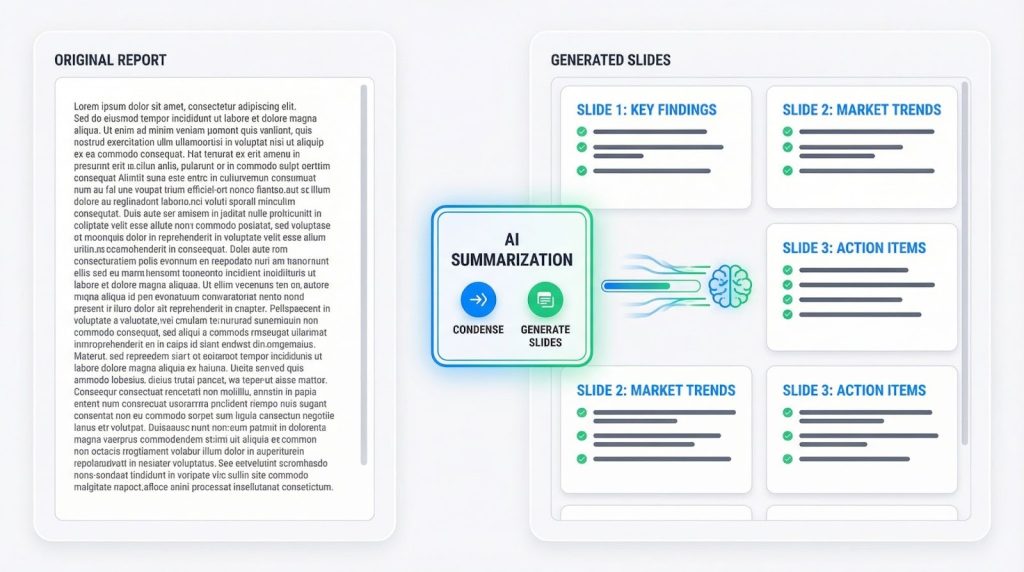
SlidesAI is an AI add-on for Google Slides and PowerPoint that compresses long prose into slide-ready bullets in seconds.
Paste a report, transcript, or email and click Generate; GPT-powered summarization breaks the text into slide titles and concise points. Because the tool works from the native Slides or PowerPoint ribbon, there is no new dashboard to learn, so you keep editing in the canvas you already use.
What it does well
- Speed over style: Students distilling a 30-page thesis or analysts cutting a PDF brief get a first-draft deck in less than a minute.
- Context-aware summaries: SlidesAI trims jargon but keeps quotes intact; if detail is missing you can select Magic Write to expand notes without leaving the slide.
- Quick setup: Install the extension, grant permissions, and a new “SlidesAI” menu appears beside your regular toolbar.
Proof of traction
- More than 16 million installs on the Google Workspace Marketplace
- Approximately 4-star average rating across 1,200 Marketplace reviews
Where it falls short
Brand-heavy teams may find the single color-theme picker too light; SlidesAI will not auto-apply custom fonts or lock slide masters. User reviews also mention occasional billing-cancellation issues, so consider the monthly plan first.
Pricing snapshot (USD)
Free users can create 12 presentations per year. Paid tiers reset limits annually: Pro – $8.33 per month (120 decks) and Premium – $16.67 per month (unlimited decks) when billed yearly.
Best for lecturers, students, and analysts who value raw speed in turning dense text into review-ready slides and who can accept minimalist design controls.
Beautiful.ai – let the layout police handle your design

Beautiful.ai is a web-based presentation platform that auto-applies professional layout rules the moment you add or move content.
Open a blank deck, type a prompt into DesignerBot, and GPT-4 drafts 8–12 slides (headlines, body copy, and stock imagery) in under a minute. Thanks to the 2023 Contextual AI update, you can also upload a PDF or paste a link and let the bot distill it into stakeholder-ready slides without copying and pasting.
What happens next is the real draw: each time you resize a chart, swap an icon, or reorder bullets, the slide snaps back into place like an invisible art director. Font hierarchy, whitespace, and color contrast are enforced, giving non-designers a deck that looks polished from title to thank-you slide.
Need to finish in PowerPoint? One-click export delivers an editable .pptx file, so last-second changes stay painless.
Numbers to know
- More than 3 million registered users and 35 million slides created to date
- Pro plan: $12 per month (billed annually) for individuals
- Team plan: $40 per user per month (annual) adds shared libraries, version control, and analytics
- Fourteen-day full-feature trial (credit card required) with unlimited slides
Trade-offs to weigh
The locked-in grid keeps decks polished but can frustrate creatives who want full freedom. Unlike some rivals, there is no free tier; after the trial, exporting or sharing requires a paid subscription.
If appearance outranks granular control, Beautiful.ai feels like an in-house designer: you feed it ideas, and it returns slides ready for a Series A pitch or C-suite update without opening an alignment tool.
Canva Magic Design – instant inspiration for the Canva crowd
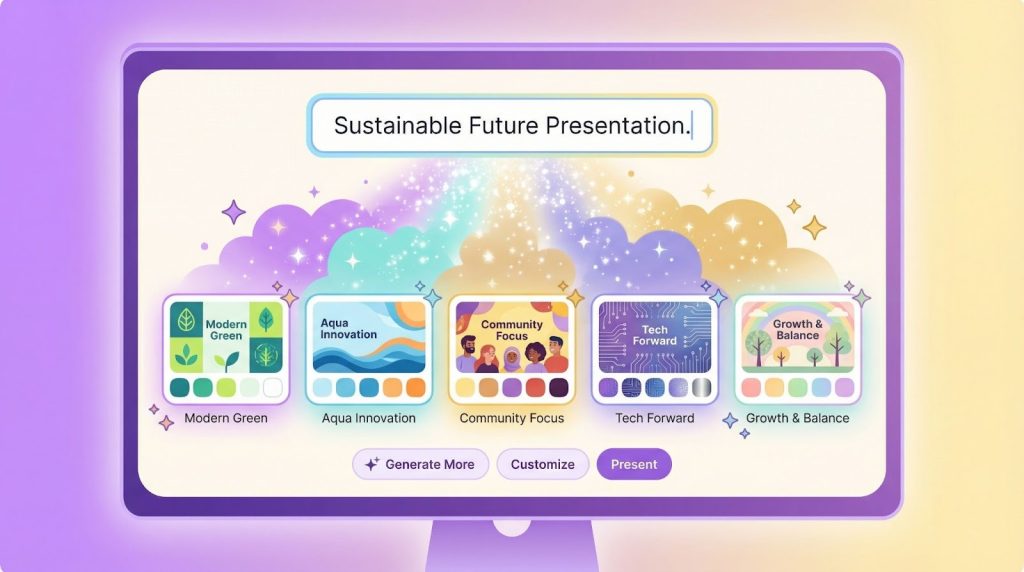
Magic Design is Canva’s AI prompt that drafts a first-pass presentation inside the same drag-and-drop editor used by more than 240 million monthly Canva users worldwide. According to Forbes, Canva reached a $42 billion valuation in 2025.
Type a one-line brief such as “Q4 social media report,” and the engine suggests six to eight themed decks, each pre-filled with stock images, headline ideas, and your brand colors if a Brand Kit is attached. Because everything appears on the familiar Canva canvas, you can swap photos, animate charts, or run Magic Write to expand bullets without learning a new interface.
Where it helps most
- Speeds past the blank-slide phase: a styled draft appears in about ten seconds according to Canva’s launch demo.
- Keeps design on-brand: Brand Kit assets drop into place automatically for Pro and Business subscribers.
- Free for all users: Magic Design carries no extra fee; limits apply only to companion tools such as Magic Write (50 uses on the Free plan before reset).
Trade-offs to note
The AI focuses on layout, so copy stays intentionally generic; you still write the story. Free users also lose access to premium imagery and locked brand controls that sit behind Canva Pro ($14.99 month-to-month for up to five seats) or Canva Business ($20 per person).
Bottom line: if your team already works in Canva and needs a rapid visual spark, Magic Design moves you from blank canvas to credible concept faster than opening PowerPoint.
Tome – draft a story-first deck in one prompt
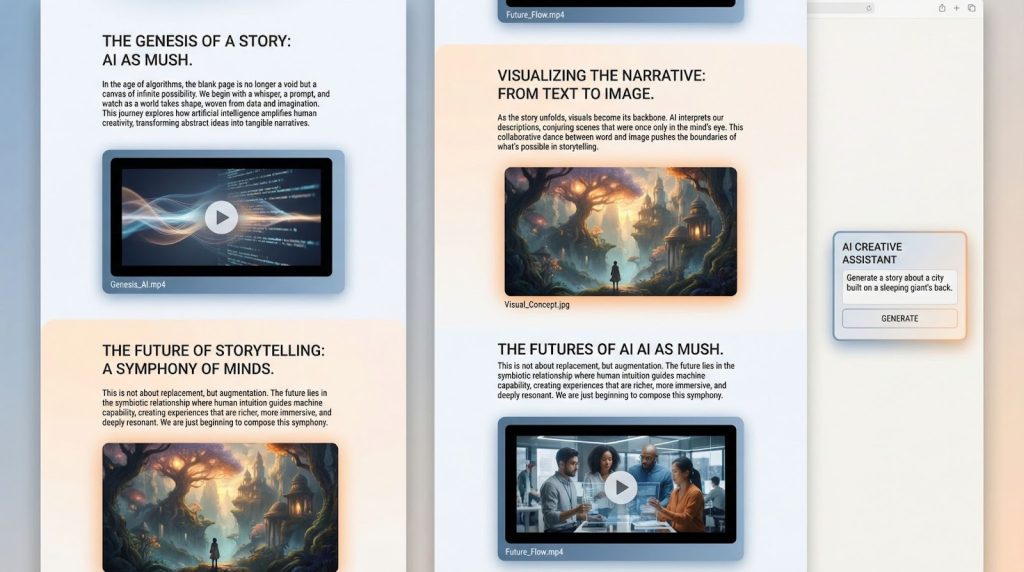
Tome is a web canvas that turns a single prompt or document into an interactive, scroll-based presentation with no slide sorter required.
How it works
Type “8-page pitch on vertical farming” (or upload a doc) and Tome’s GPT-4 writer plus DAL-E image engine draft headlines, copy, and custom visuals in under a minute. Pages act like a mini website: you can embed live sites, video clips, or 3-D models, and collaborators edit in real time, more Google Doc than PowerPoint. An inline AI assistant rewrites jargon, shortens hooks, or swaps illustrations on request.
Limits and pricing to note
- Free tier: up to five tomes and no AI credits
- Tome Pro (no longer available to upgrade) was $16 per user per month when billed annually, or $20 month-to-month, and provides unlimited AI and PDF export
- Export: PDF is supported; PowerPoint export is not. Multimedia content flattens in PDFs
Sunset notice
Tome will shut down Tome Slides on April 30, 2025; all subscriptions will be canceled and data deleted after that date. The founders are shifting to a different AI product, despite claiming 20 million users at peak. Plan migrations or pick another tool for long-term decks.
Best for (until April 2025): rapid ideation or hack-day storytelling that can live as a web link, provided you are comfortable exporting to PDF for archiving and moving off the platform before the shutdown.
Gamma – interactive decks that read like mini-websites
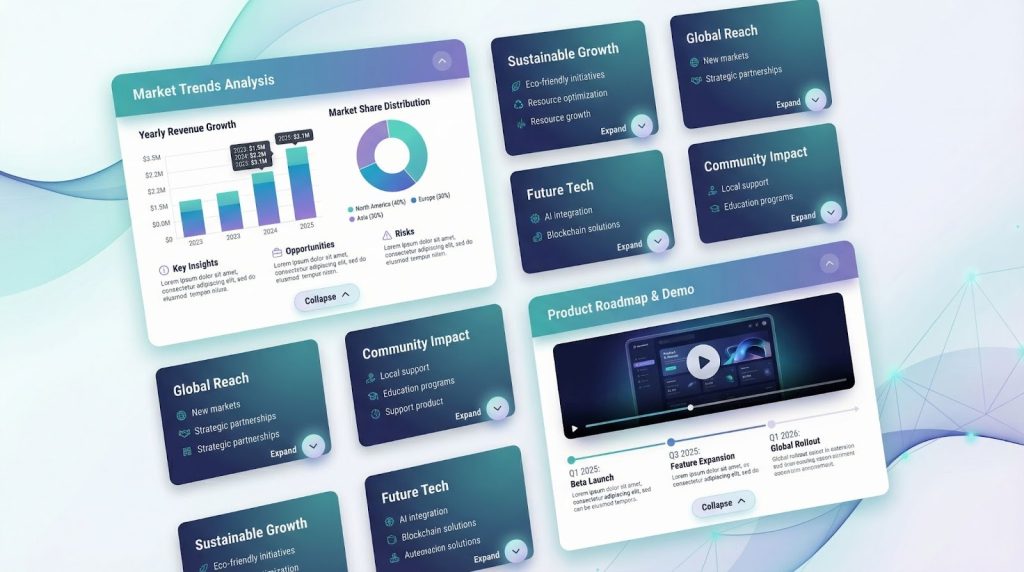
Gamma is a web-native presentation builder that breaks each slide into an extendable “card,” so a live deck can hide or reveal depth like an accordion webpage.
Drop a prompt or paste a 1,000-word brief and Gamma’s GPT engine slices it into cards, picks images, and applies a modern theme, more landing page than lecture hall. Top-layer text stays concise for live delivery; curious readers can click a card to expand research, tables, or videos without inflating the slide count.
Editing is conversational: select a headline, ask the sidebar AI to sharpen tone, or create a custom visual. Finished decks share through a link that opens in any browser; if your client needs a file you can export to PDF or PowerPoint (expect minor spacing tweaks).
Numbers to know
- Free users receive 400 credits, enough for roughly ten AI-generated decks, but credits do not refresh.
- Paid tiers: Plus $10 per month (400 monthly credits, removes Gamma logo) and Pro $20 per month (higher-quality models, custom fonts, analytics).
- Card limits scale by plan: Free allows 10 cards per prompt, Plus 20, Pro 60.
Trade-offs to weigh
Independent reviews mention template repetition and occasional formatting fixes after PPT export. Collaboration features such as comments and real-time edits sit behind paid plans, and offline editing is unavailable.
Best for founders, educators, or marketers who want a single link that doubles as a live pitch and leave-behind document, and who accept credit management plus mild template deja vu. Educators who’d like a deeper, classroom-specific comparison can skim this teacher-focused roundup of AI presentation generators for 2026.
Quick comparison: find your fast match
| Tool | Works inside PowerPoint/Slides? | Design Automation | AI-Writing Focus | Export Options | Free Tier | Entry Price* |
| PlusAI | Yes (add-on) | Layout remix, brand themes | GPT-4 copy & rewrite | Native PPTX or Slides | Unlimited users (credit-capped) | $10 per user per month |
| SlidesAI | Yes (add-on) | Basic theme picker | Text summarizer | Native PPTX or Slides | 12 decks per year | $8.33 per month (annual) |
| Beautiful.ai | Stand-alone | Locked, polished layouts | Prompt-to-deck | Editable PPTX | 14-day trial | $12 per month |
| Canva Magic Design | Stand-alone | Style mock-ups | Placeholder copy | PPTX and PDF | Unlimited (Magic Write: 50 uses/month) | Free (Pro $14.99/mo for 5 seats) |
| Tome | Stand-alone | Scroll-based canvas | GPT-4 narrative | PDF only | Up to five tomes, no AI credits | Service ends April 30, 2025 |
| Gamma | Stand-alone | Interactive cards, themes | Content structuring | PPTX and PDF | 400 credits (~10 decks) | $10 Plus / $20 Pro |
*Entry price reflects the lowest paid individual plan billed annually.
Use PlusAI or SlidesAI if you prefer to stay in PowerPoint or Google Slides.
Choose Beautiful.ai or Canva when visual polish matters most.
Until its April 30, 2025 shutdown, Tome works for rapid ideation, while Gamma fits web-first decks that double as leave-behind links.
Start with a free plan, test one real project, and keep the tool that turns “New Slide” from chore to progress.
Which AI deck builder fits your workflow
1. Staying inside PowerPoint or Google Slides
If your team trades .pptx files in Track Changes, switching software adds friction you do not need.
- PlusAI is an in-ribbon co-pilot that drafts, rewrites, and applies brand themes without leaving PowerPoint or Slides. Paid plans start at $10 per user per month.
- SlidesAI is a text-to-slides summarizer. Paste a report, click Generate, and get clean bullets in under a minute. The free tier allows 12 decks a year; Pro costs $8.33 per month when billed annually.
2. When visual polish is the priority
Your content is solid, yet the deck looks homemade.
- Beautiful.ai is a template-locked designer; every resize snaps into a refined grid. A 14-day trial precedes the $12 Pro plan.
- Canva Magic Design offers style mock-ups inside the Canva editor you already use. It is free; upgrading to Canva Pro ($14.99 per month for five seats) adds brand-kit controls.
3. Storytelling and interactivity
You need a shared link that feels more like a mini website than static slides.
- Gamma is a card-based web deck; viewers click to reveal depth. The free tier grants 400 credits, about ten decks. Plus is $10 per month and Pro $20 per month, refreshing credits monthly and adding custom fonts and analytics.
- Tome will shut down its Slides product on April 30, 2025. Use it only for short-term ideation and export to PDF for archiving.
Fast alternatives worth a five-minute test
- Prezi Prezo AI builds zoom-in decks through a chat interface, helpful for motion-focused storytelling.
- Storydoc specializes in interactive sales decks with embedded ROI widgets.
- Decktopus auto-generates agenda, pricing, and testimonial slides for B2B pitches.
Each tool offers a free trial, and pricing starts around $10 to $20 per month.
Bottom line
- Choose PlusAI or SlidesAI if you prefer to stay inside PowerPoint or Google Slides.
- Select Beautiful.ai, Canva, or Canva Magic Design when brand-safe visuals matter most.
- Pick Gamma for interactive web decks, and treat Tome as a short-term idea tool until its shutdown on April 30, 2025.
Start with a free plan, test one real project, and keep the AI that turns “New Slide” from chore to progress.
Conclusion
AI deck builders have finally matured beyond novelty, offering real speed and design leverage for professionals who create presentations weekly or daily. Whether you need to stay inside PowerPoint or Google Slides, want agency-level polish without the designer, or prefer web-native storytelling with interactive depth, there’s now a tool built for your workflow.
PlusAI and SlidesAI are the best fit for teams who live in Microsoft or Google ecosystems and want AI woven directly into their existing slide editors.
Beautiful.ai and Canva Magic Design prioritize visual refinement and brand consistency with minimal manual formatting.
Gamma offers the most innovative card-based, web-first presentations, while Tome, despite its sunset in April 2025, remains useful for quick ideation or hack-day concepts.
Your best move is simple: pick one tool, run a real project through its free tier or trial, and keep the option that turns blank slides into progress with the least friction.
FAQ
1. Which AI presentation tool is best for PowerPoint users?
PlusAI is the strongest option because it works directly inside the PowerPoint ribbon, generating and editing slides without leaving the app. SlidesAI also integrates with PowerPoint but focuses more on summarizing long text into slide bullets.
2. What’s the best free AI presentation tool?
Canva Magic Design is the most generous free option—no time limits and core AI features included. Gamma also offers a free tier with 400 credits (roughly 10 decks). SlidesAI gives 12 free decks per year.
3. I need beautiful, on-brand slides. What should I choose?
Choose Beautiful.ai if you want hands-off, agency-quality layouts enforced by smart design rules.
Choose Canva Magic Design if your team already works in Canva and wants brand kits, templates, and flexible layout editing.
4. Which tool generates the best AI writing?
PlusAI, Tome, and Gamma generally produce the strongest narrative structure and slide copy because they rely on more advanced LLMs (like GPT-4) for generation. Tools like Canva Magic Design lean more on layout than writing, so copy tends to be generic until edited.
5. Can these AI tools export to PowerPoint (.pptx)?
Yes. PlusAI, SlidesAI, Beautiful.ai, Canva Magic Design, and Gamma all support PPTX export.
Tome does not support PPTX export; it only exports to PDF and will shut down its Slides product on April 30, 2025.
6. Which tool has the best data-privacy posture?
All six tools offer standard SaaS-grade privacy. For stricter enterprise compliance:
- PlusAI and SlidesAI inherit Google/Microsoft permissions when used as add-ons.
Beautiful.ai, Canva, and Gamma provide SOC2 or enterprise controls on higher plans.
Always review each vendor’s privacy whitepaper if handling confidential client or internal data.