Task project management is a crucial aspect of any organization’s success. It involves the planning, execution, and monitoring of tasks to ensure that they are completed within the specified time frame and budget.
This process requires a clear understanding of everyone’s roles, efficient communication channels, and effective task prioritization techniques. Effective task project management can help organizations achieve their goals efficiently by ensuring that each team member knows what is expected of them.
By defining everyone’s roles in a project, it becomes easier to assign tasks based on individual strengths and expertise. Additionally, using an appropriate project management framework such as Kanban can help teams plan projects effectively by visualizing tasks and workflows.
In this article, we will discuss ten essential tips for successful task project management that can help organizations improve their productivity while minimizing errors.
Understanding Task Project Management: Streamlining Your Management Tasks

Task project management involves effectively planning, organizing, and executing tasks within a project. It focuses on task allocation, scheduling, progress tracking, and collaboration to ensure successful project completion.
Effective Communication and Collaboration
Task project management relies on clear and efficient communication among team members. By establishing open lines of communication, team members can exchange information, discuss project requirements, and address any concerns or challenges that arise.
For example, using collaboration tools such as project management software or team messaging platforms can facilitate seamless communication and foster a cohesive work environment.
Resource Allocation and Planning
Proper allocation of resources is crucial in task project management. Project managers play a pivotal role in identifying the necessary resources, including human capital, equipment, and budgetary requirements.
By allocating resources effectively, project managers ensure that tasks are adequately supported, enabling team members to work efficiently and achieve project objectives.
Regular Monitoring Of Progress
Monitoring project progress is essential to identify potential bottlenecks and address them promptly. Regular progress updates allow project managers to track milestones, evaluate task completion rates, and make informed decisions to keep the project on track.
Utilizing project management tools that provide real-time insights and visual representations of progress can enhance monitoring efficiency.
Task Breakdown for Manageability
Breaking down projects into smaller, manageable tasks is a key strategy in task project management. By dividing complex projects into simpler units or activities, team members can focus on specific tasks without feeling overwhelmed.
This approach also facilitates risk identification at an early stage, enabling proactive mitigation measures.
13 Effective Task Project Management Strategies for Modern Day
Discover powerful strategies to optimize task project management in today’s fast-paced business environment. From effective task prioritization to streamlined communication, learn how to enhance productivity and achieve project success.
1.Establishing Clear Expectations and Fostering Accountability
Defining everyone’s roles and responsibilities is a crucial aspect of effective project management. By clearly identifying individual contributions and responsibilities, the project manager establishes expectations and fosters accountability and a sense of ownership within the team.
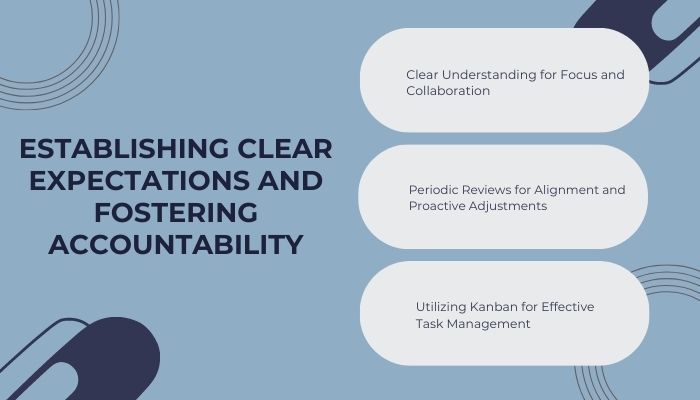
Clear Understanding for Focus and Collaboration
Each team member should have a clear understanding of their role in the project. This includes knowing the tasks they are responsible for, the deadlines they need to meet, and how their work contributes to the project’s overall objectives.
This clarity allows team members to work with focus and confidence, knowing that their efforts directly contribute to the project’s success. It also facilitates effective collaboration among team members, as everyone shares a common understanding of the project’s requirements.
Periodic Reviews for Alignment and Proactive Adjustments
Regularly reviewing roles and responsibilities throughout the project lifecycle is essential. As circumstances change or new information emerges, adjustments may be necessary to ensure that everyone’s efforts align with the project’s goals.
By conducting individual and team-wide reviews, project managers can proactively address any issues and keep everyone on track.
Utilizing Kanban for Effective Task Management
Implementing kanban as a planning tool provides an effective way to manage tasks within a team environment. Kanban boards offer visual representations of tasks, indicating their progress and completion status for different team members.
With Kanban boards, project managers can easily track task assignments and deadlines set by various stakeholders involved in the project, ensuring transparency and efficient task management.
Onethread aids in establishing clear expectations and fostering accountability by allowing teams to set defined goals, assign tasks with deadlines, and monitor progress through its integrated project management and collaboration features.
2. Enhancing Workflow Efficiency with Kanban for Planning
Kanban, derived from Toyota’s manufacturing system, offers a powerful method to optimize productivity and minimize waste in various industries, including software development, marketing, healthcare, and education. Its visual representation and progress tracking capabilities make it an invaluable tool in task project management.
Streamlined Task Management with Kanban Boards
Kanban boards provide a visual overview of tasks divided into three columns: To Do, Doing, and Done. Each task is represented by a card or sticky note, containing vital information such as title, description, priority, due date, assignee(s), and other relevant details.
Teams can easily track task progress, identify bottlenecks, and make necessary adjustments in real-time.
Effective Planning and Task Breakdown
Kanban enables teams to plan their work effectively by breaking down complex tasks into smaller sub-tasks. This approach enhances time estimation accuracy and prevents overwhelm or burnout among team members.
By organizing tasks into manageable units, teams can optimize their workflow and increase overall productivity. Onethread’s Kanban boards streamline task planning and workflow.
Example:
| TASK | SUB-TASK 1 | SUB-TASK 2 | SUB-TASK 3 |
| Design website | Create wireframes | Choose color scheme | Develop layout |
| Write report | Research topic | Outline structure | Draft content |
Fostering Transparency And Collaboration
Implementing Kanban promotes transparency within the team. All members have access to up-to-date task information, allowing for better coordination and awareness of interdependencies.
Collaboration is enhanced through effective communication about task progress or issues, facilitated by daily stand-up meetings or virtual collaboration tools.
3. Maximizing Productivity Through Single-Task Focus
To achieve maximum productivity, it is essential to focus on one task at a time. By dedicating attention to a single action, individuals experience improved focus, reduced stress, and enhanced performance outcomes.
In task project management, avoiding multitasking and prioritizing the completion of one task before moving on is crucial. Breaking down large projects into manageable subtasks allows for sequential completion.
Task management software can aid in creating subtask lists and assigning them to team members under the supervision of a project manager.
Advantages of Singular Task Focus
The benefits of concentrating on one task at a time go beyond efficient work completion. By immersing oneself in a single task, individuals can delve deeper into its intricacies, identifying areas for improvement and correcting errors.
Furthermore, avoiding constant task-switching reduces mental fatigue, leading to increased overall job satisfaction.
Prioritization for Effective Project Management
Project managers must recognize that attempting to complete all project aspects simultaneously is impractical and ineffective. By prioritizing tasks and understanding what needs to occur first versus what can wait, teams experience reduced overwhelm and increased motivation to successfully complete each step.
Optimizing Productivity Through Early Tackling of Challenges
To further enhance productivity within teams working on larger projects, project managers should encourage tackling the most challenging tasks early in the day when energy levels are highest.
Establishing this approach in task project management strategies leads to increased efficiency over time as teams learn effective workload management through focused concentration and proper prioritization techniques. Onethread’s to-do lists keep focus on one task at a time, boosting productivity through single-task concentration.
4. Boosting Productivity With The “Do The Scary Tasks First” Approach
Prioritizing challenging tasks at the start of the workday can significantly enhance productivity and create a sense of accomplishment. By approaching difficult responsibilities with fresh energy and focus, individuals can effectively manage task project.
Addressing intimidating tasks first helps alleviate anxiety and sets a positive tone for the rest of the day.
Discipline and Planning for Successful Implementation
Incorporating this management strategy requires discipline and planning. Creating a task list and prioritizing based on difficulty or importance is helpful. It is crucial to commit to tackling tasks in order, without getting sidetracked by easier or less urgent responsibilities.
While tempting, completing simpler tasks first as a warm-up can hinder overall productivity.
Building Confidence and Demonstrating Competence
Doing scary tasks first allows individuals to build confidence in their ability to manage complex projects. Successfully overcoming overwhelming challenges instills a sense of self-assurance, enabling individuals to handle future obstacles with ease.
This confidence not only promotes personal growth but also fosters positive work relationships by showcasing reliability and competence.
Enhancing Productivity and Cultivating A Sense pf Accomplishment
Incorporating the practice of prioritizing challenging tasks into task project management strategies significantly boosts productivity while fostering feelings of accomplishment and confidence.
Maintaining discipline and commitment to tackling challenging responsibilities over simpler ones is essential. The next step in effective time management involves setting time limits for each prioritized task without compromising quality or rushing through essential project steps.
Onethread allows prioritizing tasks, so tackling the daunting ones first becomes systematic and boosts productivity.
5. Enhancing Task Completion with Set Time Limits
Setting realistic and achievable time limits for tasks is a crucial technique to ensure timely completion. In task project management, this practice enables teams to prioritize workloads and allocate resources effectively.
Utilizing task management software allows team members to track progress, set deadlines, and collaborate on projects.
Considerations for Realistic Time Limits
Project managers must consider factors such as task complexity, available resources, and team member availability when setting time limits. Regular communication with team members ensures a shared understanding of project goals and motivates individuals to complete tasks within the designated timeframe.
Monitoring Progress and Fostering Accountability
Regular progress monitoring is essential to identify potential obstacles and make necessary adjustments to scheduling and resource allocation. It also promotes accountability among team members, as they are responsible for completing specific tasks within agreed-upon deadlines.
Effective Communication for Successful Time Limit Implementation
Clear communication is critical when setting time limits for tasks. Project managers should convey expectations regarding timelines and deliverables while remaining open to feedback from team members.
This ensures alignment throughout the project lifecycle and reduces misunderstandings or conflicts during execution.
6. Enhancing Project Success Through Clear Communication
Clear communication is vital to ensure a shared understanding of project goals, expectations, and timelines among team members. It helps prevent confusion and misunderstandings that can hinder project progress.

Managers should provide relevant information, outline objectives and milestones, discuss challenges, and set realistic deadlines to facilitate clear communication.
Establishing Effective Communication Channels
Consistent and open communication is crucial in task management. Managers should establish clear channels for communication, such as email, chat apps, video conferencing, or task management platforms.
These tools enable seamless communication among team members, even if they work remotely or across different time zones. Regular check-ins keep everyone informed about changes in project scope or timeline.
Conveying Messages Effectively
Managers must ensure effective message conveyance to prevent misinterpretation or ambiguity. Clear and concise language should be used, avoiding technical jargon that may confuse team members unfamiliar with specific terms.
Managers should seek feedback to ensure understanding among team members. Onethread’s timers and deadlines help set time limits, driving faster task completion.
7. Promoting Effective Collaboration in Task Management
Clear communication is essential for effective project management. Project managers should regularly communicate with team members to stay informed about task statuses and address any challenges.
This feedback helps in organizing tasks and ensuring alignment within the team.
Fostering Frequent Collaboration
Effective collaboration goes beyond communication and requires frequent interaction among team members. Virtual teams can utilize various collaboration tools to streamline the process.
Daily stand-up meetings and regular check-ins with individuals promote teamwork and strengthen relationships.
Aligning Task Management Strategies
Through frequent collaboration and the use of appropriate tools, project managers ensure that task management strategies align with project goals. This leads to increased productivity and stronger relationships among team members.
Onethread’s collaboration tools facilitate seamless team communication and file sharing for efficient task management.
8. Establishing an Efficient Filing System for Task Management
A systematic and well-structured filing system is vital for efficient task management. It helps organize project documents, prevents data loss, and saves time spent searching for information.
Furthermore, a well-organized filing system facilitates collaboration among team members by providing easy access to shared information.
Planning And Implementation Of The Filing System
Developing an effective filing system requires careful planning and implementation. Start by identifying the types of documents and creating a table to categorize and determine their storage locations.
This provides a clear overview of where each document should be stored, such as in specific folders or cloud storage platforms.
Naming Conventions For Efficient File Retrieval
Choose descriptive and concise file names that provide meaningful information without the need to open the files. Avoid redundant names to minimize confusion when searching for specific documents.
Onethread’s file management features enable organized storage and easy retrieval of documents for tasks.
9. Effective Progress Monitoring and Tracking in Task Project Management
Monitoring progress and tracking performance are vital aspects of successful task project management. It helps identify potential bottlenecks, ensures timely completion of tasks, and contributes to achieving project goals.
Implementing A Robust Reporting System
To effectively keep track of things, a robust reporting system is essential. Modern reporting tools like Gantt charts and dashboards provide real-time updates on project status, allowing managers to identify issues and take proactive measures. These tools enhance visibility and enable quick decision-making.
Individual Task Management and Collaboration
Monitoring progress not only applies to the overall project but also helps team members stay on track with their individual tasks. Regular reviews and self-assessments enable team members to prioritize their efforts and align them with project objectives.
Furthermore, staying updated on other team members’ progress fosters collaboration and ensures everyone is aware of the collective goals. Onethread’s reporting tools offer real-time insights into project progress and task tracking.
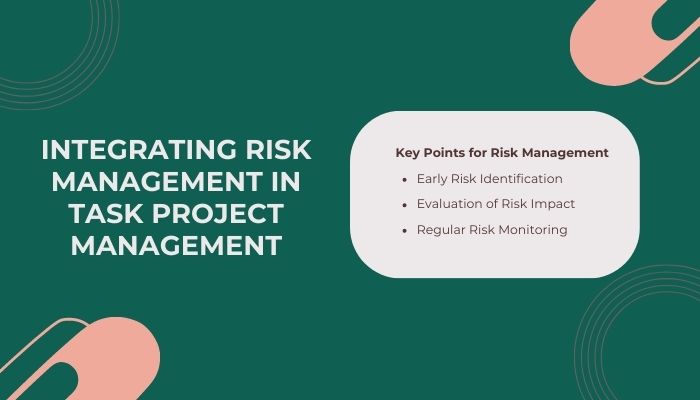
10. Integrating Risk Management in Task Project Management
Being aware of potential risks and their implications is vital for successful project management. Ignoring risks can lead to project delays, increased costs, and even failure. Therefore, it is crucial to prioritize risk management as an integral part of task management.
Key Points for Risk Management
To ensure risks are not forgotten during task and project management, consider the following key points:
- Early Risk Identification: Identify potential risks at the project’s outset or as they arise, enabling the development of mitigation plans before they escalate.
- Evaluation of Risk Impact: Assess the potential impact of identified risks and prioritize them based on severity. This ensures that high-risk items receive prompt attention while effectively managing lower-risk items.
- Regular Risk Monitoring: Continuously monitor identified risks throughout the project lifecycle, keeping track of any changes that may affect their likelihood or impact.
Alongside tracking tasks, risk management is crucial in project management. By identifying risks early on, evaluating their impact, and monitoring them regularly, teams can proactively address potential issues.
Remembering to integrate risk management as a priority alongside task management leads to more successful outcomes in complex work environments. Leveraging dedicated software solutions can effectively manage both aspects, ensuring that neither risks nor tasks are overlooked.
Onethread’s Gantt charts aid in risk assessment by visualizing project timelines and identifying potential bottlenecks.
11. Streamlining Task Project Management with Dedicated Software
Utilizing dedicated software solutions can significantly optimize task project management in complex work environments, leading to improved outcomes and reduced stress levels.
By centralizing tasks, deadlines, progress tracking, and budget monitoring, managers can streamline their workflow and eliminate the need for error-prone spreadsheets or paper-based systems.
Promoting Collaboration and Transparency with Dedicated Software
A dedicated software enables better collaboration among teams by providing a centralized task list accessible from anywhere with an internet connection.
Team members can update their progress in real-time, allowing managers to review and provide feedback promptly. This transparency fosters accountability and ensures alignment towards project goals.
Onethread serves as dedicated software that centralizes tasks, communication, and resources for streamlined project management.
Preventing Missed Deadlines and Oversight
Using a dedicated software solution reduces the risk of missed deadlines or incomplete tasks. The system sends reminders to team members for approaching deadlines and updates on assigned tasks, minimizing forgetfulness and oversight. This proactive approach helps maintain project timelines and ensures timely completion of tasks.
12. Strategies to Avoid Scope Creep in Project Management
To mitigate scope creep, project managers must set clear boundaries and establish priorities from the beginning. This involves defining detailed goals and objectives for the project, as well as setting strict timelines and budgets.
By clearly outlining the project scope, managers provide a foundation for decision-making and prevent unnecessary expansion beyond the initial scope.
Maintain Open Communication with Stakeholders
Maintaining open communication with stakeholders is crucial in preventing scope creep. Project managers should establish a continuous dialogue, keeping stakeholders informed about project progress and actively addressing any changes or concerns.
Regular meetings, progress updates, and feedback sessions enable stakeholders to voice their needs and expectations, ensuring alignment with the project’s scope and objectives.
Regularly Monitor Progress Against Milestones
Regular progress monitoring is essential for staying on track and preventing scope creep. Project managers should establish milestones and regularly assess progress against them.
This allows them to identify any deviations or potential scope creep early on and take corrective action. By closely monitoring progress, managers can make informed decisions, adjust plans if necessary, and maintain project focus.
Onethread’s planning tools help in setting clear project boundaries and goals, effectively avoiding scope creep.
13. Embracing Feedback for Enhanced Project Management
Creating a workplace culture that values and encourages feedback is essential for improving team performance and achieving success in project management. Feedback provides valuable insights for learning from mistakes, honing skills, and fostering collaboration towards shared goals.
It is crucial to establish an environment where team members feel comfortable giving and receiving feedback.
Establishing Effective Communication Channels
To promote effective feedback sharing, it is important to establish clear communication channels that facilitate open dialogue. Implementing a structured approach, such as using templates or rubrics, ensures that feedback remains constructive and objective rather than subjective or personal.
Leading by example, managers should demonstrate effective feedback practices to guide the team.
Tracking Progress and Opening Discussions
Utilizing a task and project tracking table, which includes task details, status updates, deadlines, responsible parties, and a comments/feedback section, proves beneficial. This table serves as a reference during meetings and reviews, enabling thorough discussions with team members.
Regularly reviewing tasks ensures clarity on responsibilities, expectations, timelines, and deliverables while providing an opportunity for collaborative discussions.
Embracing Diverse Feedback Sources
Feedback should extend beyond individual tasks and encompass overall work processes. All stakeholders, including clients and internal teams, should have the opportunity to provide input on enhancing efficiency and effectiveness.
Being open-minded to feedback from diverse sources yields valuable insights that drive continuous improvement and lead to better project outcomes.
Onethread’s feedback tools enable teams to easily share input and make improvements in project management.
Conclusion
Task project management is a fundamental aspect of successful project execution. By implementing the techniques and strategies outlined in this guide, you can streamline your projects, increase productivity, and achieve better results.
Remember to define clear goals, break down tasks, establish priorities, create a timeline, and assign responsibilities. Embrace task management tools to automate and enhance your project management process.
With effective task project management, you can overcome challenges, meet deadlines,and deliver successful projects. By practicing effective task project management, you can optimize resource allocation, improve communication, mitigate risks, and ensure project success.
Experience a new level of task management with Onethread! Try out these simple yet effective strategies and see the difference it makes in overcoming procrastination and enhancing your productivity.
Frequently Asked Questions
What Are Some Common Mistakes People Make When Breaking Down Projects Into Manageable Tasks?
Common mistakes when breaking down projects into manageable tasks include insufficient planning, inadequate communication, lack of clarity about task dependencies, unrealistic timelines, and assigning tasks to the wrong people.
What Are Some Alternative Task Management Tools And Techniques Besides The Ones Mentioned In This Article?
There are various alternative task management tools and techniques available, such as Kanban boards, Eisenhower matrix, Pomodoro Technique, and GTD methodology. Each approach offers unique benefits in organizing tasks depending on the user’s preferences and requirements.
How Can You Ensure That Tasks Assigned To Team Members Are Completed On Time?
Achieving timely completion of assigned tasks by team members can be ensured through effective communication, delegation of responsibilities based on individual strengths and skills, clear expectations and deadlines, monitoring progress regularly, and providing support whenever necessary.
How Do You Handle Unexpected Changes Or Delays In The Project Timeline While Managing Tasks?
When unexpected changes or delays occur in a project timeline, it is important to identify the cause and assess its impact on task completion. Adjustments can then be made to the timeline and communication with team members should be clear and timely.