Slite is a strong fit for teams that want a clean shared knowledge base, but it is not the only way to organize internal documentation. Some teams need deeper project management, more flexible databases, stronger note-taking, or a different pricing model.
The alternatives below solve different parts of that problem, so the best choice depends on what your team is trying to replace—not simply which product has the longest feature list.
We compare OneThread, Confluence, Coda, Evernote, and ClickUp because they approach team knowledge in different ways. One leans toward project work, another toward documentation, another toward flexible data, and another toward personal knowledge capture.
What is Slite?

Slite is a cloud-based workspace for team documentation and shared knowledge. Teams use it to write internal docs, organize information into channels, reuse templates, and collaborate without passing files back and forth.
Its integrations with tools such as Slack, Trello, and Google Drive help connect documentation with the rest of the team’s workflow. Slite is available across web, desktop, and mobile, which makes the same knowledge base accessible in different working contexts.
What are the pros of Slite?
Slite’s appeal is mostly about simplicity. Teams that do not want to build a complicated knowledge system can start with a few channels, templates, and shared documents and expand from there.
- User-friendly interface: Slite has an intuitive and user-friendly interface, making it easy for teams to use.
- Collaboration: Slite allows teams to collaborate in real-time and share notes and documents easily.
- Centralized platform: Slite provides a centralized platform for teams to manage their projects, notes, and communication.
- Templates and checklists: Slite offer a variety of templates and checklists to help teams organize their work efficiently.
- Markdown formatting: Slite supports markdown formatting, making it easy for users to format their notes and documents.
- Integrations: Slite integrates with other popular tools such as Slack, Trello, and Google Drive, enabling teams to work seamlessly across platforms.
- Mobile app: Slite has a mobile app, allowing users to access their notes and collaborate with their team even when they’re on-the-go.
For documentation-first teams, that combination can work well. The trade-off appears when the team needs the knowledge base to double as a deeper project, database, or task-management system.
Why Need a Slite Alternative?
A Slite alternative usually becomes worth considering when the team keeps running into the same limitation. The reasons below are more useful than switching simply because another tool looks newer.
Limited Features
If the team needs detailed task dependencies, complex reporting, custom workflows, or broader project controls, Slite may feel too documentation-focused. In that case, a work-management platform can replace several separate tools at once.
High Costs
Cost can also change the decision as a team grows. Compare the price at your actual seat count and the features included at that tier rather than judging tools by their entry-level plan alone.
Limited Integrations
Integrations matter when documentation sits inside a larger workflow. If the tools your team depends on cannot connect cleanly, people end up duplicating updates or switching apps just to keep information synchronized.
Limited Customization
Some teams want a ready-made structure; others want to design their own databases, fields, views, and workflows. If your process is highly specific, a more configurable alternative may be easier to adapt.
Poor User Experience
User experience is also subjective. A tool can look simple to one team and still feel awkward if its navigation does not match how that team groups projects, clients, or departments.
If one of those issues keeps creating extra work, compare alternatives against that specific problem. Switching tools only helps when the replacement removes a real bottleneck.
Top 5 Slite Alternatives: What is better than Slite?
The five options below are not identical Slite clones. They are useful precisely because they solve adjacent needs differently—project execution, wiki-style documentation, flexible workspaces, personal knowledge capture, or all-in-one task management.
Use the comparisons as a shortlist, then test the strongest candidate with a real workflow. Moving one active project or knowledge area into the trial will reveal more than a feature checklist.
Onethread
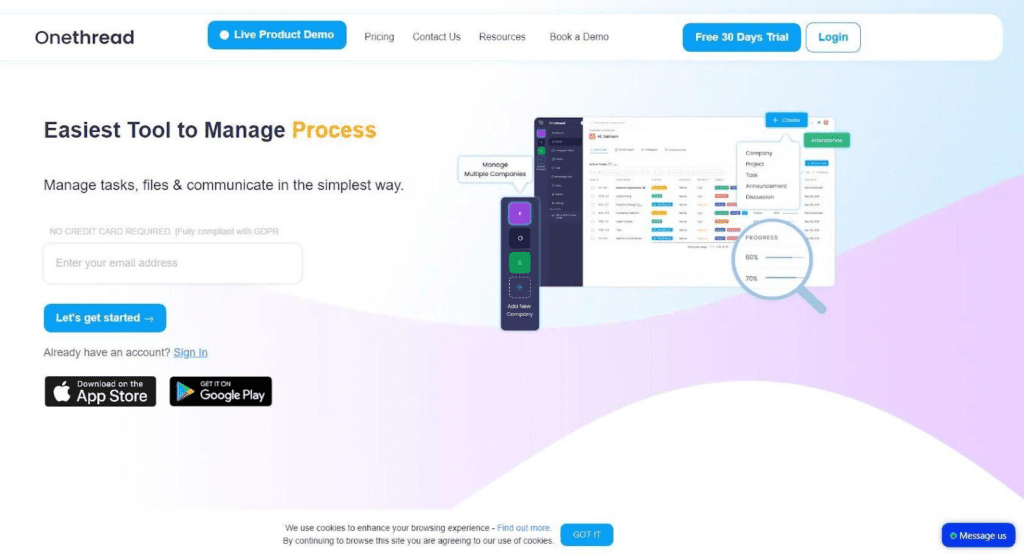
OneThread is a broader work-management option than Slite. It combines tasks, project visibility, meeting information, and team collaboration, so it makes more sense for teams that want their knowledge to sit closer to the work being executed.
Features, UX, & Functionality:
Customizable Workflows
Customizable workflows let teams shape statuses and process steps around the way they already deliver work instead of forcing every project into the same template.
Intuitive User Experience
The interface is designed to keep common project actions easy to find, which is useful for teams that do not want a long onboarding period just to start assigning and tracking work.
Mobile Accessibility
Mobile access is useful for checking assignments, updates, and project information when team members are away from their desks.
Real-time Collaboration
Collaboration features keep task discussion and shared files closer to the work they belong to, reducing the need to reconstruct decisions from separate message threads.
Cost-effective Solution
Pricing is one factor to compare alongside team size and required features. A lower-cost plan only helps if it includes the workflow and reporting capabilities the team actually needs.
Hosting and Accessibility:
Fast Loading Speeds
For a cloud work platform, responsiveness matters because people may open and update it throughout the day. Slow navigation can turn even a well-designed workflow into friction.
Accessible Design
Responsive access across common screen sizes helps teams use the workspace from different devices without rebuilding the workflow for each one.
Robust Security
Security should be part of the evaluation whenever project work contains client or internal business information. Teams should review the platform’s current security and access-control documentation against their own requirements.
Best Use Cases
Showcase Creativity
Reusable templates are more useful here as a way to standardize recurring projects, briefs, reviews, and other repeatable team processes.
Build Business
Small teams can use repeatable project templates to organize client delivery alongside specialist systems such as white label SEO tools when those are part of their service workflow.
Sell Products
For client-service teams, the main question is whether the platform makes delivery easier to follow. Owners, deadlines, approvals, and handoffs should be visible without forcing the team to maintain a second tracking system.
Build Community
Internal teams benefit from the same visibility. A shared view of active, delayed, and waiting work makes coordination easier without adding another round of status messages.
Customer Support:
- Multiple channels for customer support available in OneThread.
- Users can get support via email, live chat, and an extensive knowledge base.
- The knowledge base is designed to help users troubleshoot issues on their own.
- The customer support team is available to provide quick and effective solutions to users’ problems.
Integrations Options:
Integrations matter when they remove duplicate work. Check the tools your team already uses every day and confirm that the connections support the workflow you actually need.
User Reviews and Satisfaction:
Reviews are most useful when the reviewer works in a setup similar to yours. Pay attention to comments about setup, daily use, reporting, support, and how quickly new teammates understand the system.
Pros and Cons:
- Pros:
- User-friendly interface
- Robust e-commerce features
- Customizable templates
- Cons:
- Limited design customization options
- Lack of advanced analytics features
Pricing should be checked against the current plan page and your real seat count. The cheapest tier is not always the best value if the features your workflow depends on sit behind a higher plan.
Is OneThread Better Than Slite?
OneThread and Slite are not direct copies of each other. OneThread is more project-oriented, while Slite is more documentation-oriented, so the better fit depends on whether active work or shared knowledge is the bigger priority.
Confluence
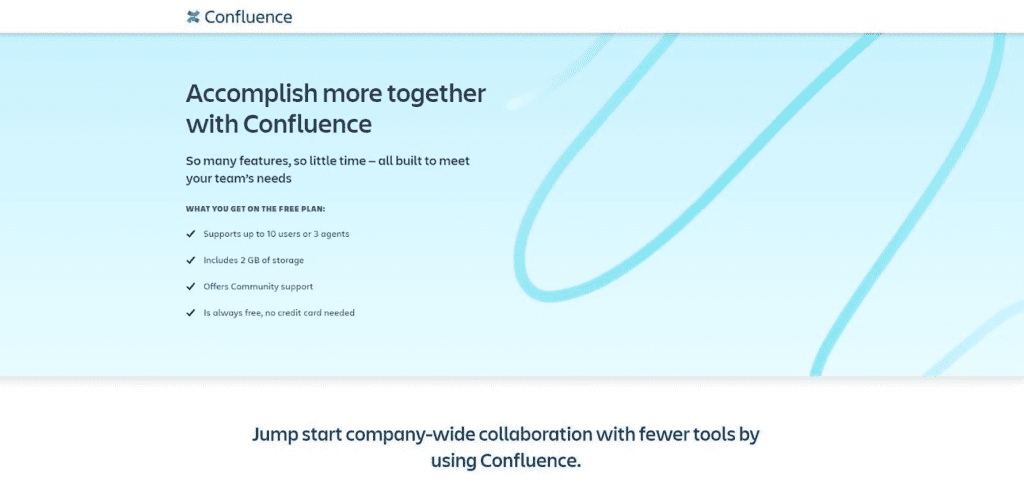
Confluence is Atlassian’s team documentation and knowledge-management platform. It is commonly used for internal wikis, process documentation, project notes, and information that needs to stay organized across a growing team.
Its page-based structure gives teams a central place to create, edit, and link documentation. That makes it a natural fit when the main problem is scattered knowledge rather than day-to-day task execution.
Deployment and administration options have changed over time, so teams comparing Confluence should check Atlassian’s current plans and hosting choices against their security and IT requirements.
Features:
- Collaborative editing with unlimited users in the same document
- Page and content organization for seamless knowledge management
- Document management with version control and permission settings
- Project tracking and management with customizable workflows and issue tracking
- Integration with other Atlassian tools like Jira and Trello
- Customizable templates and themes for a personalized look and feel
- Advanced search and filtering options for finding information quickly
Pricing:
Confluence offers a free trial and subscription-based pricing plans that vary depending on the number of users and deployment options.
User Experience:
- User-friendly interface
- Customizable to meet individual team needs
- Offers a range of templates and themes
- Easy to create visually appealing and functional pages
Integrations:
- Confluence integrates with other Atlassian tools such as Jira, Trello, and Bitbucket, allowing for seamless collaboration across multiple projects.
- It also offers integration with a variety of third-party apps through its marketplace, expanding its functionality beyond just Atlassian tools.
Best Use Cases of Confluence:
- Project management and tracking
- Knowledge management and sharing
- Document management and collaboration
- Team communication and collaboration
- Agile software development
Is Confluence Better than Slite?
Confluence and Slite offer similar features, but Confluence has a more extensive range of tools and integrations, making it a more powerful collaboration and knowledge management software. However, Slite may be a more affordable and simpler option for smaller teams with basic needs. Ultimately, the choice between the two will depend on the specific needs and budget of the team.
Coda
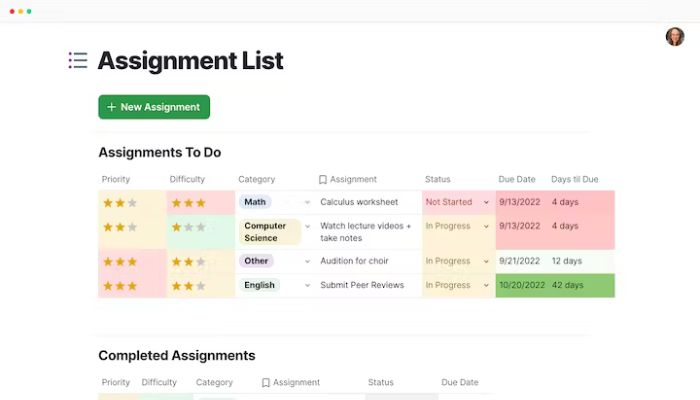
Coda combines documents, tables, and database-like building blocks in one workspace. It is a good fit for teams that want to design their own systems instead of choosing between a traditional document tool and a separate spreadsheet or database.
Features:
- With interactive tables and visualizations, the tool provides robust project management capabilities.
- Automation tools make workflows more efficient and all in one, making the platform an excellent option for task assignment.
- Collaborative editing and commenting features enable team members to work together seamlessly and share ideas.
- Integrations with popular apps such as Slack, Google Drive, and Trello offer easy access to all relevant data and information.
- The platform also provides technical support and customer service options to help users get the most out of the tool.
Pricing:
Coda offers a variety of pricing plans, including a free plan for up to three docs with basic features, as well as paid plans with more advanced features and increased document limits.
User Experience:
- Coda has a user-friendly interface that is customizable.
- Users can create their own templates and workflows.
- Coda offers real-time collaboration and commenting features.
– Coda makes it easy to work with others.
Integrations:
- Coda integrates with a wide range of apps and tools, including Google Drive, Slack, Trello, and Zapier.
- The integration options make it easy to connect and automate work processes.
- The app also allows users to embed content from other sources, such as YouTube videos or Google Maps.
Best Use Cases of Coda:
- Coda is versatile and combines the features of documents, spreadsheets, and databases.
- It’s suitable for teams and individuals looking for a customizable workspace.
- Coda can be used for project management, product roadmapping, and other purposes.
- It’s particularly effective for teams working on complex projects that require multiple data sources and inputs.
Is Coda Better than Slite?
Coda offers more room to build custom workflows than Slite, especially when structured data and formulas are part of the process. The trade-off is a steeper setup and learning curve, so teams that only need a straightforward knowledge base may prefer Slite’s simpler model.
Evernote
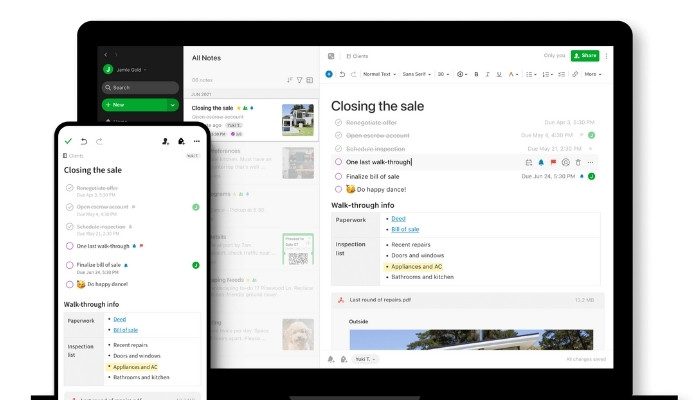
Evernote is primarily a personal and small-team note system built around capturing information quickly and finding it later. Notes can include text, images, attachments, and other formats, while notebooks, tags, and search provide the organization layer.
Its strength is less about running a team workflow and more about building a searchable collection of notes across devices. That can work well for research, meeting notes, personal knowledge, and reference material.
Features:
- Evernote is a great tool for remote teams to manage content across various devices and locations.
- It offers powerful organization features with notebooks and tags, allowing for easy knowledge base creation and management.
- Users have complete control over their content with the ability to create notes in various formats, such as text, images, and audio recordings.
- The powerful search capabilities make it easy to find specific information quickly.
- Evernote also offers collaborative editing, allowing team members to work together on the same note in real-time.
- The Evernote Web Clipper is a handy tool that allows users to save web pages directly to their Evernote account, making it easy to keep track of important information.
- Overall, Evernote is an all-in-one word processor and note-taking tool that is perfect for teams looking to improve their productivity and collaboration.
Pricing:
Evernote offers a range of plans to meet different user needs, including a free Basic plan and paid plans with additional features such as more storage, team collaboration, and offline access.
User Experience:
- Evernote has a simple and easy-to-use interface.
- The app provides users with a range of customization options, including the ability to create custom notebooks and tags.
- The app makes it easy to create and organize notes on the go, across different devices.
- Offers powerful search capabilities for quick access to information.
- Can be used for a range of purposes, from personal note-taking to business collaboration.
- Offers a range of plans to meet different user needs.
Integrations:
- Evernote offers integrations with a range of third-party apps and services
- Integrations include Google Drive, Slack, and Microsoft Teams
- Users can access and attach files from their connected accounts to their Evernote notes
- Integration with email allows users to forward emails to Evernote for quick and easy note-taking.
Best Use Cases of Evernote:
- Personal note-taking and organization
- Project management
- Research and data collection
- Creative projects, such as writing or design
- Business collaboration and team communication
Is Evernote Better than Slite?
Evernote is the better comparison when individual capture, tagging, and search matter most. Slite is the stronger fit when the goal is a shared team knowledge base with collaborative documentation at the center.
ClickUp
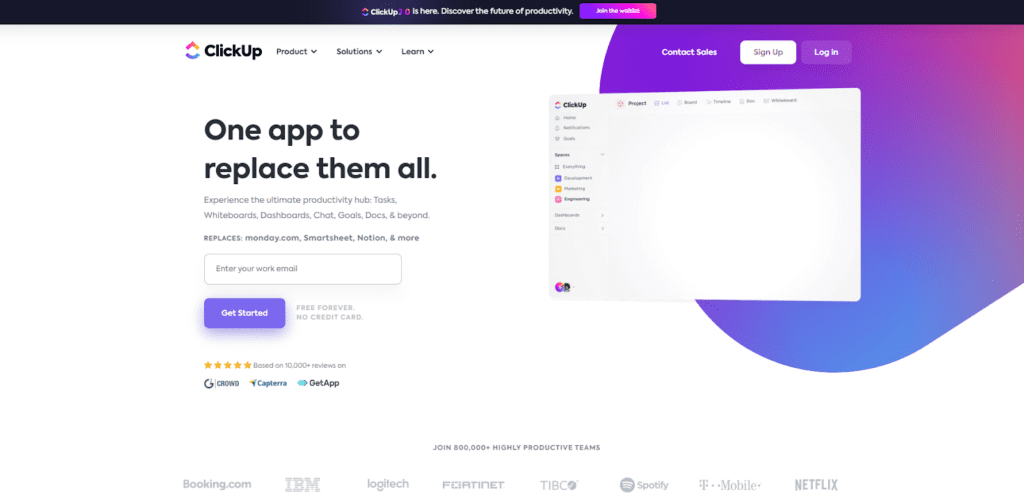
ClickUp is a work-management platform built around tasks, projects, views, automation, and reporting. Compared with Slite, it puts much more emphasis on planning and executing work than on documentation alone.
Features:
- Task management: Create tasks, set due dates, and assign them to team members
- Project management: Organize tasks into projects and track progress
- Time tracking: Keep track of time spent on tasks and projects
- Collaboration: Collaborate with team members using comments, mentions, and shared calendars
- Workflow automation: Automate tasks and workflows using templates and custom rules
- Reporting and analytics: Generate reports and view analytics to track team performance and productivity
Pricing:
ClickUp’s plans differ by limits and advanced features, so teams should compare the current pricing page against the views, automation, reporting, and permissions they expect to use.
User Experience:
- Highly customizable user interface
- Different views, themes, and layouts to choose from
- Easy to navigate
- Offers keyboard shortcuts for quick access to features
Integrations:
- ClickUp integrates with a wide range of third-party apps and services
- Integrations include popular tools like Google Drive, Slack, Trello, and Zapier
- Integration options make it easy to connect and automate workflows between different apps and services.
Best Use Cases of ClickUp:
- Suitable for teams of all sizes
- Comprehensive project management and productivity tool
- Effective for complex projects requiring detailed tracking and collaboration
Is Clickup better than Slite?
Choose ClickUp when project execution, task ownership, and workflow control are the main requirements. Choose Slite when shared knowledge and easy internal documentation are the main requirements.
Slite vs Alternative: Key Differences
The table below gives a quick view of how Slite and the alternatives differ. Treat it as a starting point and verify plan-specific features before making a final decision.
| Name | Slite | OneThread | Confluence | Coda | Evernote | ClickUp |
| Pricing | Freemium | Freemium | Freemium | Freemium | Freemium | Freemium |
| Features | ||||||
| Document Collaboration | yes | yes | yes | yes | no | yes |
| Note-taking | yes | yes | no | yes | yes | yes |
| Knowledge Base | yes | yes | yes | no | no | yes |
| Task Management | no | no | no | yes | no | yes |
| Markdown Support | yes | yes | yes | yes | no | no |
| Integrations | yes | yes | yes | yes | yes | yes |
| Web App | yes | yes | yes | yes | yes | yes |
| Desktop App | yes | yes | yes | yes | yes | |
| Mobile App | yes | yes | yes | yes | yes | yes |
| User-friendly Interface | yes | yes | no | no | yes | yes |
| Learning Curve | no | yes | yes | yes | no | yes |
Conclusion
There is no universal Slite replacement because these tools solve different problems. Slite is documentation-first; OneThread and ClickUp lean more toward managing active work; Confluence is a mature wiki-style system; Coda is highly configurable; and Evernote is strongest for note capture and personal organization.
The practical choice comes down to the workflow you want after the switch. Decide whether your priority is shared documentation, project execution, flexible data, or personal knowledge capture, then test the two closest matches with real team content.
Compare current pricing, required integrations, permissions, onboarding effort, and the way people will actually find and update information every day. The best alternative is the one that removes a specific limitation without creating a new one.