Time management usually breaks down in small ways: a calendar fills up, a task takes twice as long as expected, or a dozen minor requests crowd out the work that actually matters. The right tool cannot make more hours appear, but it can make those trade-offs easier to see.
There are plenty of options, from a basic to-do list to time trackers, calendars, project systems, and automation tools. The useful question is not which app has the most features; it is which one solves the part of your schedule that currently causes the most friction.
By utilizing these tools effectively, you can not only increase your productivity but also reduce stress and improve work-life balance. So why not take advantage of the technology at your disposal and start optimizing your schedule today?
Lets explore 15 time management tools that can help you right away:
1. Onethread: The Time Management Tool That Meets Your Budget
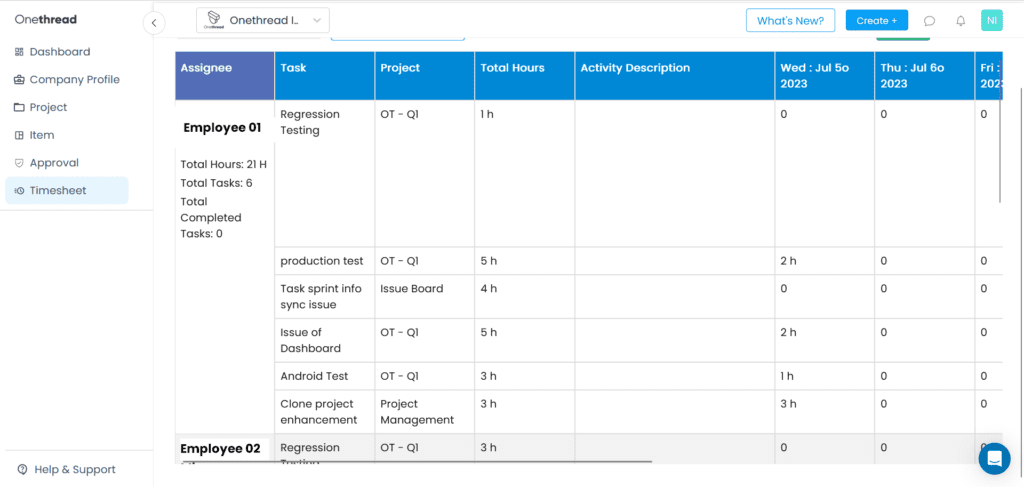
For teams, time management is closely tied to planning. If nobody knows how long work takes or where capacity is going, deadlines quickly become guesses. OneThread gives teams ways to connect tasks, estimates, and tracked time in the same project context.
That visibility can help with practical decisions such as whether a deadline is realistic, whether one person is overloaded, or whether a project is consuming more effort than expected. The data is useful only when the team uses it to adjust the plan.
Advanced Time Tracking and Management Features
Onethread offers a range of features to enhance time tracking and management for your team. These features include:
Timesheet Creation
Timesheets can show how much effort is actually going into a task or project. That becomes useful for client work, internal cost reviews, or simply checking whether estimates match reality.
Time Estimate Setting
Time estimates give the team a starting assumption before work begins. They do not have to be perfect; their value comes from comparing the estimate with the actual effort and improving future planning.
Task and Project Time Tracking
Tracking work in real time can make delays visible earlier. If a task is absorbing far more time than expected, the team can investigate the reason before the overrun affects several downstream deadlines.
Effortless Tracking with Automatic Timers and Manual Logging
Onethread simplifies time tracking by offering multiple options for tracking task completion:
Automatic Timers
Utilize automatic timers that track time spent on tasks and projects in real-time. This feature eliminates the need for manual input and ensures accurate time tracking without disrupting workflow.
Manual Logging
Manually log billable or non-billable hours for tasks that require detailed time tracking or are not captured by automatic timers. This flexibility accommodates various work scenarios and ensures comprehensive time monitoring.
Centralized Time Data and Export Capabilities
Centralizing time data is useful because managers do not have to piece together several project reports to understand where effort went. Export options can also make the information easier to use for payroll, billing, or further analysis.
Custom Time Reports and Productivity Analysis
Reports are most valuable when they answer a real question. Look for patterns such as repeated overruns, work that consumes more time than its value justifies, or team members whose schedules are consistently over capacity.
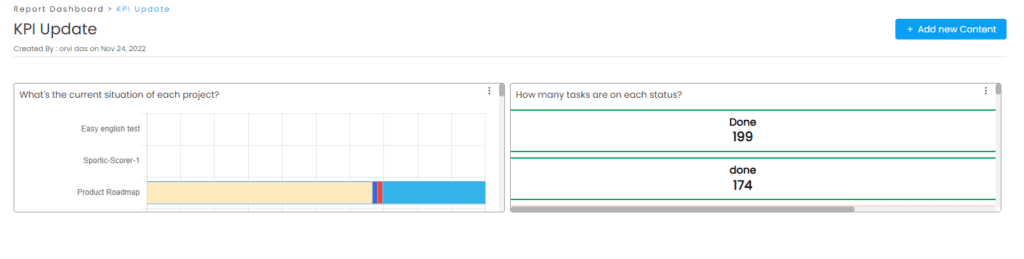
Onethread’s advanced time tracking and management software empowers teams to optimize time management strategies, improve productivity, and meet project deadlines effectively. With features such as timesheet creation, time estimates, and comprehensive time tracking, you gain a comprehensive view of your team’s time allocation.
Automatic timers and manual entries serve different work styles. Timers are convenient for focused project work, while manual logging can cover meetings, travel, or tasks where running a timer would be awkward.
2. DeskTime: A Comprehensive Time Management Solution
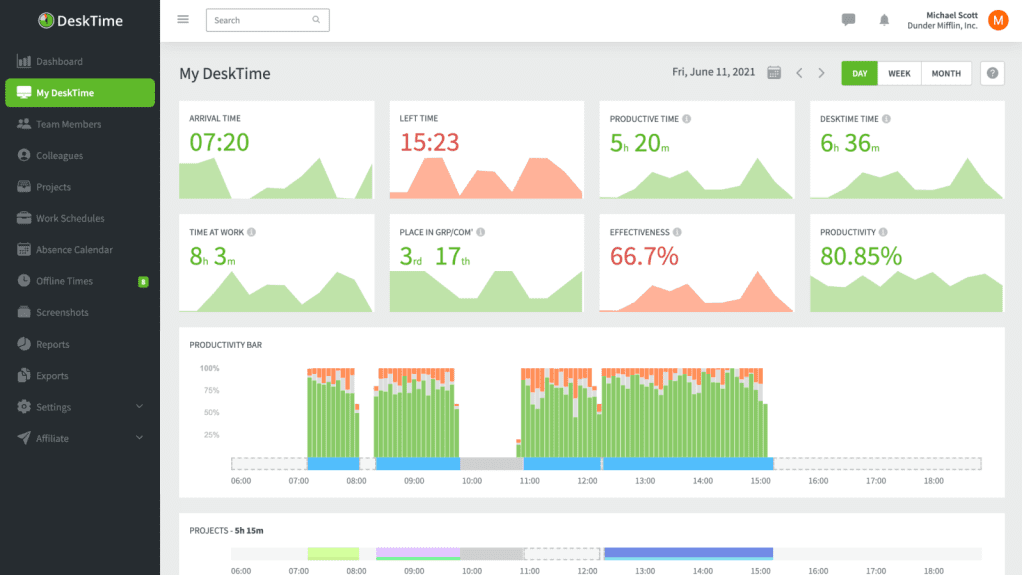
DeskTime takes a more monitoring-focused approach to time management. It tracks work activity and project time, which can be useful for teams that want detailed visibility into how working hours are distributed.
Its value depends on what the team is trying to learn from the data. Before adopting detailed monitoring, decide which questions matter—project effort, scheduling, attendance, or productivity—so the reports do not become data collected without a clear purpose.
Automatic Online and Idle Time Tracking
Automatic tracking reduces the need to remember every time entry. That convenience can improve data completeness, although teams should still be clear about what is being tracked and how the information will be used.
Project and Task Time Tracking
Project-level tracking helps compare effort across clients or initiatives. When one project repeatedly uses more hours than planned, managers have a concrete signal to revisit scope, staffing, or the original estimate.
Productivity Calculation
Productivity metrics can be useful as a trend, but they should not be treated as a complete measure of someone’s contribution. Deep work, problem-solving, and collaboration do not always translate neatly into a single activity score.
Absence Calendar
The absence calendar in DeskTime simplifies tracking and managing leaves, vacations, and other forms of time off. This comprehensive calendar enables better planning and coordination, ensuring optimal resource allocation during absences.
Shift Scheduling
Shift scheduling can be helpful for teams with fixed coverage requirements. The real benefit is seeing availability and planned working hours in one place before the schedule creates a conflict.
Furthermore, DeskTime integrates seamlessly with popular project management applications like Asana, Basecamp, Jira, Trello, GitLab, Google Calendar, and Outlook Calendar. This integration facilitates easy synchronization between the time tracker and the tools your team already employs, promoting a cohesive and efficient workflow.
3. Hubstaff Online: Streamlined Time Tracking and Comprehensive Team Management
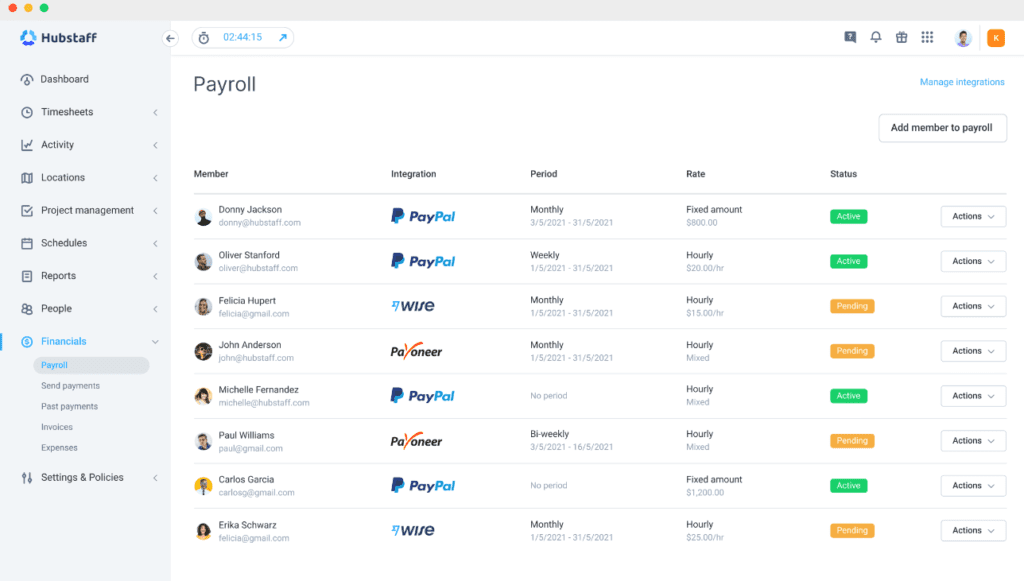
Hubstaff combines time tracking with team and project oversight. It is a better fit for teams that need to understand where paid hours are going than for someone who only wants a personal focus timer.
Because it works across web, desktop, and mobile, people can record time from different working environments. That matters for distributed teams or anyone whose day is split between a desk and work on the move.
Effortless Time Tracking
The core benefit is reducing manual record keeping. When time is captured consistently, teams can spend less effort reconstructing hours at the end of the week and more time using the data to improve planning.
Feature-Rich Dashboard
Hubstaff offers a comprehensive dashboard equipped with a range of features. It provides easy access to cloud storage, ensuring all your project files are organized and readily available.
Additionally, the dashboard incorporates management techniques that allow you to monitor employee activity levels, ensuring that everyone is working efficiently towards their goals.
Affordable Pricing
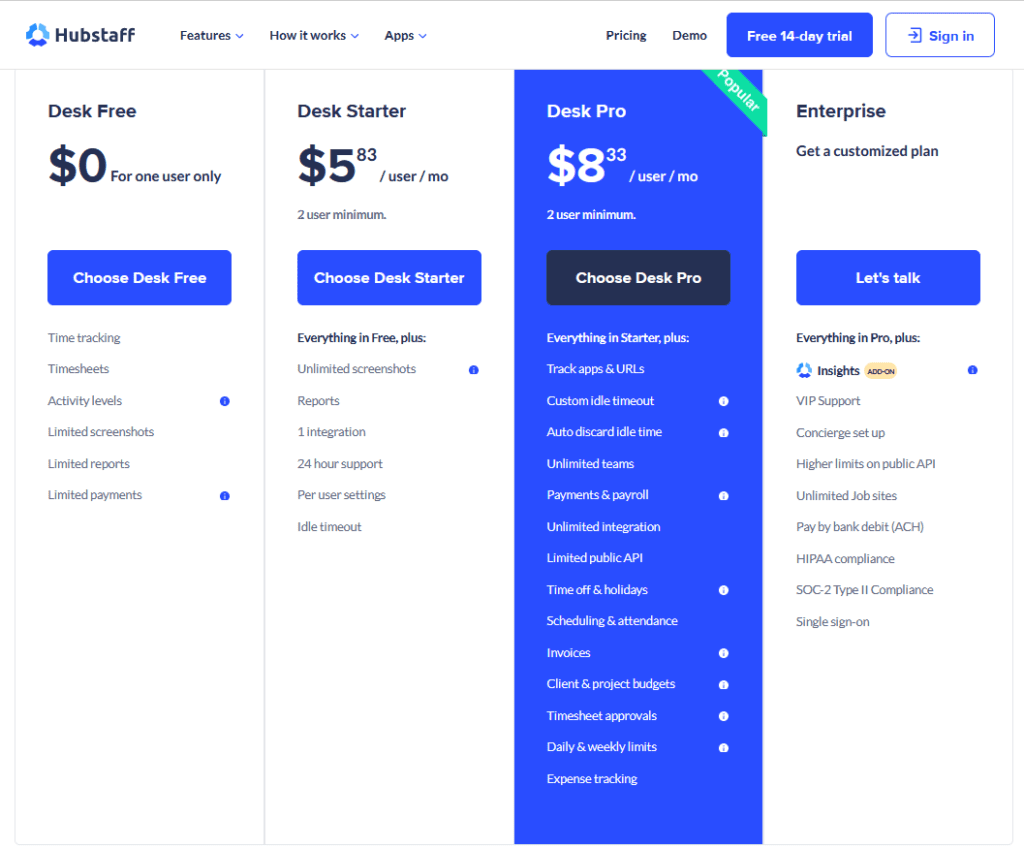
With pricing starting at just $7/user/month for the basic plan and $10/user/month for the premium plan, Hubstaff offers a cost-effective solution for businesses of all sizes.
This affordability makes it accessible to organizations seeking to enhance their time management practices without straining their budgets.
Seamless Calendar Integration
Hubstaff seamlessly integrates with popular calendar apps such as Google Calendar and Outlook Calendar. This integration provides a comprehensive view of employee schedules and tasks, enabling better planning and coordination.
Implement Hubstaff’s online time management tool to streamline your time tracking process, improve productivity, and optimize team management. By leveraging its robust features and affordable pricing, you can take significant strides towards effective time management practices and achieve your business objectives efficiently.
4. Calendar: Simplify Your Schedule with a Unified and Insightful Calendar Solution
Calendar tools solve a different kind of time problem: scheduling. Bringing several calendars into one view can make conflicts easier to spot, especially for people juggling client meetings, internal work, and personal commitments.
Availability links can also cut down the back-and-forth that often comes with booking a meeting. The convenience is small, but repeated across a busy week it can save a surprising amount of coordination time.
Unified Scheduling Interface
A consolidated calendar works best when it gives you one trustworthy picture of the day. If events are duplicated or one calendar is not syncing properly, the tool creates more uncertainty instead of less.
Smart Meeting Suggestions
The ‘Find a Time’ feature in Calendar suggests suitable meeting slots based on the availability of attendees. This intelligent functionality eliminates the hassle of manually searching for common free time slots and streamlines the process of scheduling meetings.
Usage Analytics and Insights
Calendar provides insightful usage analytics that track the time you spend on various tasks or meetings. This valuable information allows you to analyze and optimize your time allocation, making informed decisions about your priorities and commitments.
Duration Resets
With the duration resets option, Calendar enables you to quickly reschedule or extend meetings without the need to create new events manually. This convenient feature saves time and ensures flexibility in adapting to changing schedules.
Calendar serves as an exceptional time management tool, simplifying your daily schedule and increasing overall productivity.
5. Zapier
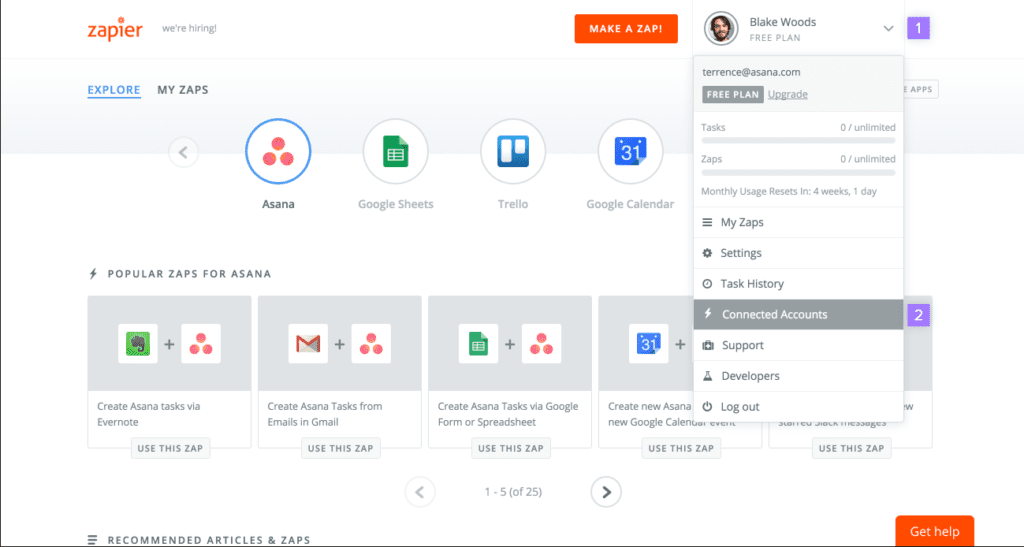
Zapier stands out among integration platforms due to its remarkable ability to automate repetitive tasks. By leveraging Zapier’s features, you can effortlessly connect various apps and establish triggers and actions for specific events, freeing up valuable time that would otherwise be spent on manual tasks.
This empowers you to shift your focus towards more critical aspects of your work.
Seamless App Integration and Automation
Zapier is useful when time is being lost to repetitive app-to-app work. A simple automation can move information between tools, create a task from a form, or send a reminder without someone copying the same data by hand.
Time Management Software
Zapier offers a range of time management tools to enhance productivity. These include syncing with Google Calendar, setting up publicly shareable apps, and automating workflows.
The best automations are narrow and predictable. Start with a process you repeat frequently, automate the boring transfer step, and keep a human check anywhere the decision itself still needs judgment.
Integration with Time Management Software/Tools
Zapier can be used in conjunction with other time management tools like Time Doctor or a time planner, further enhancing your productivity and streamlining your workflow. These integrations allow for comprehensive time tracking and task management.
With pricing starting at $19.99 per month billed annually, Zapier presents a cost-effective solution for teams seeking to improve productivity through the automation of repetitive tasks.
By implementing Zapier’s automation capabilities, you can significantly enhance your team’s efficiency and focus on high-value work.
6. Toggl: Optimize Workload with Toggl
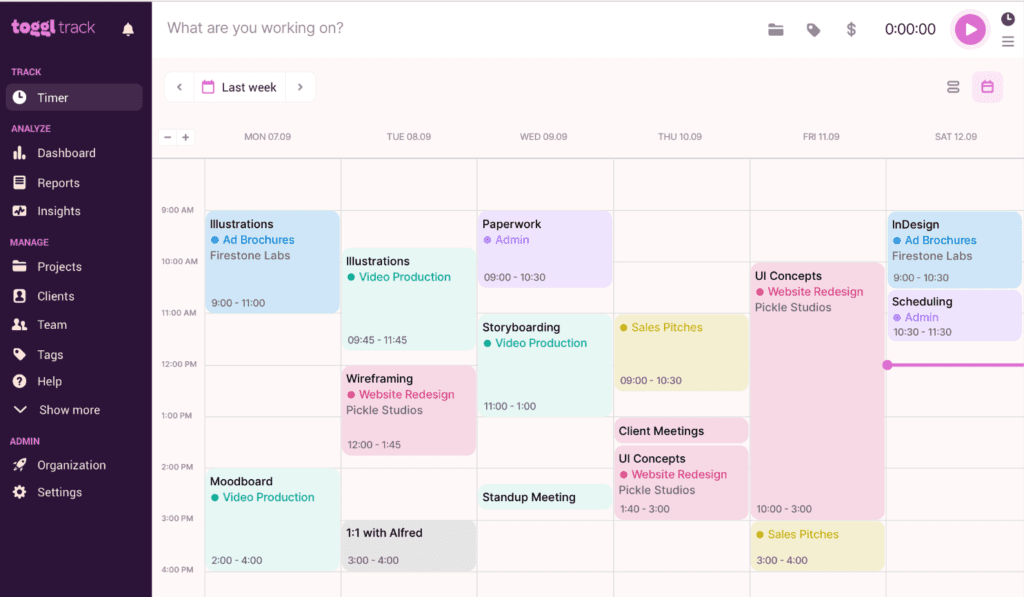
Toggl is a straightforward choice for teams that mainly need reliable project time tracking. It is easy to start a timer, assign the entry to a project, and later see where the hours actually went.
Comprehensive Time Tracking
That project-level view is useful for estimating future work. If a supposedly small task repeatedly consumes several hours, the team has evidence to update the estimate instead of continuing to underprice or underschedule it.
Streamlined Workflow Features
In addition to time tracking, Toggl offers various features designed to streamline your workflow. The advanced timer with reports enhances tracking capabilities, providing comprehensive insights into project progress.
Furthermore, Toggl enables seamless integration with other tools to enhance efficiency and improve overall productivity.
Pricing, Storage, and Privacy Options
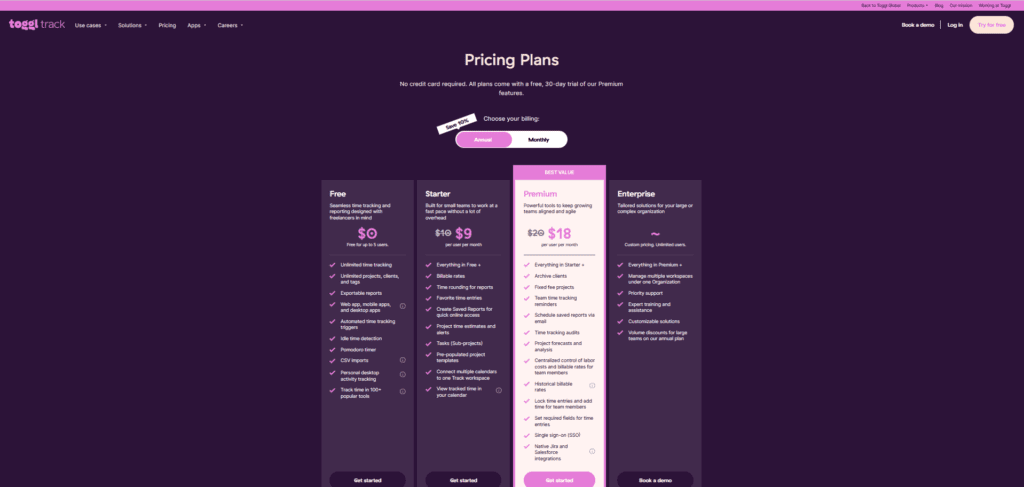
Toggl offers a range of plans to suit different needs. The free plan includes a 5MB attachment limit for storage, while the paid plan provides unlimited storage. The paid plan also offers an advanced timer with reports for more comprehensive time tracking.
In terms of privacy, Toggl allows users to choose between public data sharing or private data sharing, ensuring control over the visibility of information.
7. Focus Booster: Enhance Productivity
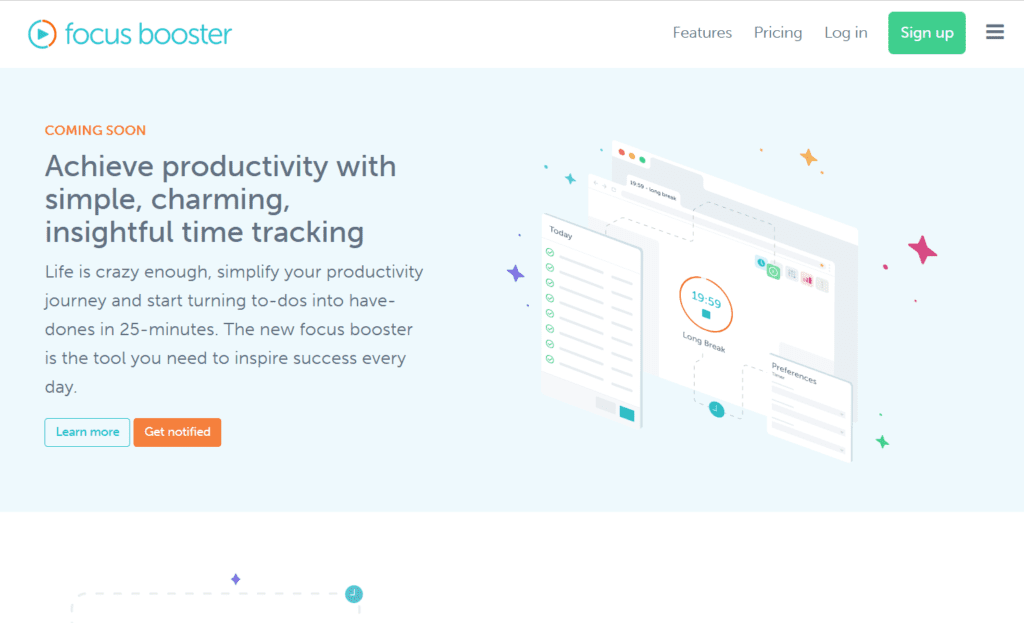
Focus Booster is built around short periods of concentrated work followed by breaks. That rhythm can help people who struggle to start a task or who tend to work for long stretches without pausing.
Time Tracking and Timesheets
Focus Booster allows you to effortlessly track the time spent on each task and project. By recording your sessions, you can create accurate timesheets that reflect your work hours, providing insights into your productivity and facilitating efficient project management.
Top Mini Timer
The top mini timer feature in Focus Booster informs you when your next break is approaching. This feature promotes focus and helps you stay on track during work periods, ensuring maximum productivity.
Quick Reporting
With Focus Booster’s quick and easy reporting feature, you can generate reports effortlessly. These reports can be shared with others or utilized to create invoices, saving you valuable time and streamlining administrative tasks.
Affordable Pricing
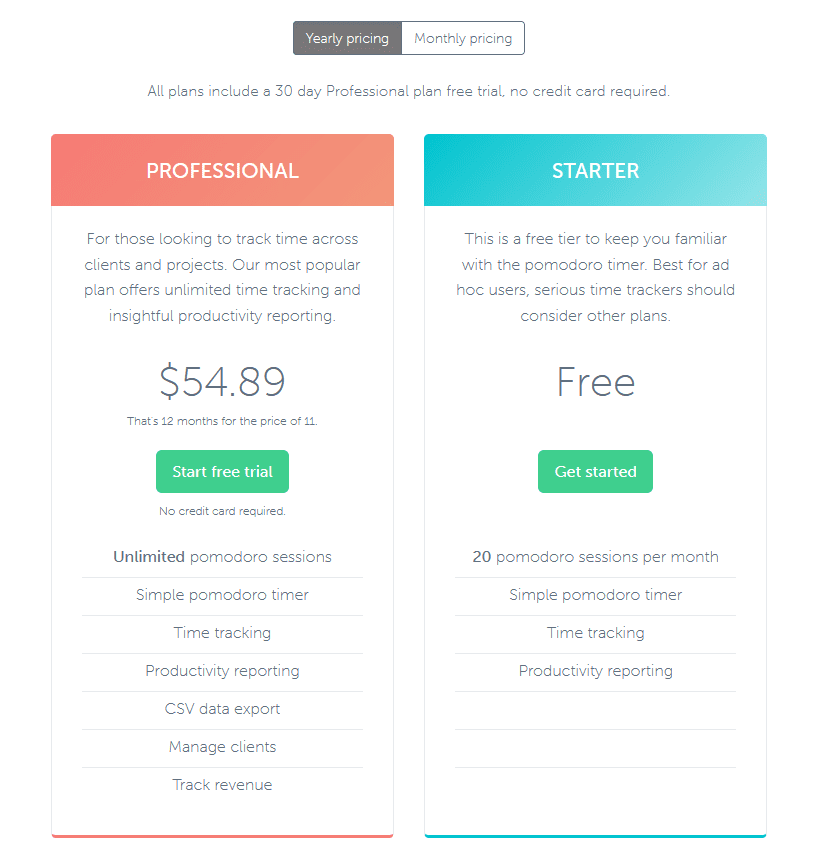
Focus Booster offers an individual plan priced at $2.99 per month billed annually or $4.99 per month billed monthly. This affordable pricing makes it an accessible option for individuals seeking a reliable time planner or tracker to enhance their productivity.
8. TimeCamp
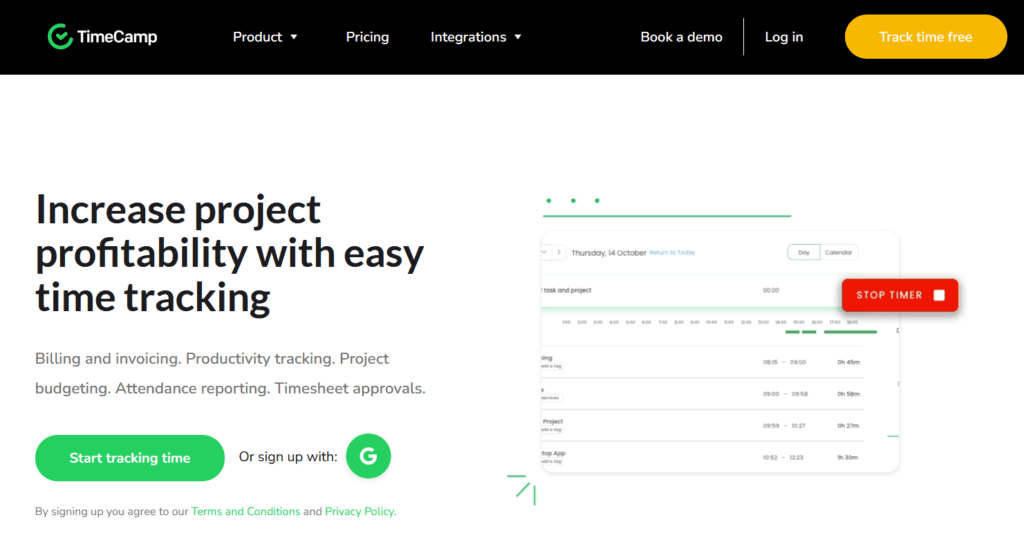
TimeCamp sits closer to a full time-management system, with tracking, project budgets, and reporting. It can suit freelancers or teams that need both a record of hours and a way to compare that effort with project limits.
Time Tracking and Budgeting
TimeCamp provides a user-friendly interface for tracking billable and non-billable hours, allowing for accurate time management. Additionally, users can set budgets for projects, ensuring effective allocation of resources and efficient project planning.
Detailed Reports
TimeCamp’s reporting functionality enables users to generate comprehensive reports that analyze productivity and time allocation. These reports provide valuable insights for optimizing workflow and identifying areas for improvement.
Mobile and Desktop Apps
TimeCamp offers convenient mobile and desktop applications, enabling users to track time on the go. This feature is particularly beneficial for freelancers and remote workers who require seamless time tracking capabilities, enhancing their productivity and efficiency.
9. Clockify: Free and Versatile Time Tracking Solution for Any OS
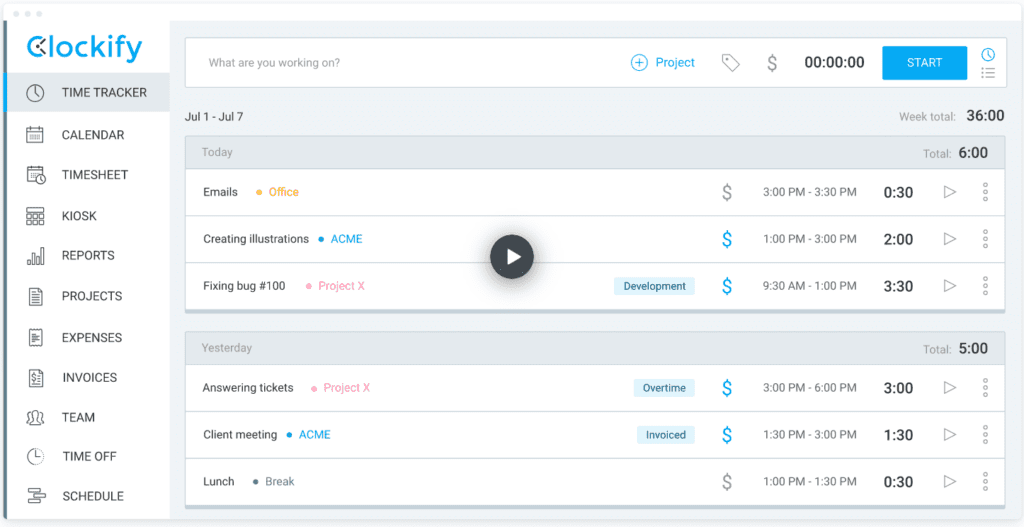
Clockify is popular because the basic time-tracking model is easy to understand: start a timer or enter the hours manually, then assign the time to the right project or task.
This tool is particularly beneficial for individuals juggling multiple projects, as it enables accurate record-keeping of time spent on each task.
Flexible Time Tracking
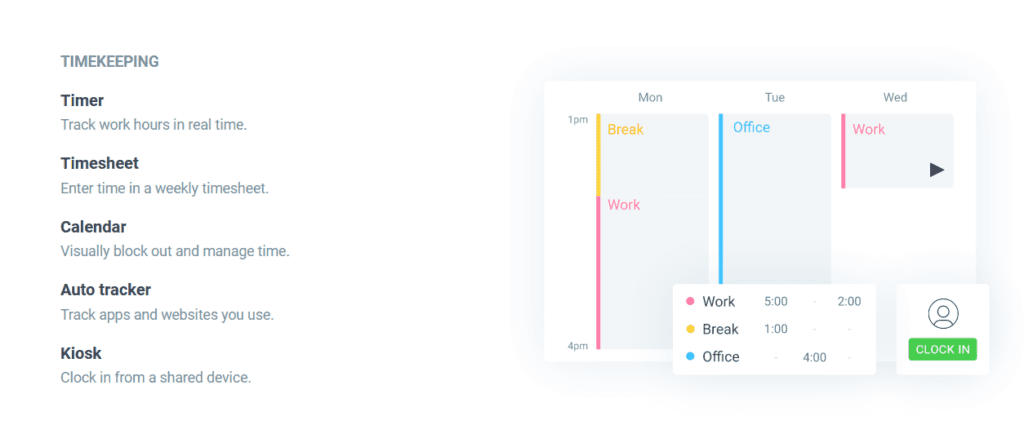
Clockify allows users to track time using a stopwatch or manually enter hours, providing flexibility based on individual preferences. This versatility ensures accurate tracking regardless of the task or project at hand.
Billable Time Tracking
Clockify enables team members to track their time on projects and designate it as billable. This feature is especially advantageous for freelancers or agencies, simplifying the process of invoicing clients based on the work completed.
Quick Load Feature
Clockify offers a quick load feature, allowing users to efficiently load activities each week. This time-saving capability streamlines the tracking process, enhancing productivity.
Clockify provides all these comprehensive features for free, without any limitations on usage or team size. It is a powerful tool that simplifies time tracking and ensures accurate record-keeping. For users seeking advanced features like automatic screenshots and activity monitoring, the next section explores Tsheets.
10. TSheets: Streamlined Tracking and Project Management for Teams
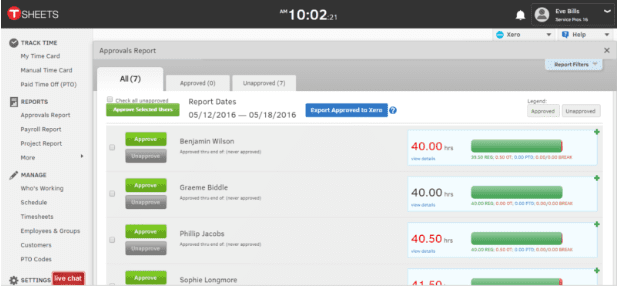
QuickBooks Time, formerly TSheets, is geared toward teams that need mobile timesheets and workforce tracking. It is particularly relevant when people are working across job sites or away from a central office.
Advanced Time Tracking
TSheets offers more than just basic time tracking. Its Projects feature enables users to effortlessly monitor labor estimates versus actuals, ensuring projects stay within budget. This feature provides valuable insights into project progress and helps optimize resource allocation.
User-Friendly Mobile App
With TSheets’ mobile timesheets, teams can easily track their hours on the go. The app is available for both Android and iPhone devices, providing convenient and accessible time tracking capabilities.
Affordable Pricing
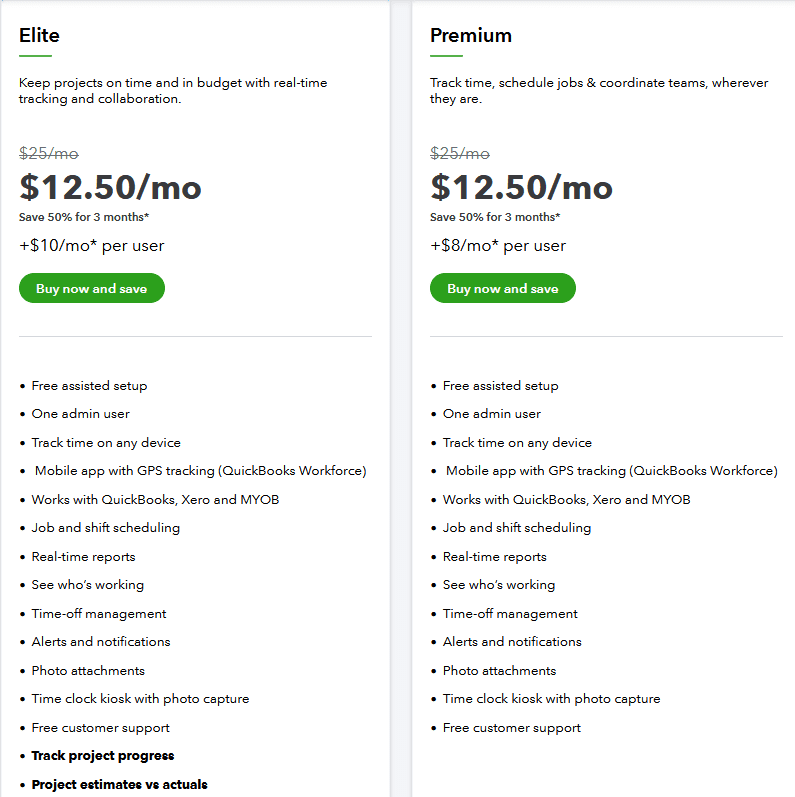
TSheets’ Premium plan is priced at $8 per user per month, with a $20 base fee per month billed annually. This cost-effective pricing makes TSheets an attractive option for teams seeking a comprehensive time tracker, planner, and project management tool.
11. Teamdeck’s Resource Management Software
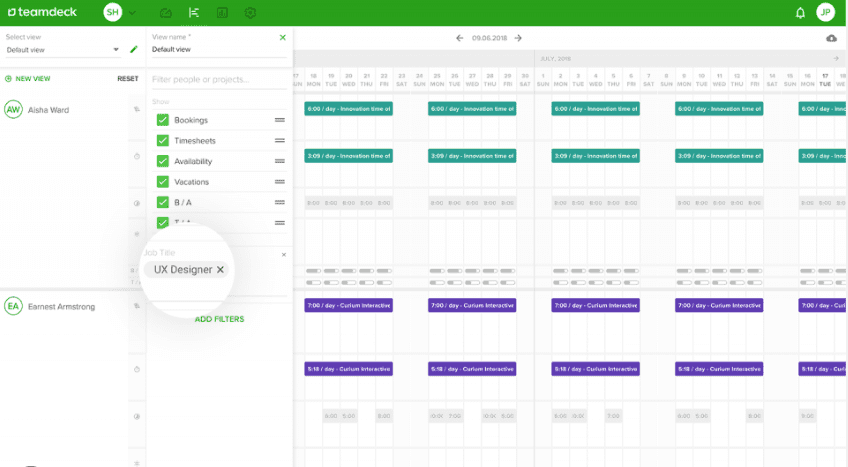
Teamdeck combines time data with resource planning. That is useful when the bigger question is not only “where did the hours go?” but also “who has capacity for the next piece of work?”
With Teamdeck’s comprehensive dashboard, tracking team progress and effectively allocating resources becomes effortless.
Advanced Resource Management
Teamdeck provides robust resource management capabilities, allowing you to track time, schedule tasks, control workloads, analyze resource utilization, and manage team members’ availability. These features empower businesses to streamline operations and optimize resource allocation.
Seamless Integrations
Teamdeck integrates seamlessly with popular tools like Time Doctor and Trello, providing enhanced flexibility in managing projects. This integration capability allows for a unified workflow and ensures smooth collaboration across different platforms.
Affordable Pricing
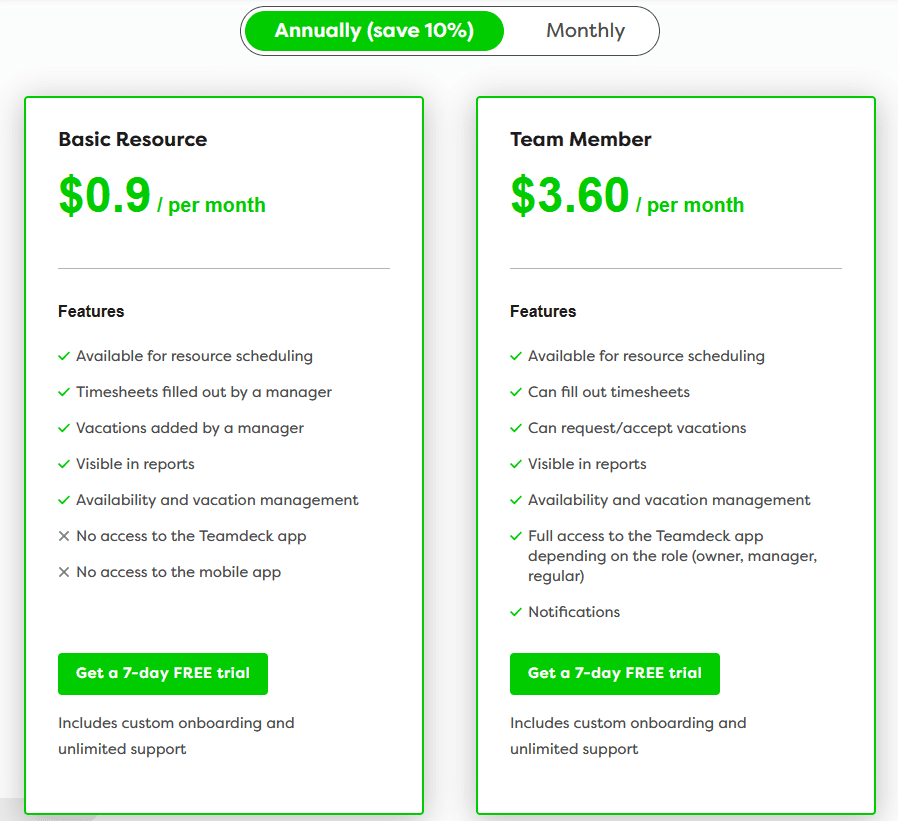
With pricing starting at $3.99 per team member per month billed annually or $4.99 per month billed monthly, Teamdeck offers an affordable solution for businesses. This cost-effective pricing ensures that businesses can access a comprehensive time planner and resource management tool without breaking the bank.
12. Monday
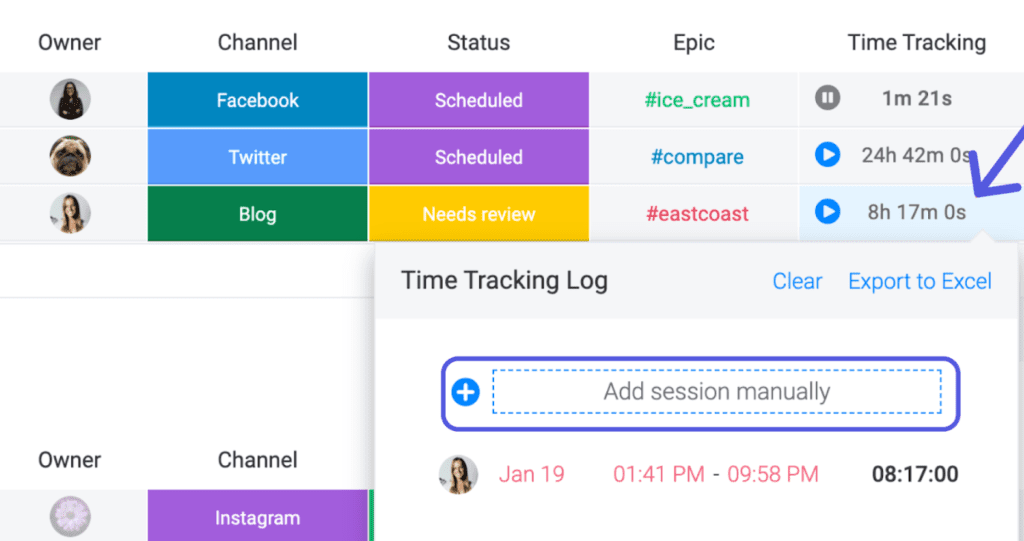
monday.com can also be used for time planning when a team wants tasks, project views, and reporting in the same workspace. Its flexibility is useful, but it works best when teams agree on a consistent way to structure boards and status updates.
Reporting can show how work is distributed across projects, clients, or task types. That overview is most helpful when it leads to a change in workload or scheduling rather than becoming another dashboard nobody acts on.
Customizable Workflow
Because the boards are configurable, teams can shape the workflow around their own process. The downside of that freedom is that too much customization can make the workspace harder for new people to understand.
Collaboration and Communication
In addition to time management tools like a time planner and tracker, monday.com serves as an excellent communication and collaboration tool. It facilitates seamless collaboration among team members, whether they are working remotely or in different locations, promoting efficient teamwork.
Affordable Pricing
monday.com offers flexible pricing plans to cater to different business needs. The Basic plan starts at $39 per month billed annually, while the Pro plan is priced at $79 per month. For larger businesses requiring more advanced features, an Enterprise plan is available upon request.
13. Monitask
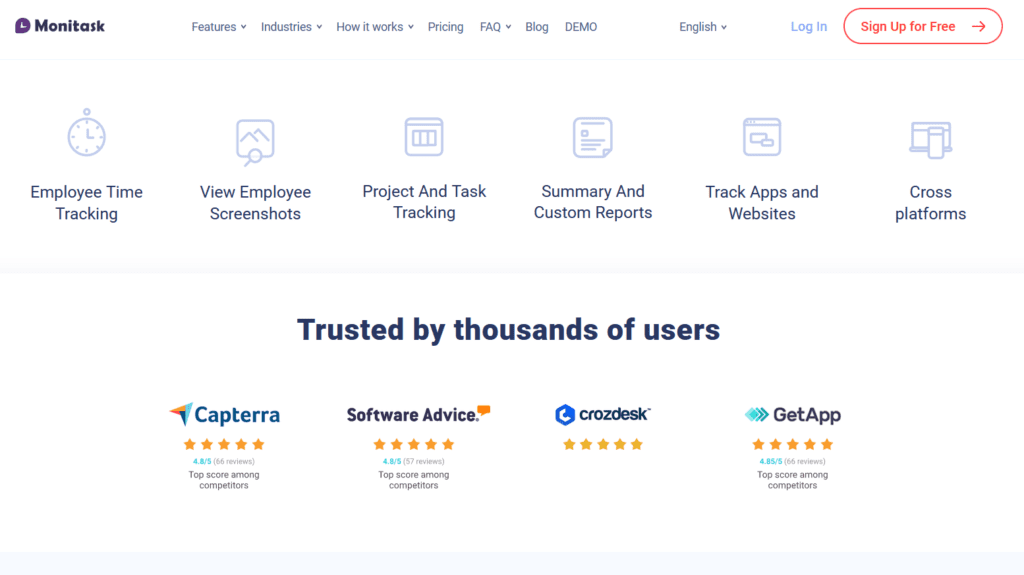
Monitask focuses on employee time and activity tracking, so it belongs in a different category from a simple personal timer. Teams considering it should be clear about what they need to measure and how transparent the monitoring policy will be.
Time Tracking and Screenshots
Project and task time can help managers understand effort, but screenshots or activity data need context. A low-activity period does not automatically mean low-value work, especially in roles that involve reading, planning, or thinking away from the keyboard.
Online Timesheets and Payroll Accuracy
Monitask simplifies payroll management by generating online timesheets that accurately reflect employees’ billable hours. This feature streamlines the process and ensures fair compensation based on recorded time.
Competitive Pricing and Features
Monitask offers competitive pricing, with the Professional Version available at $2.99/user/month. In comparison to other time management tools like Time Doctor and TMetric, Monitask stands out with its productivity monitoring features and screenshot capture capabilities.
14. Tmetric
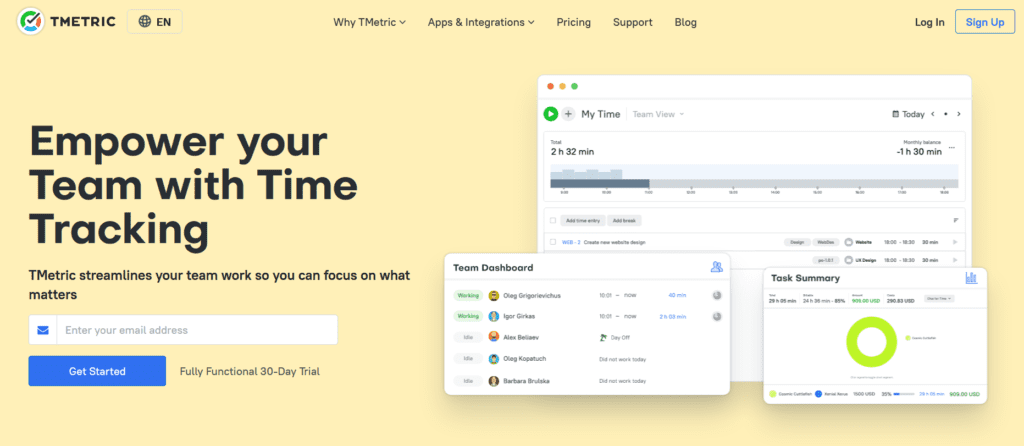
TMetric combines time tracking with project and billing features. It is useful when someone needs a detailed timeline of the day and wants those hours connected to client work, budgets, or internal projects.
Automatic Activity Tracking and Real-time Monitoring
Automatic activity tracking reduces manual entry, while the visual timeline helps users review what happened during the day. That review can be useful for correcting forgotten or misclassified time before it reaches a report or invoice.
Customizable Time Planner and Budgeting
With Tmetric, you can customize the time planner to align with your specific needs. Additionally, the software functions as a money tool tracker, enabling you to set project budgets and accurately bill clients based on tracked time.
Pricing and Advanced Features
Tmetric offers competitive pricing with the Business plan at $7 per month billed annually and the Professional plan at $5 per month with monthly billing options. Its user-friendly interface and advanced features make it a go-to choice for businesses aiming to optimize their workflow and time management practices.
15. RescueTime: Intelligent Time Tracking and Distraction Management
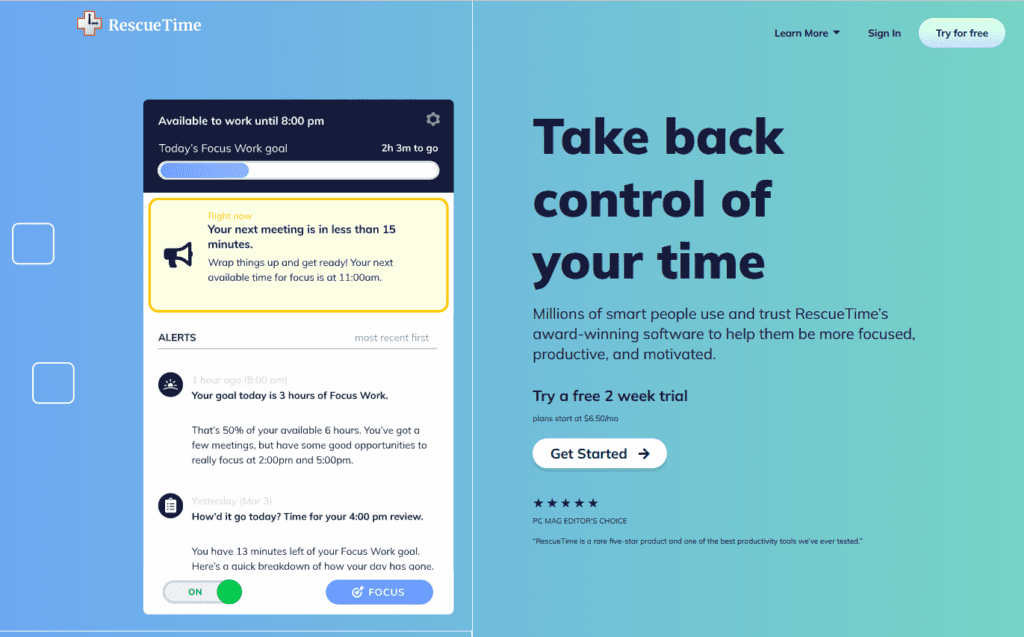
RescueTime is aimed more at understanding personal work habits than managing a team project. It runs in the background and shows where computer time is going, which can reveal distractions that are easy to underestimate during the day.
Smart Goal Setting and Schedule Optimization
The most useful insight is often the pattern rather than the exact number. If your best focused work consistently happens at a certain time, you can protect that window instead of filling it with routine meetings.
Distraction Blocking and Focus Features
RescueTime includes tools to help users stay focused on their work. You can set daily limits on specific apps or websites or activate the “focus time” feature to block distracting sites for a specified duration. This promotes a distraction-free environment for enhanced productivity.
Integration and Progress Tracking
RescueTime integrates seamlessly with other productivity tools like Time Doctor and Time Planner, consolidating tasks from multiple platforms into a master list. This integration allows users to track progress and manage their time effectively within a single interface.
With a price of $9 per month billed monthly per user, RescueTime offers an affordable solution for individuals and teams seeking to improve their time management skills.
Tips: Maximizing the Effectiveness of To-Do Lists to Manage Time
A to-do list is only useful when it helps you decide what to do next. A long list with no priorities can create more stress than clarity, so separate urgent work from important work and keep today’s list realistic.
The Power of Effective Planning
Planning the list matters as much as writing it. Think about when the work will happen, how long it may take, and whether another task has to be completed first.
Large items are easier to act on when they are broken into concrete next steps. “Prepare launch” is vague; “draft launch email,” “review pricing page,” and “schedule campaign” are much easier to assign and finish.
Enhance Efficiency with Time Tracking
Time tracking adds another layer of useful feedback. After a few weeks, you can compare what you expected a task to take with what actually happened and use that history to plan future work more accurately.
This knowledge prevents over-commitment and helps you accurately assess the workload associated with various projects.
Final Word
With so many time-management tools available, the sensible approach is to test the smallest set that addresses your problem. Someone who forgets deadlines needs a different solution from a team that cannot estimate client work accurately.
Time management is less about squeezing every minute and more about making better choices with limited attention. Pick a tool, use it consistently long enough to learn something, and adjust the system when the data shows that your current plan is not working.
Choose Onethread—the ultimate tool that offers a suite of features, including time tracking, to give you more bang for your buck.
Frequently Asked Questions
Which Time-Management Tool Helps To Organize Multiple Tasks And Several People’s Schedules?
- OneThred
- DeskTime
- Toggl
What Are The Most Common Time Management Mistakes People Make?
You often fall into the trap of procrastination, prioritize unimportant tasks, fail to plan your day, and multitask excessively. These are common time management mistakes that can hurt your productivity and cause stress.
How Can I Identify My Most Time-Consuming Tasks And Prioritize Them Effectively?
To identify your most time-consuming tasks, start by tracking how you spend your time. Once you have a clear picture of where your time goes, prioritize tasks based on importance and urgency.
How Can I Incorporate Mindfulness And Self-Reflection Into My Time Management Routine?
To incorporate mindfulness and self-reflection into your time management routine, take a few minutes each day to reflect on your priorities and goals. Use techniques like meditation and deep breathing to stay focused and calm during busy times.