Most "free" Gantt charts stop being free on day 15. The best free Gantt chart software is GanttProject for one person on a desktop and Zoho Projects for a small team online. Zoho's free plan covers 5 users and 3 projects with Gantt charts included. ProjectLibre, OpenProject, ClickUp, Redmine and our own Gantt Chart Generator round out the list.
But several big names now offer only a trial. TeamGantt has no free plan, and monday.com keeps its Gantt view on paid plans.
We checked each tool's free plan or license on its own pages, so you can trust what's free.
You'll get a comparison table, a worked 29-day example and a quick way to pick.
Key Points
- GanttProject and ProjectLibre are free desktop apps with no time limit; Zoho Projects Free covers 5 users and 3 projects with Gantt charts included.
- For a free team tool you host yourself, OpenProject Community and Redmine both include Gantt charts and time tracking at no license cost.
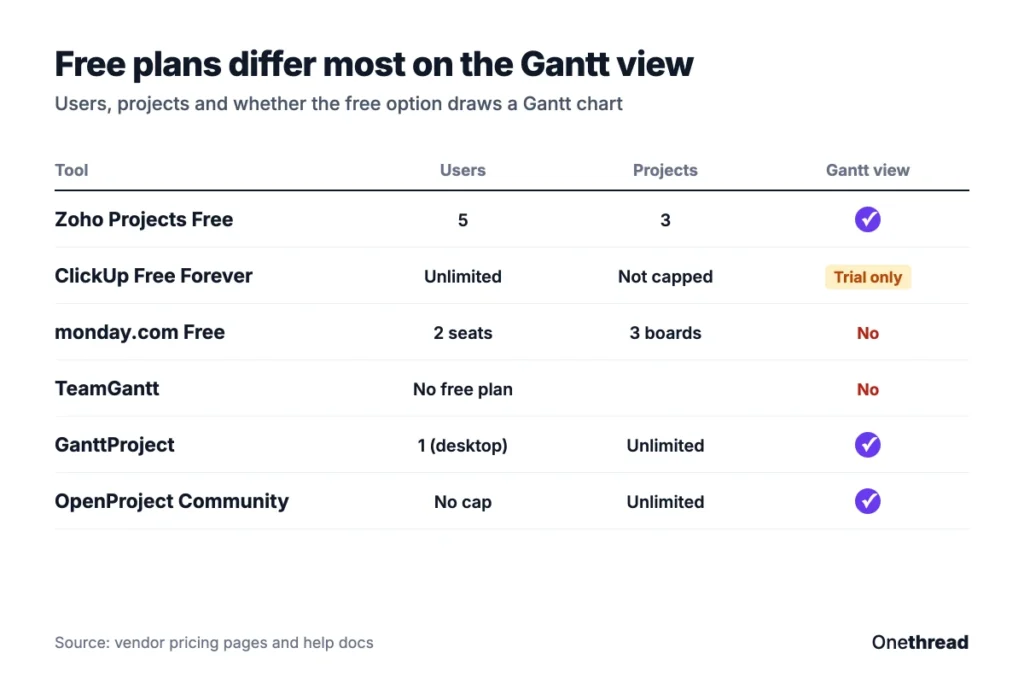
- Watch the fine print: ClickUp Free shows Gantt on a trial basis, monday.com Free has no Gantt view, and TeamGantt has dropped its free plan.
- For a one-off chart, a browser tool like our free Gantt Chart Generator needs no account at all.
Which Free Gantt Chart Software Fits Your Project?
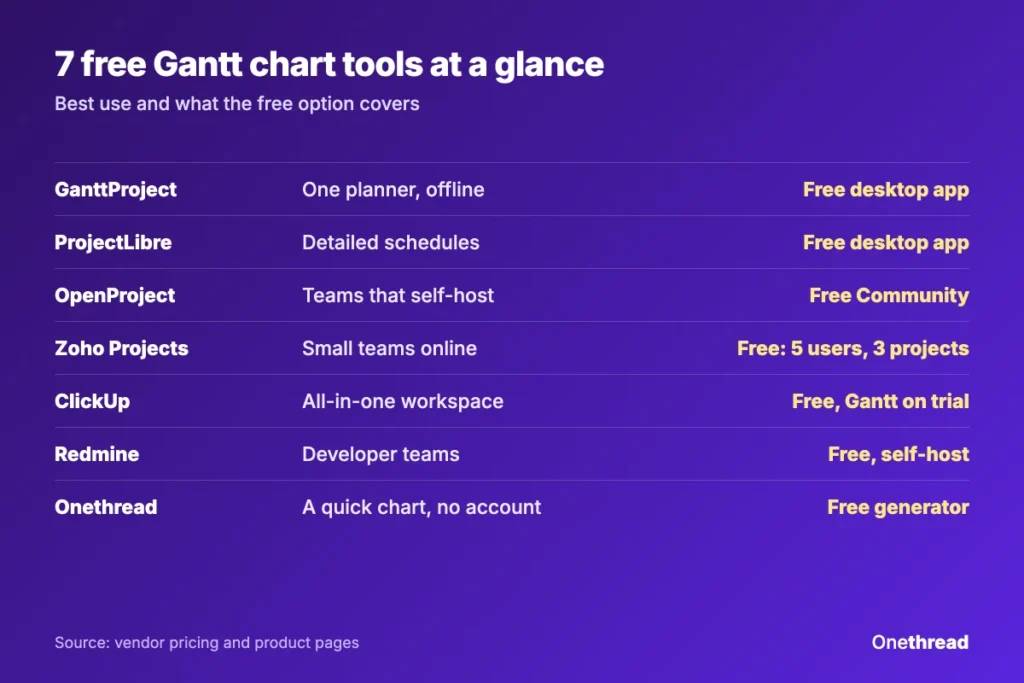
The right free Gantt chart software depends on who builds the chart and who needs to see it. Our table lists each tool's free option, where it runs and the first paid step.
| Tool | Best for | Free option and limits | Runs on | First paid option |
|---|---|---|---|---|
| GanttProject | One planner, offline | Free desktop app, GPL3 license | Windows, macOS, Linux | Optional cloud, price not published |
| ProjectLibre | Detailed schedules | Free desktop app, single user | Windows, macOS, Linux | Cloud from $9.99 per user a month |
| OpenProject | Teams that self-host | Community edition, no user cap | Your own server | €5.95 per user a month, 25-user minimum |
| Zoho Projects | Small teams online | Free plan: 5 users, 3 projects, 5 GB | Web and mobile | Premium, see Zoho's pricing page |
| ClickUp | All-in-one workspace | Free Forever, Gantt on a trial basis | Web, desktop, mobile | Core, $9 per user a month, yearly |
| Redmine | Developer teams | Free under GPLv2 | Your own server | No paid tiers |
| Onethread | A quick chart in your browser | Gantt Chart Generator, no sign-up | Any browser | Growth, $3 per user a month, yearly |
The "Best for" labels are our own read. Free plans change often, so check each vendor's page before you commit a project to it.
How Did We Pick These Free Gantt Chart Tools?
We started from the pages that rank for this topic and the tools they keep naming. Then we kept only tools that are free with no time limit: a free plan, a free open source license or a free web tool. Trials didn't count, however long they ran.
We also skipped tools that only make a static picture of a chart, unless they're clearly built for a quick one-off plan. A Gantt chart earns its place when dates move, so live tools came first.
That rule cut several popular names. TeamGantt and GanttPRO now lead with trials, and monday.com's free plan has no Gantt view.
For each tool, we read the free plan or license on the vendor's own site. We also checked whether the Gantt view itself sits inside the free option, because some tools are free but hide the chart.
Three checks shaped the order:
- Gantt in the free option: Is the chart included, capped or trial only?
- Team size: Does the free option work for one person or a team?
- Setup: Is it a desktop app, a web app or a server you run?
You can read more about our review methodology.
Sources: GanttProject, ProjectLibre on SourceForge, OpenProject, Zoho Projects, ClickUp, Redmine, TeamGantt, monday.com.
What Makes GanttProject the Best Free Desktop Pick?
GanttProject is a free desktop app under the GPL3 license. It runs offline on Windows, macOS and Linux, with no account and no subscription.
It builds a classic Gantt chart with task scheduling, resource allocation and cost management. It also reads and writes Microsoft Project files, so you can open an old plan or hand one over.
Say you're planning a six-week office move on your own. You add tasks, set dates, assign people and print the chart. Nobody needs a login.
The file stays on your computer, which some teams prefer for client plans. You share it by sending the file or a PDF export.
The stable release is version 3.3, and version 3.4 is in release candidate. An optional cloud service handles sharing on a pay-as-you-go basis.
Pricing: Free. GanttProject Cloud is pay as you go, and the price isn't published.
Best For
- One person who wants a free, offline Gantt chart with resources.
Pros
- Free with no time limit, account or subscription.
- Works offline on Windows, macOS and Linux.
- Opens and saves Microsoft Project files.
Cons
- Built for one user, not a team that edits together.
- No timesheets or workload view listed.
- Cloud sharing prices aren't published, so team costs are hard to plan.
When Is ProjectLibre the Better Free Choice?
ProjectLibre is a free desktop app for detailed project schedules. It runs on Windows, macOS and Linux, and it opens Microsoft Project files.
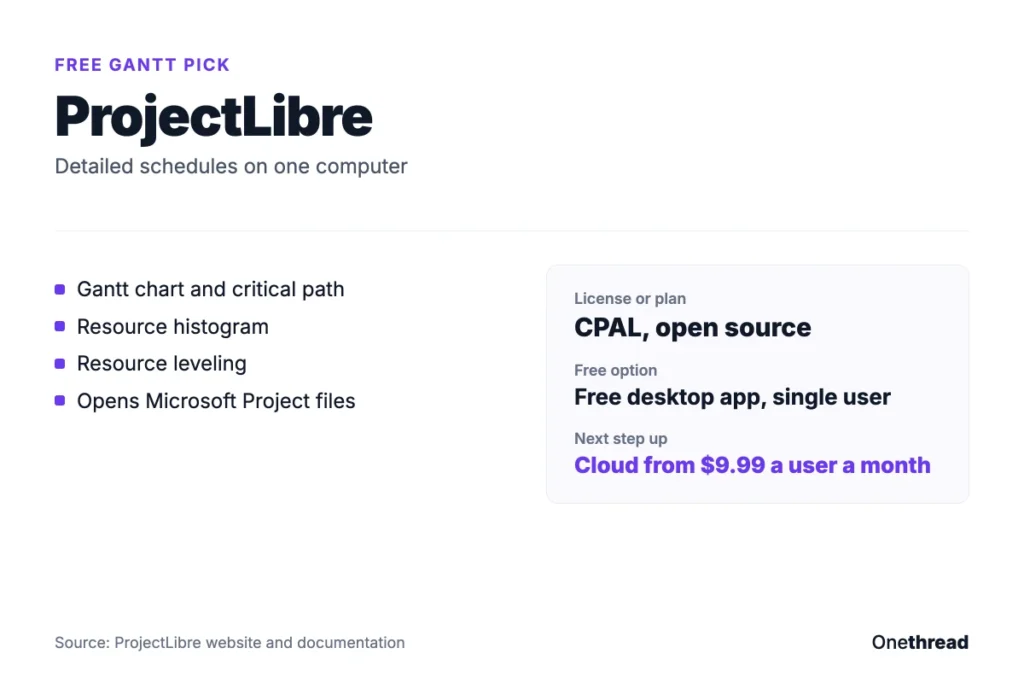
It goes deeper than GanttProject. You get Gantt charts, the critical path, a resource histogram and resource leveling. Leveling moves tasks so nobody is booked past their hours.
That depth suits a planner who used Microsoft Project before. Say you're scheduling a fit-out with 40 tasks and six trades. The histogram shows the week your electrician is double-booked.
The desktop app is single-user. For team editing, ProjectLibre sells a cloud version that isn't free.
The learning curve is steeper than GanttProject's. If you've never used scheduling software, expect an afternoon of setup before the first plan looks right.
Pricing: The desktop app is free. ProjectLibre Cloud starts at $9.99 per user a month, billed yearly.
Best For
- Planners who need the critical path and resource leveling for free.
Pros
- Free desktop app under an open source license.
- Critical path, histogram and leveling built into the free app.
- Opens Microsoft Project files from older plans.
Cons
- The desktop app is single-user, with no shared editing.
- Team sharing needs the paid cloud version.
- The last desktop release dates from April 2025, so updates are slow.
Why Do Teams Pick OpenProject Community for Free Gantt Charts?
OpenProject Community is free web software under GPLv3, with no user cap. You install it on your own server with DEB or RPM packages, or with Docker.
It includes Gantt charts, time tracking and cost reports. The whole team works in the same plan in the browser, so there's one version of the schedule.
Say you run a 15-person agency and someone on the team can manage a small server. You get shared Gantt charts for everyone with no license fee.
If running the server gets tiring, OpenProject sells hosted plans. They start at 25 paid users, which matters for small teams.
The Gantt view also supports dependencies, so moving one work package shifts the ones that follow. That's the main thing a spreadsheet can't do for you.
Pricing: Community is free. Hosted Basic is €5.95 per user a month with a 25-user minimum.
Best For
- Teams that want shared Gantt charts and can host the app themselves.
Pros
- Free Community edition with no user cap.
- Gantt charts, time tracking and costs in one place.
- Hosted plans if you stop self-hosting.
Cons
- You handle updates, backups and the server.
- Hosted plans start at 25 paid users.
- Capacity planning sits in the Premium plan, not in Community.
What Does Zoho Projects Free Include?
Zoho Projects Free covers up to 5 users, 3 projects and 5 GB of storage. Gantt charts are included, which is rare for a free web plan.
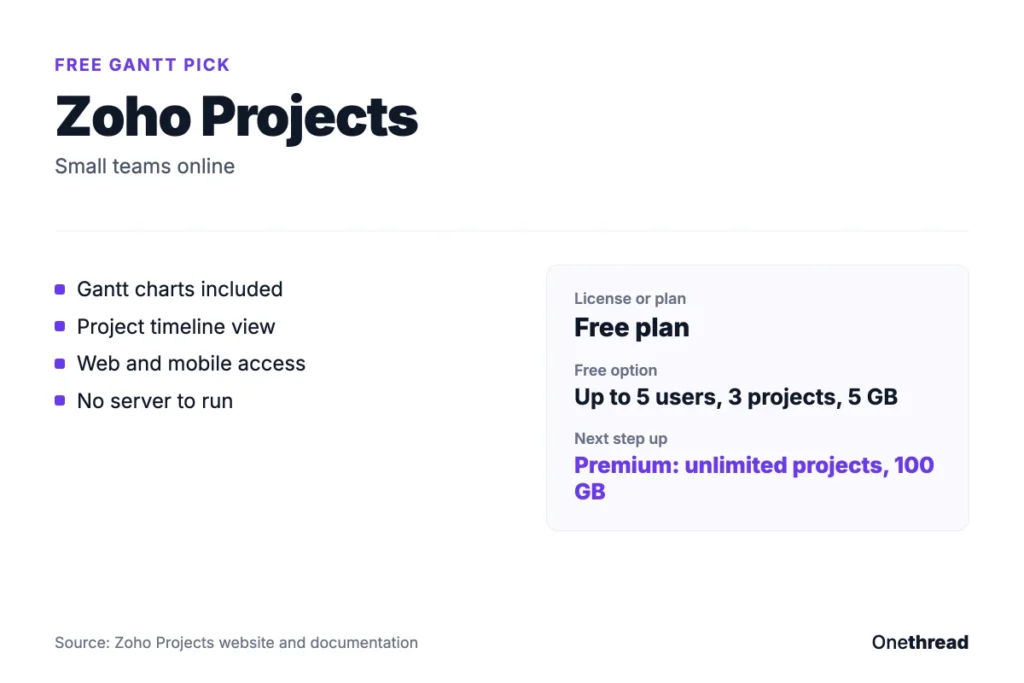
That makes it the easiest free pick for a small team that wants a shared chart without a server. Everyone logs in, sees the same timeline and updates their own tasks.
The 3-project cap is the real limit. A team running a fourth project at once has to archive one or upgrade. A sixth person also pushes you to a paid plan.
Say a five-person marketing team plans a launch, a webinar and a site refresh. All three fit on the free plan, with a Gantt chart for each.
Pricing: Free for up to 5 users. The Premium plan adds unlimited projects and 100 GB; check Zoho's pricing page for the rate in your region.
Best For
- Small teams of up to 5 people running a few projects at once.
Pros
- Gantt charts included on the free plan.
- Web and mobile access with no server to run.
- 5 GB of storage on the free plan.
Cons
- Capped at 3 projects and 5 users.
- Premium prices weren't shown on Zoho's page when we checked.
- Free storage fills up fast with large files.
How Far Does ClickUp Free Go for Gantt Charts?
ClickUp Free goes far enough for light use, but not for everyday Gantt work. Its Free Forever plan lists the Gantt view on a trial basis, so heavy users hit the limit.
The rest of the free plan is generous. You get unlimited tasks, unlimited free members and 60 MB of storage. Lists, docs and boards all live in one workspace.
So ClickUp fits a team that mostly works in lists and checks the timeline now and then. If the Gantt chart is your main view, a paid plan comes quickly.
The upgrade is modest, though. Core costs $9 per user a month on yearly billing, so a 5-person team pays $540 a year. Check the plan table first, since Gantt limits sit in the small print.
Pricing: Free Forever costs $0. Core is $9 per user a month, billed yearly.
Best For
- Teams that want tasks, docs and a timeline in one free workspace.
Pros
- Unlimited tasks and free members.
- Many views besides Gantt in one tool.
- No credit card needed to start the free plan.
Cons
- Gantt view is trial only on the free plan.
- Only 60 MB of storage on Free.
- The many features take time to learn, so expect a setup week.
What Can Redmine Do as a Free Gantt Tool?
Redmine is a free web app for project and issue tracking under GPLv2. There are no paid tiers, and you host it yourself.
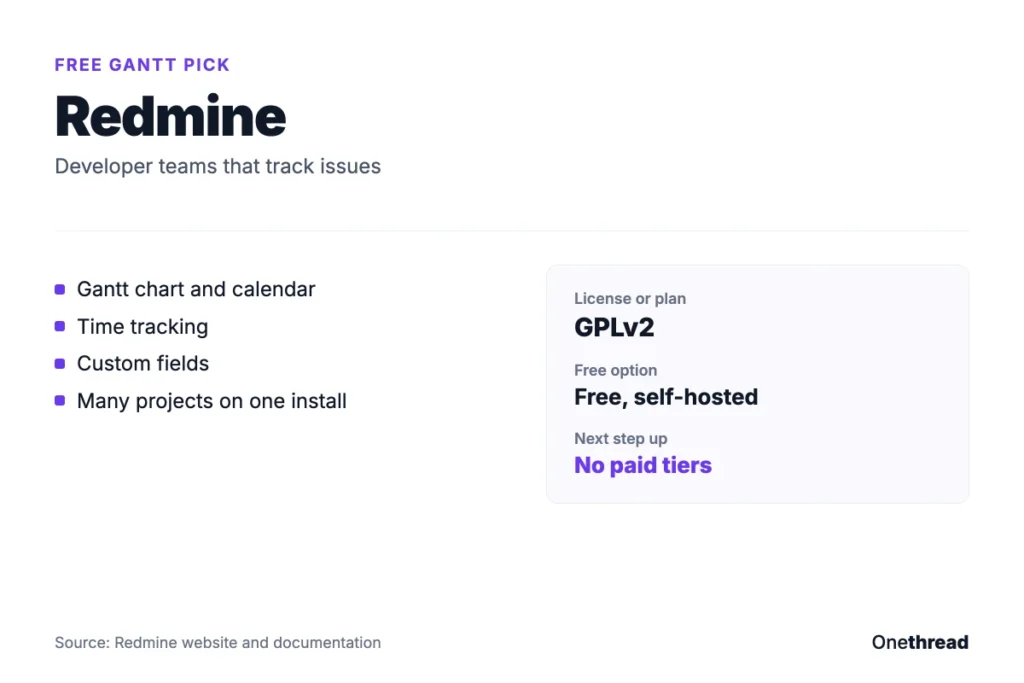
It includes a Gantt chart, a calendar, time tracking and custom fields. Many projects can share one install, so a whole department can use one server.
Redmine suits developer teams that already track bugs there. Adding the Gantt view puts dates next to the issues, with no new tool to learn.
The interface looks dated, and some features need plugins. But it's been around a long time, so most questions already have answers online.
Say a 10-person dev team ships a release every month. Each release becomes a version in Redmine, and the Gantt chart shows which issues are late.
Pricing: Free. You pay only for your own server and setup time.
Best For
- Technical teams that track issues and want a free Gantt view beside them.
Pros
- Free under GPLv2, with no paid tiers at all.
- Gantt chart, calendar and time tracking built in.
- Works for many projects and teams on one install.
Cons
- No official hosting, so you run the server yourself.
- The interface looks dated next to newer web tools.
- Extra features often need plugins, which you update yourself.
When Is Onethread the Easiest Free Option?
Onethread is the easiest option when you need one chart today and no setup. Our free Gantt chart generator runs in your browser and needs no sign-up.
You set a start date, add each task with its start day and length, and get a timeline. Then you save it as a PDF with your browser's print command.
For ongoing projects, the Onethread app lists a Gantt chart view next to tasks, calendars and timesheets. The Basic plan is free, so check which plan includes the views you need.
Say a freelancer needs to show a client a 6-week plan in a proposal. The generator turns the task list into a chart in minutes, ready to attach as a PDF.
Pricing: The Gantt Chart Generator is free. In the app, Basic is free and Growth is $3 per user a month, billed yearly.
Best For
- Anyone who needs a quick, shareable chart without an account.
Pros
- No sign-up for the generator.
- Saves as a PDF in a few seconds for clients.
- Low-cost app plans if the project grows into a team effort.
Cons
- The generator makes a chart, not a live plan that updates.
- No dependencies or resources in the generator.
- No resource leveling like ProjectLibre.
Which Popular Gantt Chart Tools Are No Longer Free?
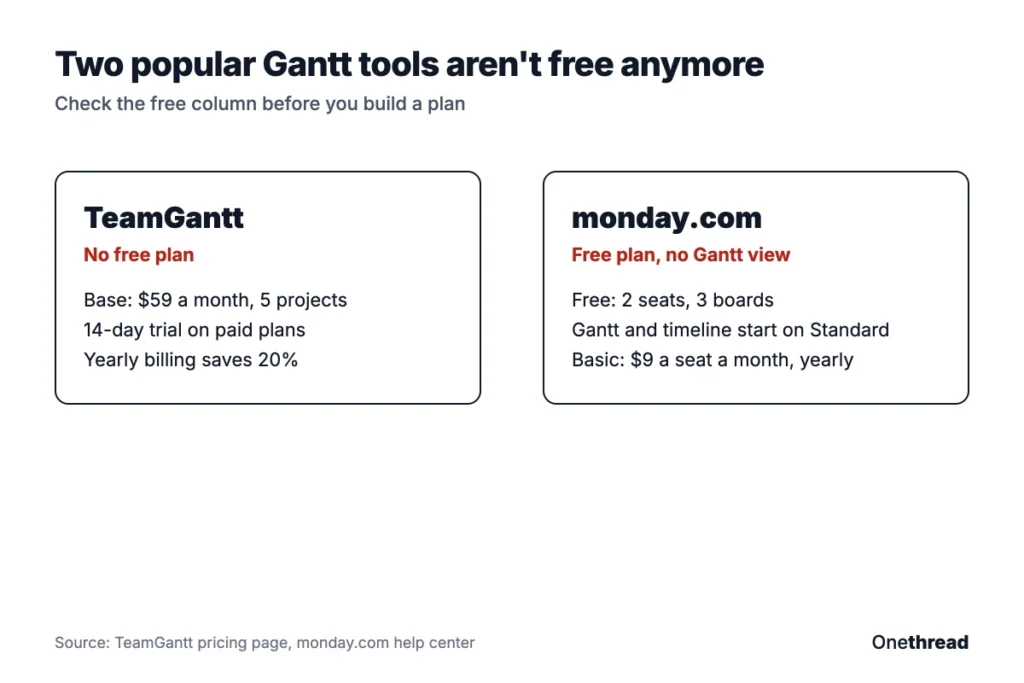
Two well-known Gantt tools no longer fit a "free" search: TeamGantt and monday.com. Older lists still show them as free, so it's worth checking before you build a plan there.
TeamGantt has no free plan on its pricing page. The Base plan is $59 a month and includes 5 projects. Every paid plan has a 14-day trial, and yearly billing saves 20%.
monday.com has a free plan for up to 2 seats and 3 boards. But its Gantt and timeline views start on the Standard plan, so the free plan can't draw a Gantt chart.
A few others work the same way. They're good tools, just not free Gantt chart software.
The pattern matters for planning. A trial is fine for testing, but a project that outlasts the trial gets stuck. Either you pay mid-project, or you rebuild the plan somewhere else.
Top Tip: Before you build a plan in any tool, open its pricing page and find the word "Gantt" in the free column. If it says trial, plan for the day it ends.
Both still work well as paid tools. They just don't belong on a free list.
If you want paid options with stronger features, our guide to the best Gantt chart software compares them by price.
What Is Free Gantt Chart Software?
Free Gantt chart software draws a project timeline as horizontal bars, one per task, at no cost. Each bar starts on the task's start date and stretches for its length.
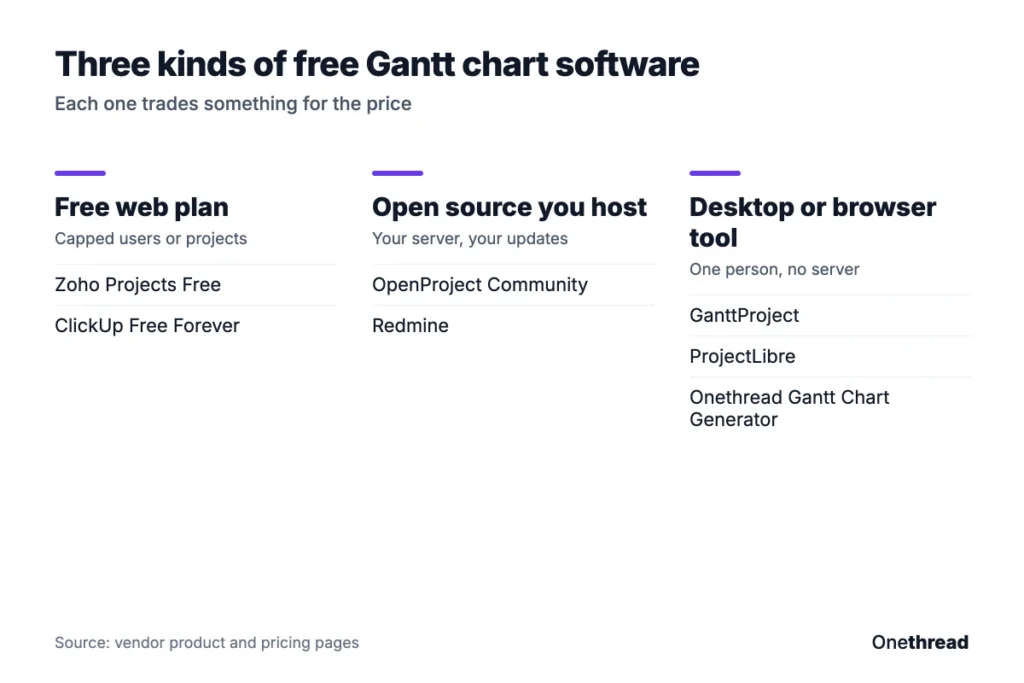
The free part comes in three forms. There's the free plan of a paid web app. There's a free open source license you run yourself. And there's a free desktop or browser tool.
Each form trades something for the price. Free plans cap users or projects. Open source tools need a server. Desktop tools work for one person.
Each form also suits a different stage. Use a free browser tool for a pitch. Pick a desktop app for a solo plan. Choose a web plan or server for a team that runs projects every month.
A Gantt chart differs from a simple timeline. It shows dependencies, so you see which task must finish before the next one starts. Many free tools also show the critical path, the chain of tasks that sets the end date.
Free tools also differ on who can edit. Some let only one person change the plan, while web tools let the whole team update their own tasks.
For a broader look at Gantt tools inside full project apps, see our list of Gantt chart project management software.
What Should a Free Gantt Chart Tool Include?
A free Gantt chart tool should include the parts that keep a schedule honest when dates move. Five features matter most:
- Dependencies: link tasks so a delay moves everything after it.
- Milestones: mark the dates that matter to clients or managers.
- Critical path: show the chain of tasks that sets the end date.
- Sharing: let others view the chart without editing it.
- Export: save the chart as a PDF or image for a report.
Free tools differ most on sharing. Desktop apps like GanttProject and ProjectLibre save a file you send around. Web tools like Zoho Projects share one live chart.
They also differ on resources. ProjectLibre levels people's hours, GanttProject assigns people to tasks, and most free web plans skip workload views entirely.
Ease of use matters as much as features. A tool your team avoids won't keep the schedule up to date for long, however free it is.
Accessibility matters too. Check that the tool runs on the devices your team uses, including phones for people on site.
If you'd rather start from a spreadsheet, our Gantt chart template for Excel gives you the columns and formulas. A spreadsheet works for one-off plans, but it won't move dependent dates for you.
How Do You Build a Free Gantt Chart in Practice?
You build a free Gantt chart in four steps: list the tasks, set each length, link the order and read the end date. Here's what that looks like on a real plan.
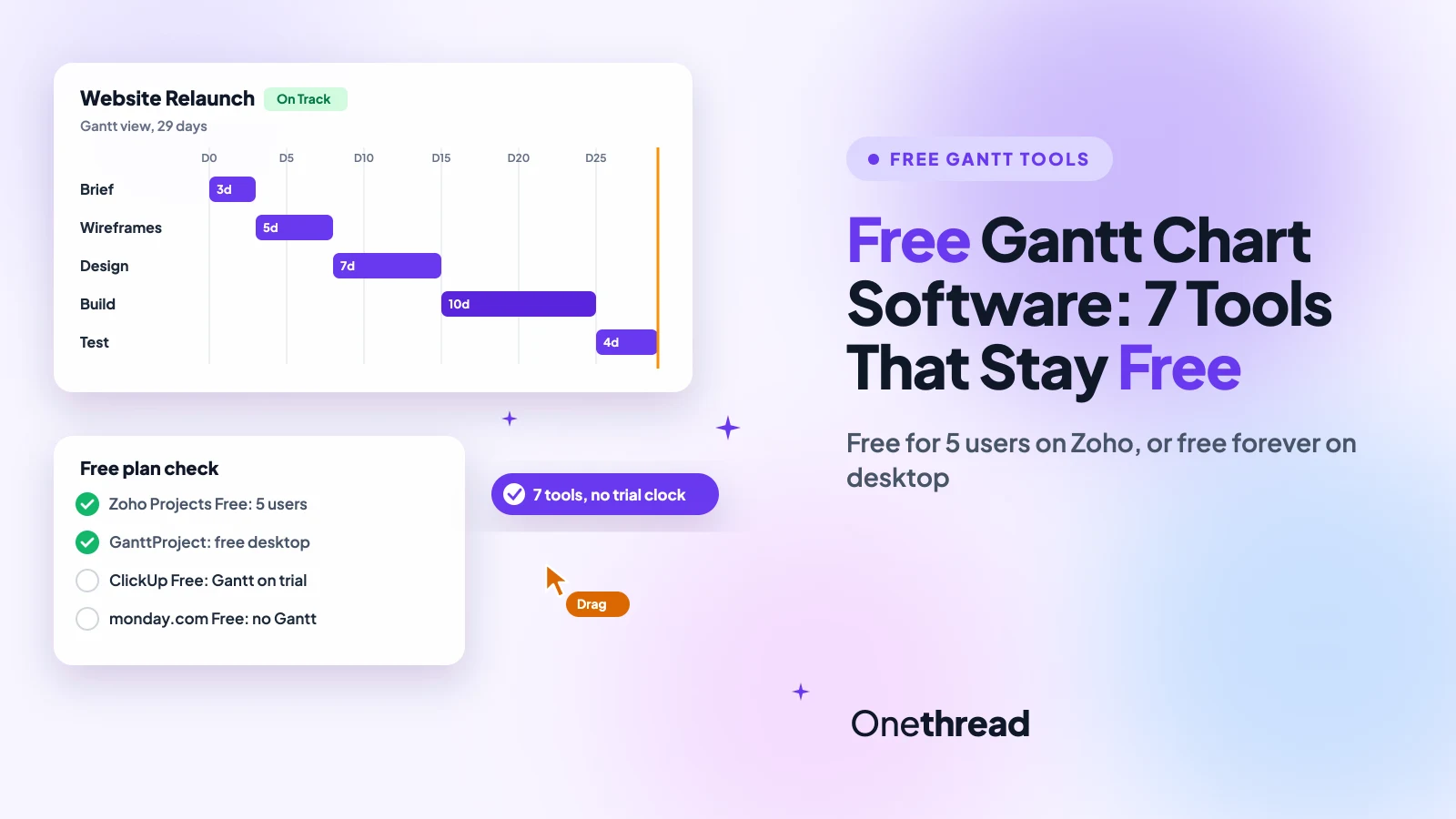
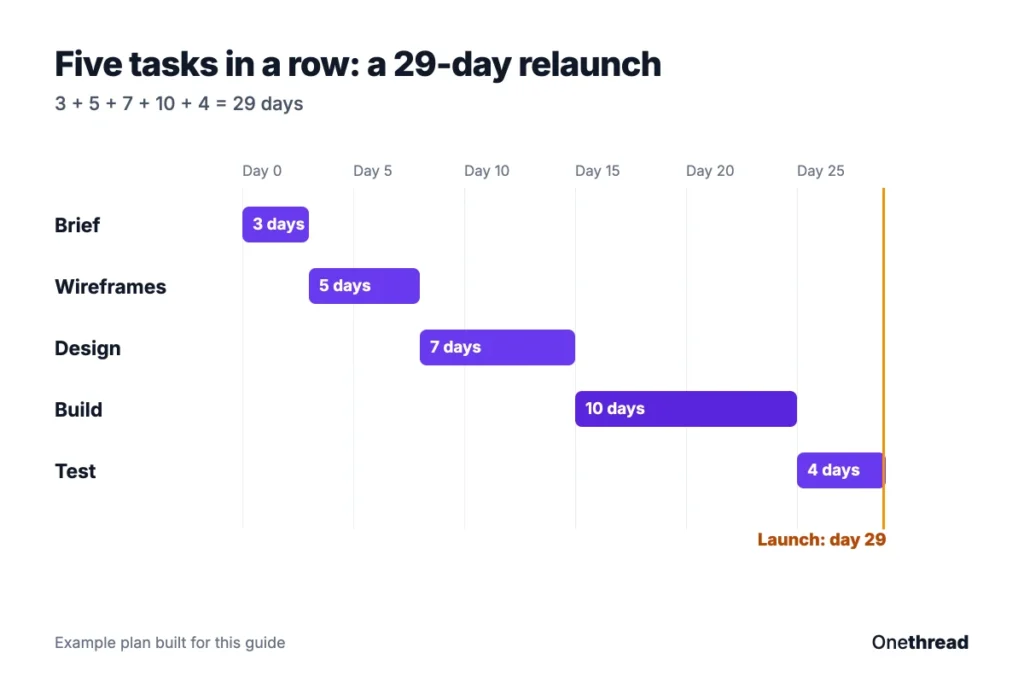
Example: a small website relaunch runs Brief 3 days, Wireframes 5, Design 7, Build 10 and Test 4, one after another. That's 3 + 5 + 7 + 10 + 4 = 29 days from start to launch.
Now say copywriting takes 8 days and runs beside Design and Build. It finishes well before Build ends, so it has slack. A delay there won't move the launch, but a one-day slip in Build will.
That's the whole value of a Gantt chart. It shows which delays matter and which don't.
Now add a milestone for client sign-off after Design, on day 15. If Design slips two days, the chart moves sign-off to day 17 and the launch to day 31. You see the knock-on effect before anyone asks.
You can test this plan in any tool on our list. Or put the five tasks into our free generator and print the result.
The same plan also shows where free tools differ. GanttProject and ProjectLibre move the dates for you when you link the tasks. A spreadsheet template needs you to update each date by hand.
How Do You Choose the Right Free Gantt Chart Software?
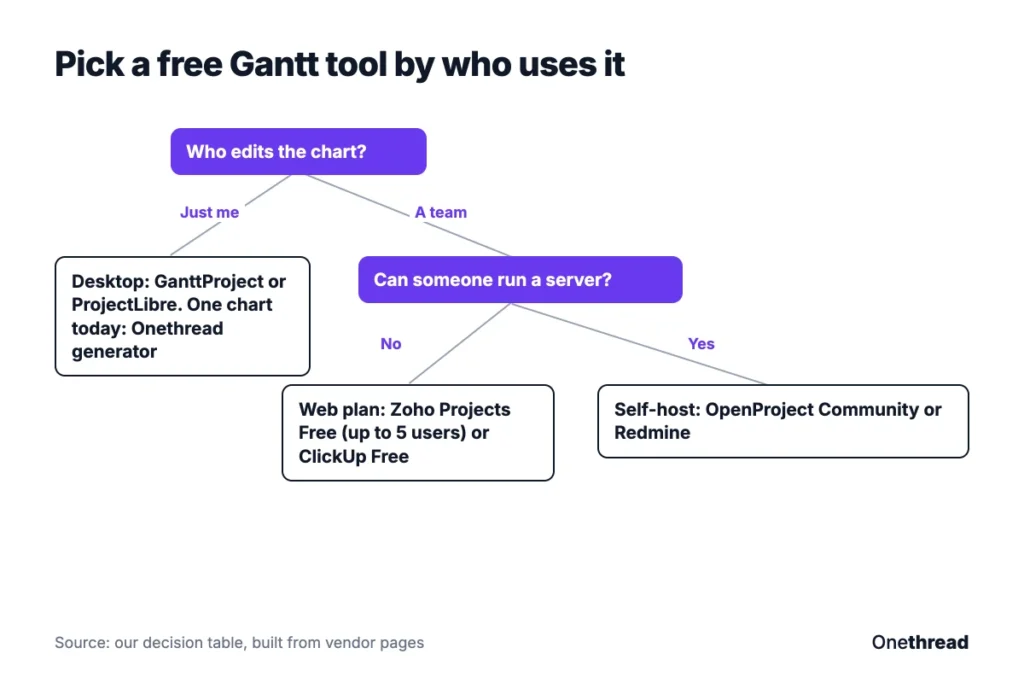
Choose by who builds the chart, who needs to see it and how long the project runs. Our decision table pairs a common situation with a free tool that fits it.
| If your situation is | Start with |
|---|---|
| One person, offline, simple plan | GanttProject |
| One planner who needs the critical path | ProjectLibre |
| A team of up to 5 people, online | Zoho Projects |
| A larger team that can run a server | OpenProject |
| Developers tracking issues | Redmine |
| Tasks first, timeline now and then | ClickUp |
| One chart today, no account | Onethread Gantt Chart Generator |
Team size usually decides it. One person can use almost any tool here. A team needs a shared, live chart, which narrows the list to Zoho Projects, OpenProject, ClickUp and Redmine.
Then run three checks:
- Is Gantt in the free column: included, capped or trial only?
- Does it fit your team size: count users and projects at once.
- Can you get your data out: look for PDF, image or file export.
If none of these fit, our list of Gantt chart alternatives covers other ways to plan. Our Gantt chart maker guide compares simple chart builders.
What Should You Do Next With Free Gantt Tools?
Free Gantt chart software is easy to find, but a free option with the Gantt view included is rarer than most lists suggest. The best pick is the one whose free option includes the Gantt view at your team size, with no trial clock running.
So test it on a real plan this week. Pick two tools from our table, build the same five-task schedule in each, and move one task by a day. The tool that shows the knock-on effect most clearly, with the least setup, is your answer.
FAQs
Is There Truly Free Gantt Chart Software With No Time Limit?
Yes. GanttProject, the ProjectLibre desktop app, OpenProject Community and Redmine are free open source tools with no time limit. Zoho Projects Free is also free with no end date for up to 5 users and 3 projects. These differ from trials, which lock the Gantt view after a set number of days.
What Is the Best Free Gantt Chart Software for Mac?
GanttProject and ProjectLibre both run on macOS for free, and both open Microsoft Project files. GanttProject is simpler to start. ProjectLibre adds the critical path and resource leveling. For a free online option on a Mac, Zoho Projects Free works in any browser for up to 5 users.
What Is the Easiest Free Gantt Chart Maker?
The easiest free Gantt chart maker is a browser tool that needs no account. Our free Gantt Chart Generator turns a task list into a timeline and saves it as a PDF. For a chart you'll keep updating, GanttProject is the simplest free app to learn.
Can You Make a Gantt Chart Online for Free?
Yes. Zoho Projects Free includes Gantt charts online for up to 5 users and 3 projects. ClickUp Free shows a Gantt view on a trial basis. For a one-off chart, a free browser tool like our Gantt Chart Generator works without signing up, and you can print it to PDF.
What Is the Difference Between a Gantt Chart and a Timeline?
A Gantt chart shows each task as a bar on a calendar, with dependencies that link tasks in order. A timeline shows key dates or milestones on a single line. Free Gantt chart software usually does both, but only a Gantt chart shows how one delay moves later tasks.