Every repeat task lives in somebody's head until you write it down. An SOP template gives you the layout to do that in one sitting.
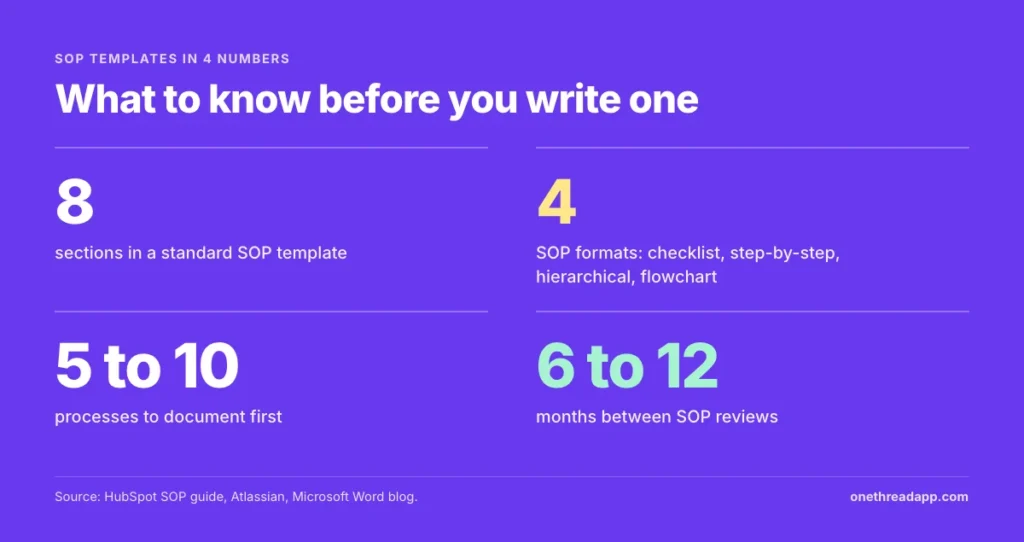
An SOP template is a reusable outline for a standard operating procedure (SOP). Ours has eight sections: title and document control, purpose, scope, roles, tools, steps, checks, and revision history. Copy it, fill it in for one process, and have a newcomer test it.
We built it from nine top-ranking SOP guides and the EPA's guidance on writing SOPs.
This guide covers each section, four formats, a filled-in sample, and how to pick the first processes to document.
Key Points
- An SOP template has eight sections: title and document control, purpose, scope, roles, tools, steps, checks, and revision history. Fill all eight, even for a short process.
- Pick one format per process: a checklist for short routines, numbered steps for linear work, a hierarchical SOP for long processes, and a flowchart when the path branches.
- Start with 5 to 10 processes, scored by how often they run, what a mistake costs, and how many people touch them.
- Give every SOP an owner and a review date. Review at least once a year, and every quarter for work that changes often.
What Is an SOP Template and What Does It Include?
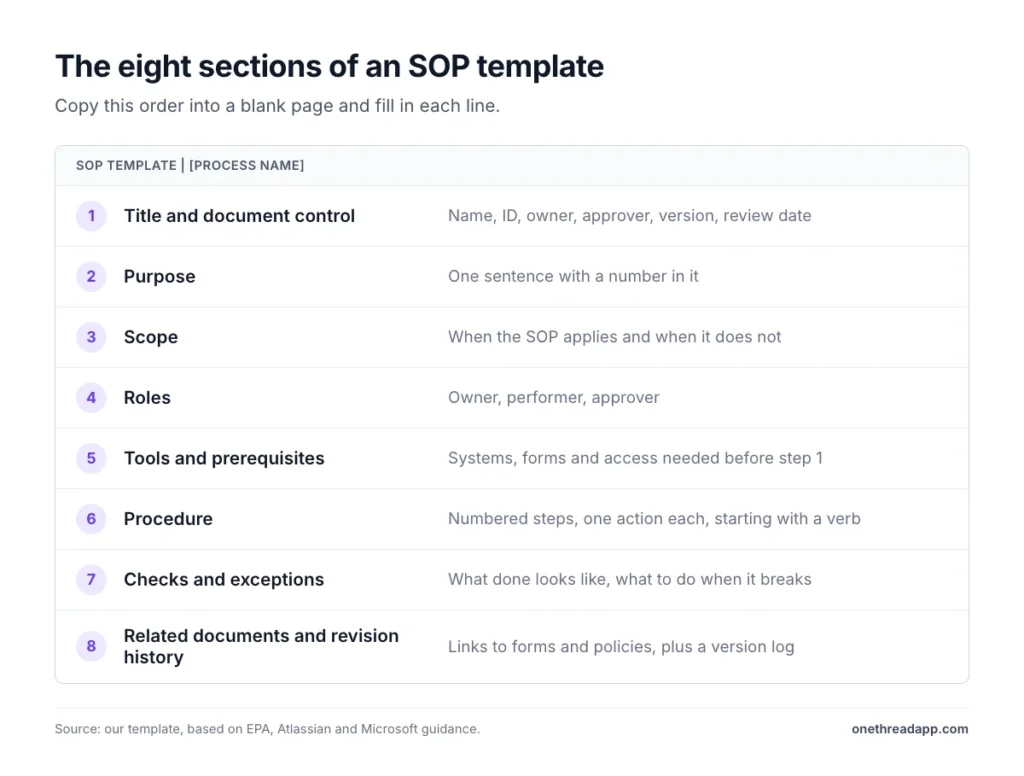
An SOP template is a reusable layout for a standard operating procedure (SOP). A standard template includes eight sections: title and document control, purpose, scope, roles, tools, steps, checks, and revision history. The EPA's guidance calls an SOP "a set of written instructions that document a routine or repetitive activity", and each section keeps those instructions repeatable.
| Section | What to write | Sample line |
|---|---|---|
| 1. Title and document control | Name, ID, owner, approver, version, review date | PM-004, owner: project manager, version 1.0 |
| 2. Purpose | One sentence on the goal, with a number | Reply to every change request within 2 business days |
| 3. Scope | When the SOP applies and when it does not | Applies to changes in deliverables, deadline or budget |
| 4. Roles | Owner, performer, approver | Account director approves changes over 40 hours |
| 5. Tools and prerequisites | Systems, forms and access needed before step 1 | Change request form, rate card, project board |
| 6. Procedure | Numbered steps, one action each, starting with a verb | Log the request on the change board |
| 7. Checks and exceptions | What done looks like, what to do when it breaks | If the client approves by phone, ask for an email |
| 8. Related documents and revision history | Links to policies and forms, plus a version log | Version 1.0: first release |
Atlassian's Confluence template page lists eight core elements, Microsoft's Word guide lists eight key components, and HubSpot's template has seven. The names differ. The content overlaps almost completely.
Top Tip: Write the purpose as one sentence with a number in it, such as a reply time or a deadline. Atlassian's example sets a 5 business day limit for approving vendor invoices. A purpose with no number can't be checked.
Why Use an SOP Template Instead of Starting From Scratch?
A template makes every SOP in your team look the same, so people know where to find the steps, the owner, and the exceptions. It also removes the blank-page problem, which is where most SOPs stall. Nobody has to invent a layout before writing the first step. Each new SOP then takes less time than the one before it.
The case for writing them down is bigger than tidiness. Scribe's survey report finds that 71% of company know-how isn't documented, and that staff spend 35 hours a month searching for answers or recreating work. Scribe sells documentation software and doesn't state its sample size, so treat the figures as a signal, not a benchmark.
Four benefits show up in most of the guides we read:
- Consistency: Two people doing the same task produce the same result.
- Faster onboarding: New hires follow the document instead of interrupting a colleague.
- Clear ownership: Each SOP names who runs it and who approves it.
- Fewer repeat mistakes: An exception written down once stops the same fix being invented twice.
Templates also cut review time. When every SOP uses the same eight sections, a reviewer checks the same places each time. A missing owner or an empty exceptions row stands out in seconds.
Which SOP Format Should You Use?
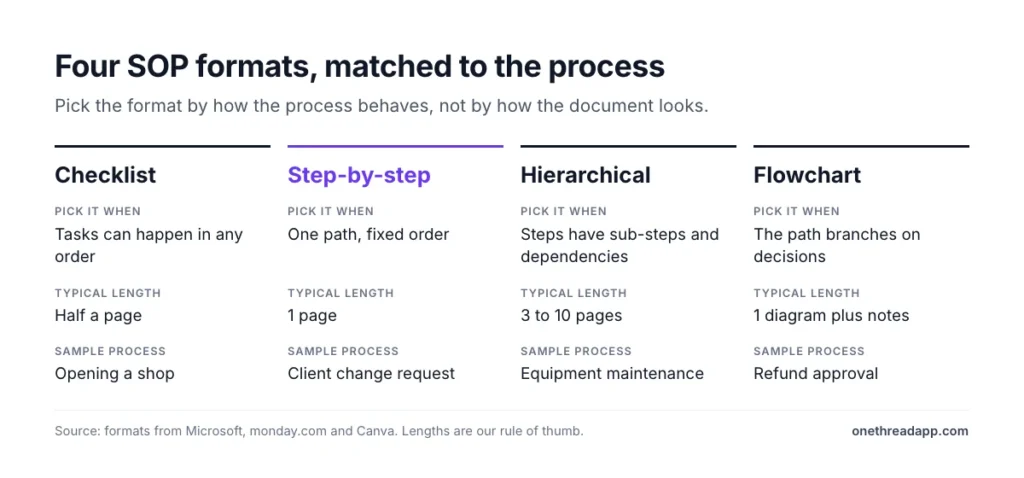
Pick the format by how your process behaves, not by how the document looks. Microsoft, monday.com and Canva all name the same four SOP types: checklist, step-by-step, hierarchical, and flowchart. This table matches each format to a process shape. The lengths are our rule of thumb.
| Format | Pick it when | Typical length | Sample process |
|---|---|---|---|
| Checklist | Tasks can happen in any order | Half a page | Opening a shop |
| Step-by-step | One path, fixed order | 1 page | Client change request |
| Hierarchical | Steps have sub-steps and dependencies | 3 to 10 pages | Equipment maintenance |
| Flowchart | The path branches on decisions | 1 diagram plus notes | Refund approval |
Checklist SOP Format
A checklist SOP lists tasks to tick off, often in any order. It suits short, routine work. If all you need is a task list, a to-do list template does the job.
Best For
- Short routines with no decisions in them.
Pros
- Takes minutes to write.
- Easy to scan on a phone.
- Works as an attachment to a longer SOP.
Cons
- Holds no reasons or exceptions.
- The EPA's guidance says a checklist is not the SOP, so attach it to one.
- Hides the order when order matters.
Step-by-Step SOP Format
A step-by-step SOP numbers each action in order. Asana's guide recommends it for simple processes, with a purpose statement, a short summary, and one responsible person per step. It reads in one pass, which makes it the safest default when you're unsure. Our sample SOP later in this guide uses this format.
Best For
- Linear work where the order never changes.
Pros
- Reads in one pass.
- Fits on one page.
- Simple to test with a newcomer.
Cons
- Gets clumsy when steps branch.
- Long lists hide the important step.
- Needs a separate place for exceptions.
Hierarchical SOP Format
A hierarchical SOP adds a table of contents, sub-steps, and dependencies. Asana points it at complex processes, and monday.com notes that a multi-step manufacturing SOP can run 10 pages or more. Use it when one page can't hold the detail.
Best For
- Long processes with sub-steps, such as maintenance or compliance work.
Pros
- Handles dependencies between steps.
- Lets readers jump to one part.
- Gives auditors a clear structure.
Cons
- Takes the longest to write.
- Needs stricter version control.
- Easy to over-build for simple tasks.
Flowchart SOP Format
A flowchart SOP draws the process as boxes and decision points. Asana suggests it for processes with conditional steps, such as approvals. Our free flowchart generator can draw a first version in a few minutes.
Best For
- Approvals and escalations where the next step depends on an answer.
Pros
- Shows every branch at a glance.
- Cuts long text paragraphs.
- Makes gaps in the logic obvious.
Cons
- Needs written notes for detail.
- Harder to edit than plain text.
- Small text is hard to read on a phone.
What Does a Filled-In SOP Template Look Like?
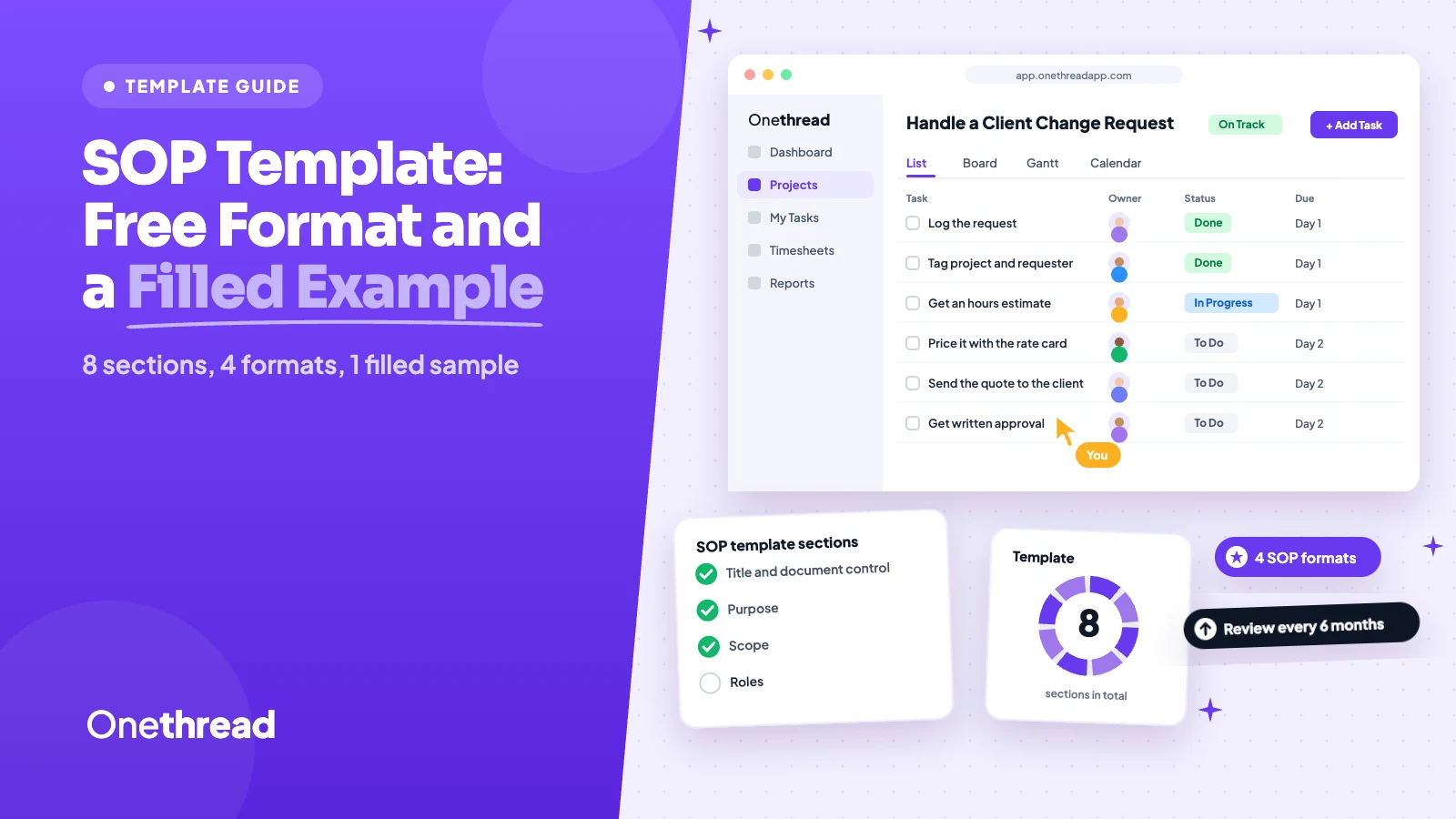
A filled-in SOP template turns each section into a short, checkable statement. This sample covers a client change request, a process any agency or project team runs every week.
Example: Sample SOP, "Handle a Client Change Request", step-by-step format.
| Section | Filled in |
|---|---|
| 1. Title and document control | Handle a Client Change Request. ID: PM-004. Owner: project manager. Approver: account director. Version 1.0. Review every 6 months. |
| 2. Purpose | Log, price and approve every client change request before work starts. Reply to the client within 2 business days. |
| 3. Scope | Applies to requests that change agreed deliverables, deadline or budget. Excludes typo fixes under 15 minutes. |
| 4. Roles | Owner: project manager runs the process. Performer: task owner writes the estimate. Approver: account director signs off any change over 40 hours. |
| 5. Tools and prerequisites | Change request form, project board, rate card, signed scope document. |
| 6. Procedure | 1. Log the request on the change board. 2. Tag the project and the requester. 3. Ask the task owner for an estimate in hours. 4. Price it with the rate card. 5. Send the quote to the client. 6. Wait for written approval. 7. Add approved work to the plan with a new due date. |
| 7. Checks and exceptions | Done when the approved quote is on file and the task has an owner and a date. If the client approves by phone, ask for an email. If the estimate tops 40 hours, send it to the approver first. |
| 8. Related documents and revision history | Rate card, signed scope document. Version 1.0: first release. |
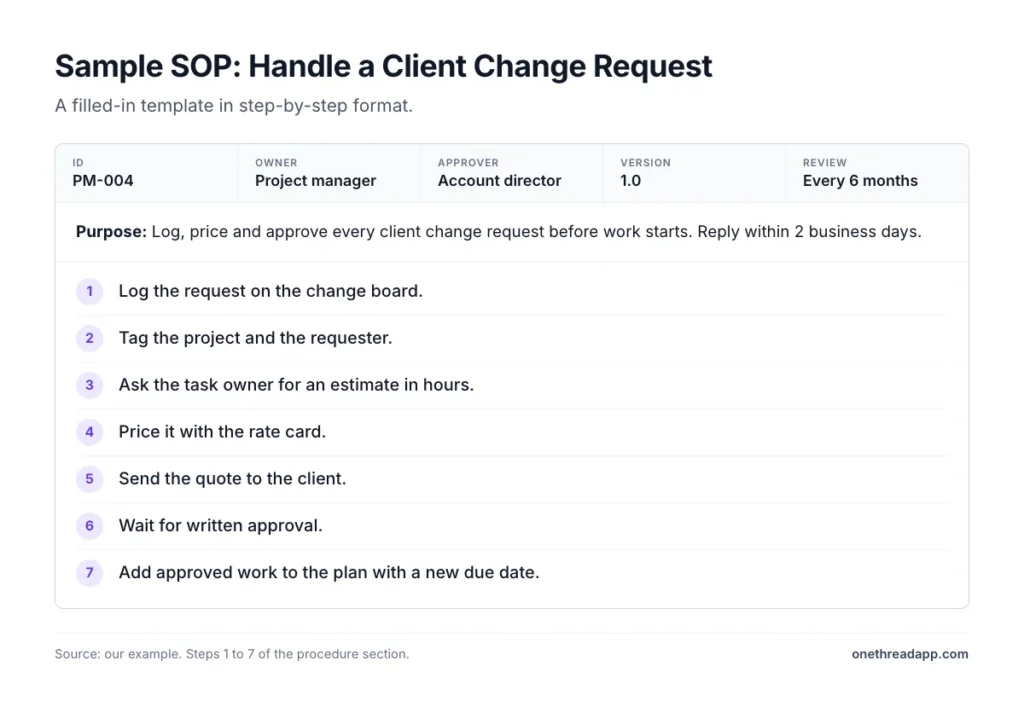
Three choices make this sample work. Each step starts with a verb and holds one action. The purpose carries two numbers, so anyone can tell whether the SOP worked. And the exceptions sit in their own row, so the steps stay clean.
Top Tip: Name the owner by role, not by person. A role survives holidays and resignations, and the SOP stays valid when the person changes.
How Do You Write an SOP With the Template?
Writing an SOP takes five steps. Pick one process and ask the person who does it. Fill in the eight sections, test them with a newcomer, then set an owner and a review date. Zapier's guide lists seven steps and Process Street's lists 16, but the core stays the same.
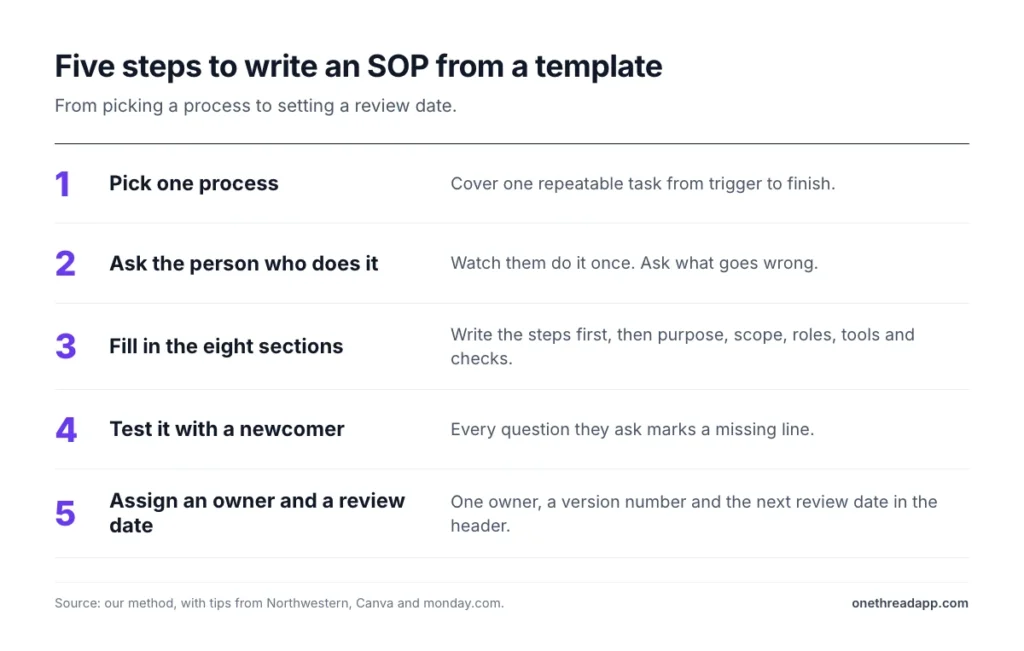
Step 1: Pick One Process
Choose a single repeatable task and cover it from trigger to finish. One small-business owner's write-up of this habit suggests splitting any SOP that can't be done in one sitting.
Start with the task that interrupts you most often, because that's where the document pays back first. A small first SOP is also easy to finish and test in a single day.
Example: Northwestern's drafting tips suggest writing 1 to 2 SOPs a week. At 1 a week, a team has 10 SOPs in 10 weeks.
Step 2: Ask the Person Who Does It
Don't write the SOP from memory. Sit with the person who runs the task and watch them do it once.
A process told from memory skips the awkward parts, such as the second screen they check or the small error they fix. Ask what they do when something goes wrong, because those answers fill the exceptions row. Northwestern's tips suggest explaining the process as if you were talking to a friend, then asking a colleague to check it for clarity.
Step 3: Fill In the Eight Sections
Write the procedure first, because the purpose is easier to state once you can see the steps. Then add scope, roles, tools, and checks.
Begin every step with a verb and keep one action per step. If a step needs the word "and", split it. Canva's guide advises "must" and "should" over "might" and "could", because vague verbs give a newcomer room to guess. Short steps also make the test run in Step 4 easier to follow and easier to score.
Step 4: Test It With a Newcomer
Hand the SOP to someone who has never done the task and watch them follow it without help. Ask them to say what they're doing out loud, and hold your answers until the run ends.
Every question they ask marks a missing line. Fix the document, not the person. The guide from monday.com lists testing before rollout among its best practices, and even a ten-minute run catches most gaps. Then run it once more after the fixes, with a different person if you can.
Step 5: Assign an Owner and a Review Date
Give each SOP one owner and write the next review date in the header. The owner answers questions, approves edits, and runs the review. An SOP with no owner goes stale quietly.
The header also holds the version number, so nobody has to guess which copy is the latest. When the owner leaves, the SOP moves to a new owner on the same day, not at the next review. If your team runs approvals in a tool, workflow management software can send the review reminder.
Which SOP Template Fits Each Team?
Every team can start from the same eight sections and add one field that matters for its work. We picked a first process, a format, and one extra section for seven teams. Treat them as SOP examples, not a standard.
| Team | Document first | Format | Add this section |
|---|---|---|---|
| Agency or project team | Client change request | Step-by-step | Approval limit in hours |
| Customer support | Escalating a ticket | Flowchart | Hand-off rules |
| HR | New hire setup | Checklist | Sign-off line for the new hire |
| IT | Resetting access | Hierarchical | Rollback steps |
| Finance | Invoice approval | Flowchart | Approval limits |
| Marketing | Publishing a post | Checklist | Review round and approver |
| Operations | Equipment safety check | Hierarchical | Safety warnings |
Regulated work follows its own rules. The University of Chicago's research safety office, for example, offers one Word template for lab processes and another for single chemicals. Check your regulator or auditor before you adapt a general SOP template.
How Does an SOP Differ From a Policy or Work Instruction?
A policy sets the rule and the reason. An SOP sets the steps that follow the rule. A work instruction details one task inside an SOP. monday.com separates SOPs from policies, and Microsoft separates SOPs from work instructions.
| Document | Answers | Sample |
|---|---|---|
| Policy | What is the rule, and why? | Client changes need written approval |
| SOP | How does the team follow the rule? | Handle a Client Change Request |
| Work instruction | How is one task done? | Fill in the estimate sheet |
| Checklist | What gets ticked off? | Quote attached, rate card used |
Keep the layers separate. When a step needs a screenshot or ten lines of detail, move that detail into a work instruction and link to it. Your project documentation stays readable, and the SOP stays short.
How Often Should You Review an SOP?
Review every SOP at least once a year, and every quarter if the process changes often. Without a fixed date, reviews happen only after something breaks. Put the date in the header of each SOP.
HubSpot suggests a review cycle of 6 to 12 months, and monday.com suggests quarterly reviews for fast-changing processes and yearly reviews for stable ones. The EPA's guidance says to revise an SOP whenever the procedure changes.
Four events should trigger an early review. They are a new tool, a new approver, a client-facing mistake, and a new rule from a regulator. These triggers are our judgment, not a standard. Add your own.
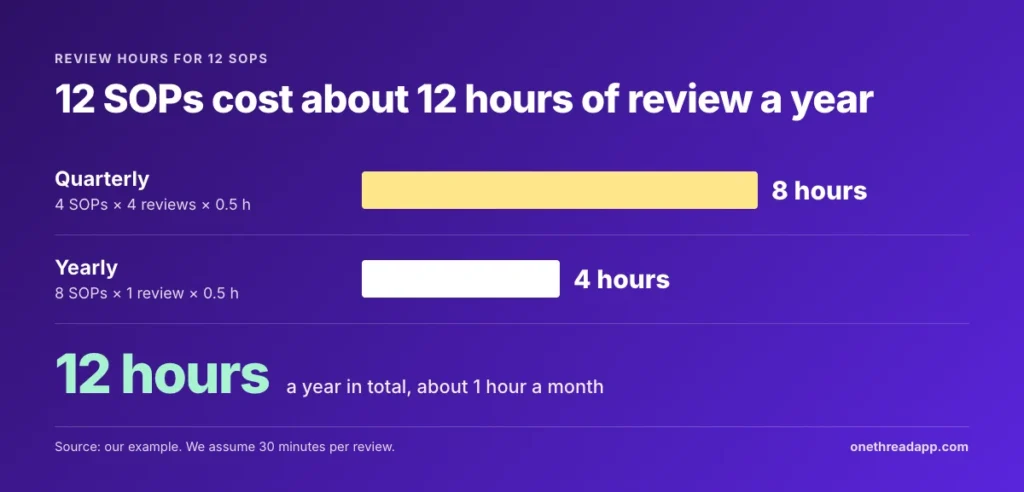
Example: A team keeps 12 SOPs: 4 reviewed every quarter and 8 reviewed once a year, at 30 minutes each. Quarterly: 4 SOPs × 4 reviews × 0.5 hours = 8 hours. Yearly: 8 SOPs × 1 review × 0.5 hours = 4 hours. The total is 12 hours a year, about 1 hour a month.
Swap in your own counts. The math still holds, and the bill is smaller than most people expect.
Top Tip: Set a reminder 30 days before each review date. The automation example from monday.com uses the same gap, which gives the owner time to test the steps.
Which Processes Deserve an SOP First?
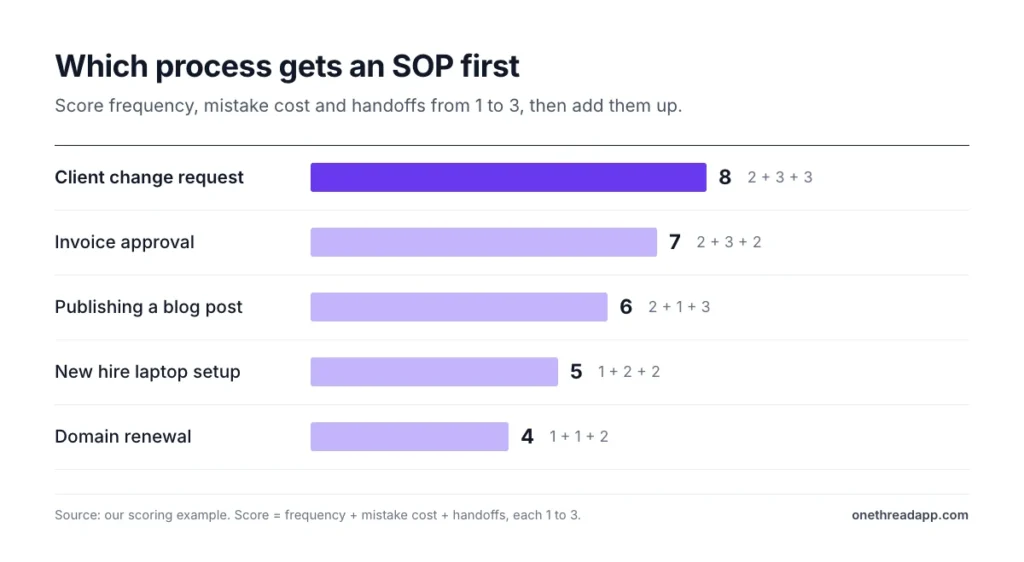
Start with 5 to 10 processes. HubSpot recommends about 5 to 10 high-priority processes first, and says a growing business ends up documenting 5 to 20 core ones. Rank candidates with three questions, each scored 1 to 3, then add the scores.
- Frequency: Score 3 for daily, 2 for weekly, 1 for monthly or less.
- Cost of a mistake: Score 3 if it touches a client or money, 2 for internal rework, 1 for minor.
- Handoffs: Score 3 for three or more people, 2 for two, 1 for one.
Example: We scored five processes. A client change request scores 2 + 3 + 3 = 8. Invoice approval scores 2 + 3 + 2 = 7. The table shows all five, so write the 8 first and the 7 second.
| Process | Frequency | Mistake cost | Handoffs | Total |
|---|---|---|---|---|
| Client change request | 2 | 3 | 3 | 8 |
| Invoice approval | 2 | 3 | 2 | 7 |
| Publishing a blog post | 2 | 1 | 3 | 6 |
| New hire laptop setup | 1 | 2 | 2 | 5 |
| Domain renewal | 1 | 1 | 2 | 4 |
Sources: EPA, Atlassian, Microsoft, HubSpot, monday.com, Asana, Zapier, Canva, Northwestern NUCATS, University of Chicago, Scribe.
What Should You Do Next With Your SOP Template?
An SOP template works because it asks the same eight questions every time, so answers land where a new hire expects them. You now have the sections, four formats and a filled sample. That's enough to document your first process this week.
Pick the top-scoring process on your list, copy the eight sections into a new file, and fill in the steps while someone does the task. Then hand it to a newcomer for a test run. Onethread's wiki and document management can keep the result next to the work, and our guide to productivity apps covers other options.
FAQs
Are There SOP Templates in Word or Google Docs?
Yes, you can build an SOP template in either one, and several vendors offer free downloads for both. HubSpot notes that Microsoft Word has no built-in SOP template by default. Copy the eight sections from this guide into a blank file, save it as a template, and duplicate it for each new SOP. Keep the original copy untouched.
Can ChatGPT Create an SOP?
Yes, an AI tool can draft an SOP from a short prompt, and Microsoft documents a six-step method for doing it in Word with Copilot. Paste in your SOP template and a rough description of the task. But the draft only knows what you tell it, so ask the person who does the work to check every step.
How Long Should an SOP Be?
We keep a routine SOP to about one page and split anything too long to finish in one sitting. A complex multi-step manufacturing SOP can run 10 pages or more, according to monday.com, which is why the hierarchical format exists. If people skip a long SOP, move detail into linked work instructions.
What Are the 5 Parts of an SOP?
Sources count the parts differently. The EPA lists five elements for a technical SOP: a title page, a table of contents, procedures, quality assurance and quality control, and references. Atlassian lists eight, and our SOP template uses eight sections. Use the EPA's five when a regulator expects them, and the eight for everyday business work.
Where Should You Store SOPs?
Store them in one searchable place that your team already opens every day. Link to each SOP from the task that uses it. monday.com advises one searchable home and one owner per SOP. A wiki, a shared folder or a project tool all work. Two copies in two places don't, because one will be wrong.