Meeting minutes decide who does what after the call ends. Without them, your follow-up lives in six different memories.
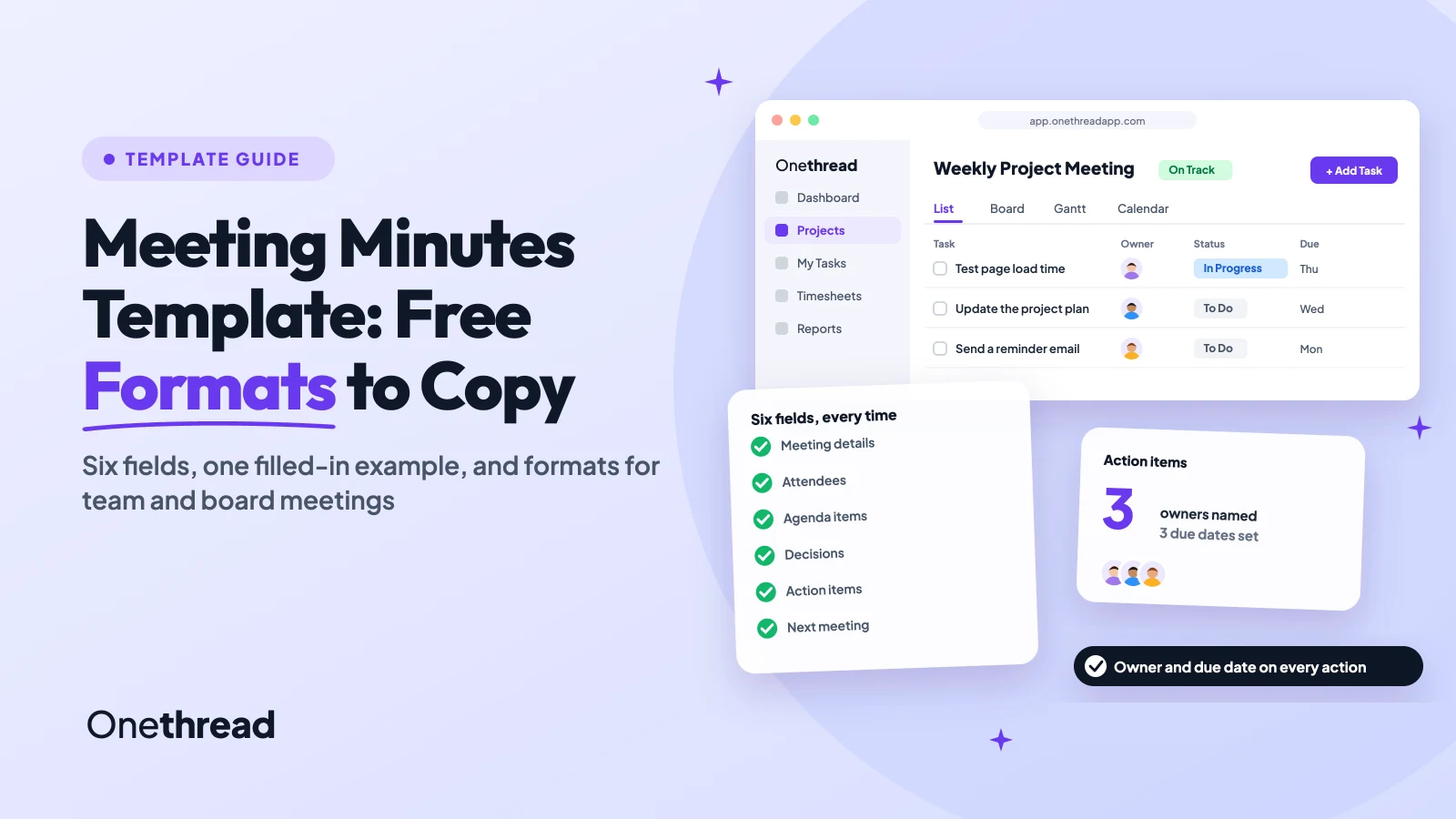
A meeting minutes template needs six fields: the meeting details, attendees, agenda items, decisions, owned action items, and the next meeting.
We reviewed 12 top-ranking templates and guides to find what they all share and what they leave out.
You get a copy-ready template and a filled-in example. Along the way, you learn how to move each action into tracked work, step by step.
Key Points
- A meeting minutes template needs six fields: meeting details, attendees, agenda items, decisions, action items with an owner and due date, and the next meeting.
- Record what the group decided, not what everyone said. One line per decision beats a transcript.
- Use action-focused minutes for team and project meetings. Use formal minutes with motions and votes for boards and committees.
- Send the minutes the same day, copy each action into a task tracker, and keep board minutes on file permanently.
What Should a Meeting Minutes Template Include?
Every meeting minutes template rests on six fields. Fill them in the order the meeting runs, so the notes follow the agenda.
Six fields cover the whole job:
- Meeting details: the title, date, time, and location or call link.
- Attendees: who came, who was absent, and who sent regrets.
- Agenda items: each topic in agenda order, with one line on the outcome.
- Decisions: what the group agreed, worded so a colleague who missed the meeting can follow it.
- Action items: the task, one named owner, and a due date.
- Next meeting: the date, plus any topic held over.
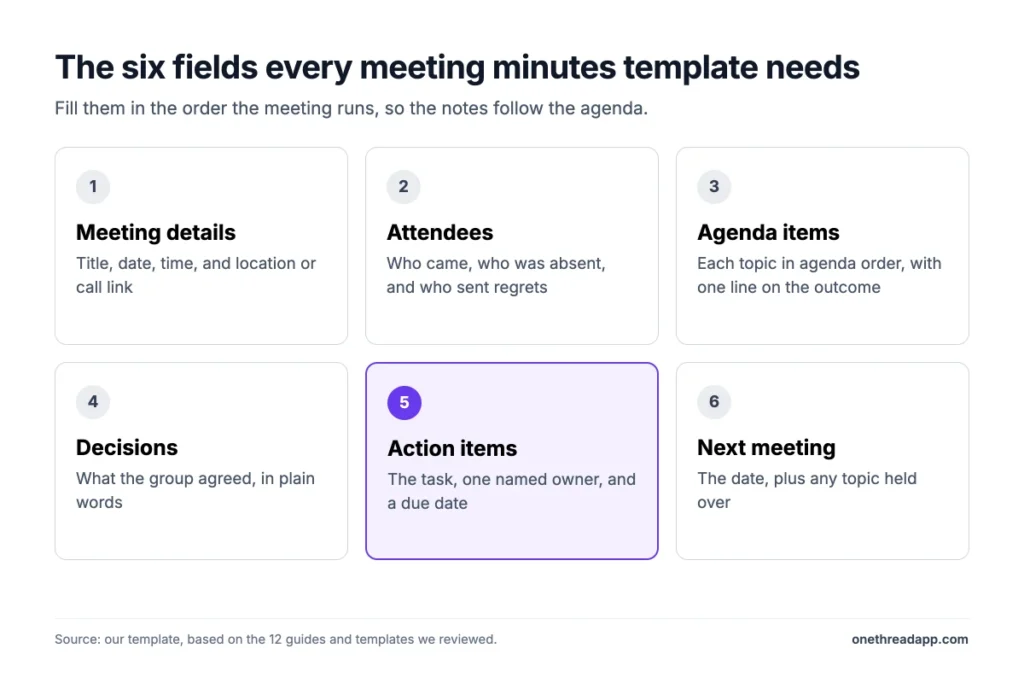
Keep the order fixed. A fixed order lets anyone scan old minutes in seconds, and it exposes gaps fast. An empty owner cell means nobody owns the task.
Add extras only when a meeting needs them, such as a project name or attached files.
Just as important is what stays out. Minutes record what the group did, not what members said. That's the rule in Michigan State's guide to writing minutes, which draws on Robert's Rules of Order.
Leave out side debates, personal opinions, and long reports. Attach the reports instead, so the minutes stay short enough for busy people to read.
What Does a Filled-In Meeting Minutes Example Look Like?
A good example is short. This one records a 30-minute weekly project meeting in a few lines.
Example: Website redesign weekly meeting, Tuesday, 10:00 to 10:30, on Zoom. Present: Priya (project manager), Marcus (design), and Lena (developer). Absent: Tom (sent regrets). Next meeting: Tuesday, 10:00.
| Agenda Item | Decision | Action Item | Owner | Due |
|---|---|---|---|---|
| Homepage mockups | Version B approved | Test page load time | Lena | Thursday |
| Launch date | Moved back one week | Update the project plan | Priya | Wednesday |
| Client copy | Client owns the copy | Send a reminder email | Priya | Monday |
Three decisions, three actions, three owners. That's the whole document.
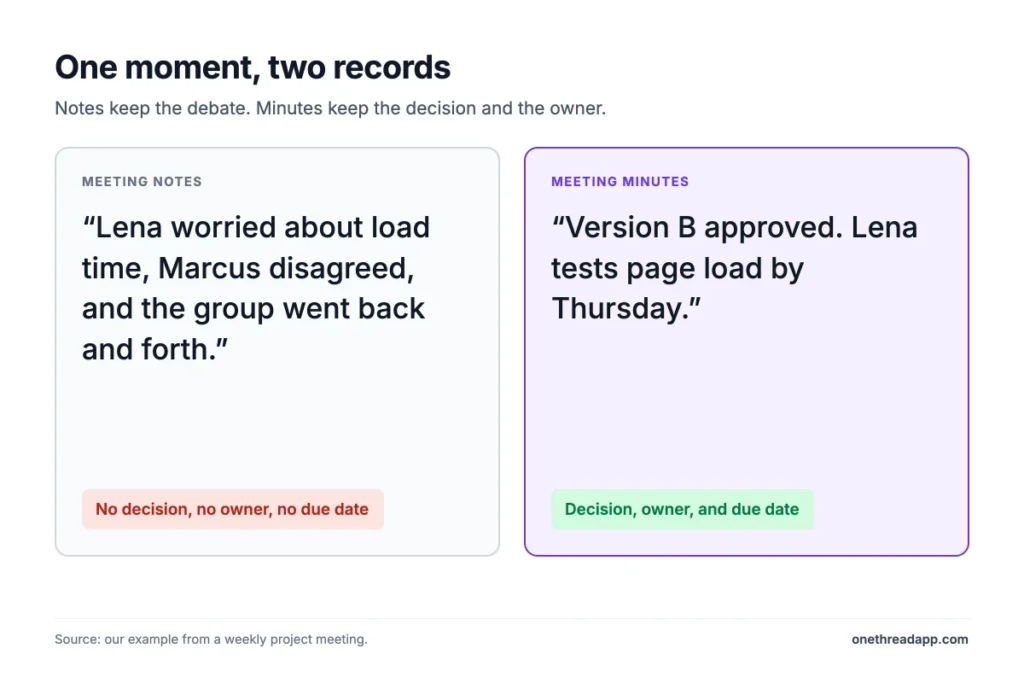
Compare two ways to record one moment. The notes version reads: "Lena worried about load time, Marcus disagreed, and the group went back and forth." The minutes version reads: "Version B approved. Lena tests page load by Thursday."
Which Meeting Minutes Format Fits Your Meeting?
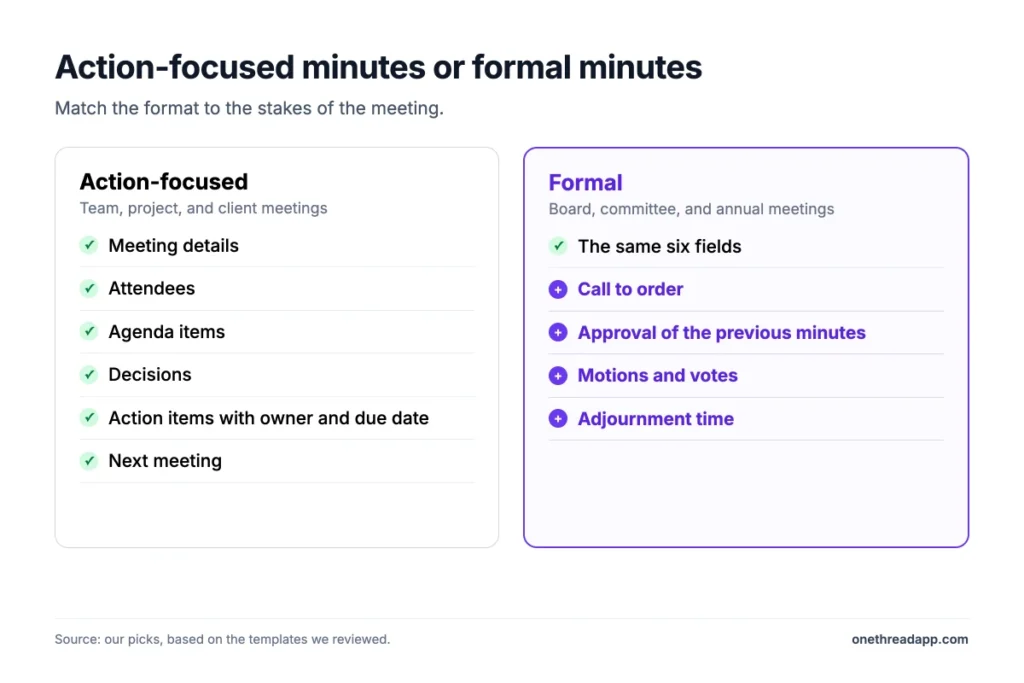
Match the format to the stakes. Team and project meetings need action-focused minutes, while boards and committees need formal minutes with motions and votes.
| Meeting Type | Format | Add to the Template |
|---|---|---|
| Team or project meeting | Action-focused | Owner and due date on every action |
| Client meeting | Action-focused | Approvals the client gave and open questions |
| Board or committee meeting | Formal | Call to order, approval of the previous minutes, motions, votes, and adjournment time |
| Annual or members' meeting | Formal | The same fields as a board meeting |
These picks are ours, based on the templates we reviewed.
Formal minutes record each main motion in its exact wording. They also name the member who moved it and give the result of the vote. Seconders are optional, and votes stay anonymous unless someone asks for names.
Top Tip: Ask the chair how much detail they expect before the first meeting. A board may want every motion worded exactly, while a project team only needs decisions.
How Do You Take Meeting Minutes Step by Step?
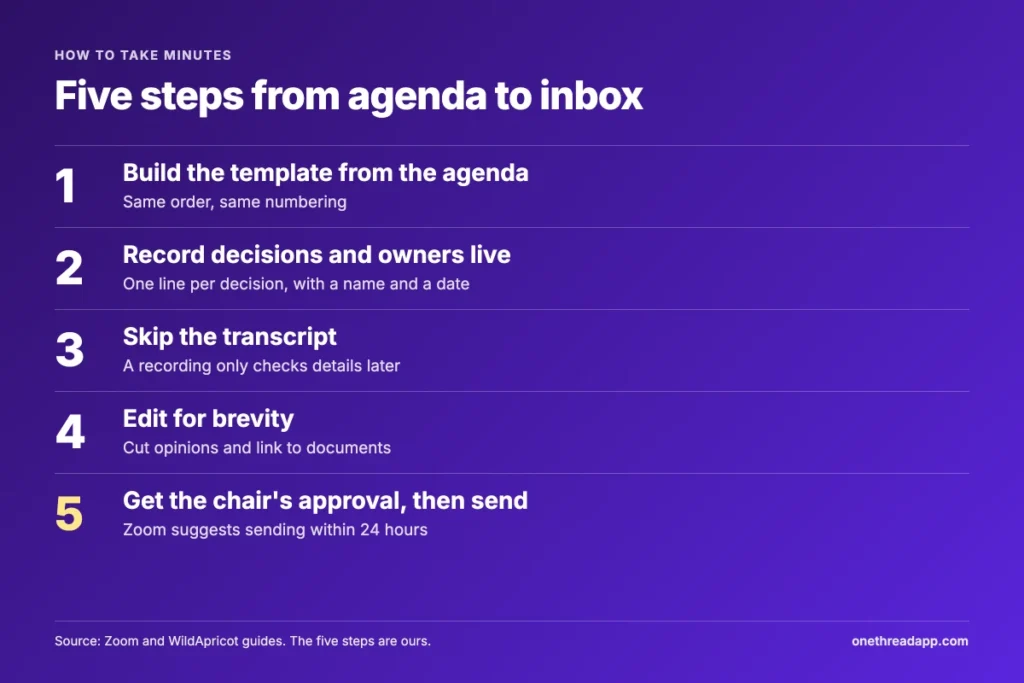
Taking minutes works in five steps: build the template, record live, edit, get approval, and send.
- Build the template from the agenda: Keep the same order and numbering. If you don't have an agenda yet, our free meeting agenda generator creates one.
- Record decisions and owners live: Write each decision, owner, and due date as it happens. Ask for clarity when a next step sounds vague.
- Skip the transcript: A recording can help you check details later. Tell everyone in the room before you start it.
- Edit for brevity: Cut opinions, stick to one tense, and link to documents instead of summarizing them.
- Get the chair's approval, then send: The chair reviews the draft first. Zoom suggests sending minutes within 24 hours.
Write the minutes the same day, while the meeting is still fresh. Waiting a week costs you details, and people forget who volunteered for what in the meantime.
If you're still planning the meeting itself, our guide to running effective team meetings covers the agenda and the room. For ideas on what to cover, see these team meeting ideas.
Top Tip: Fill the action table with empty Owner and Due columns before the meeting starts. Blank cells remind everyone to name both.
How Long Should You Keep and Approve Meeting Minutes?
Board minutes stay on file permanently, and the group approves them at its next meeting. The Minnesota Council of Nonprofits lists board and annual-member meeting minutes among the records to keep permanently, next to bylaws and corporate resolutions.
Approval works in two stages. First, the chair reviews the draft before anyone else sees it.
Formal groups then approve the minutes at their next meeting, so the sent copy stays a draft until then. Once approved, minutes become legal documents. Store them somewhere safe and easy to reach, with the agenda and any handouts.
US nonprofits face one more clock. Form 990 asks whether the board documented its meetings contemporaneously. The council's summary of the IRS instructions defines that as the later of the next meeting or 60 days after the meeting.
We found no published rule for routine team meetings, so follow your own records policy there, and ask your legal adviser if you're unsure. A quick reply from the person who ran the meeting works as approval for most teams. That's our judgment, not a rule.
Top Tip: Save the approved version as a PDF and keep drafts out of the shared folder. Label each copy as draft or approved, so nobody quotes the wrong one.
How Do You Turn Meeting Minutes Into Tracked Tasks?
Copy every action into a task tracker the same day, with the owner and due date from the minutes. Meetings eat real time. A Resume Now survey found that 38% of employees spend at least five hours a week in meetings. Nearly two-thirds say half or fewer of those meetings are productive.
In a project tool such as Onethread, each action becomes a task with an assignee and a deadline. The whole team can track it. Our task project management guide walks through the basics, and the Onethread features page lists what task management includes.
Skipping this step leaves actions stuck in a document nobody reopens. Three checks keep the handoff clean, no matter who owns the task:
- Owner: one person, never "the team".
- Due date: a real day, never "soon".
- Link: paste the task link back into the minutes.
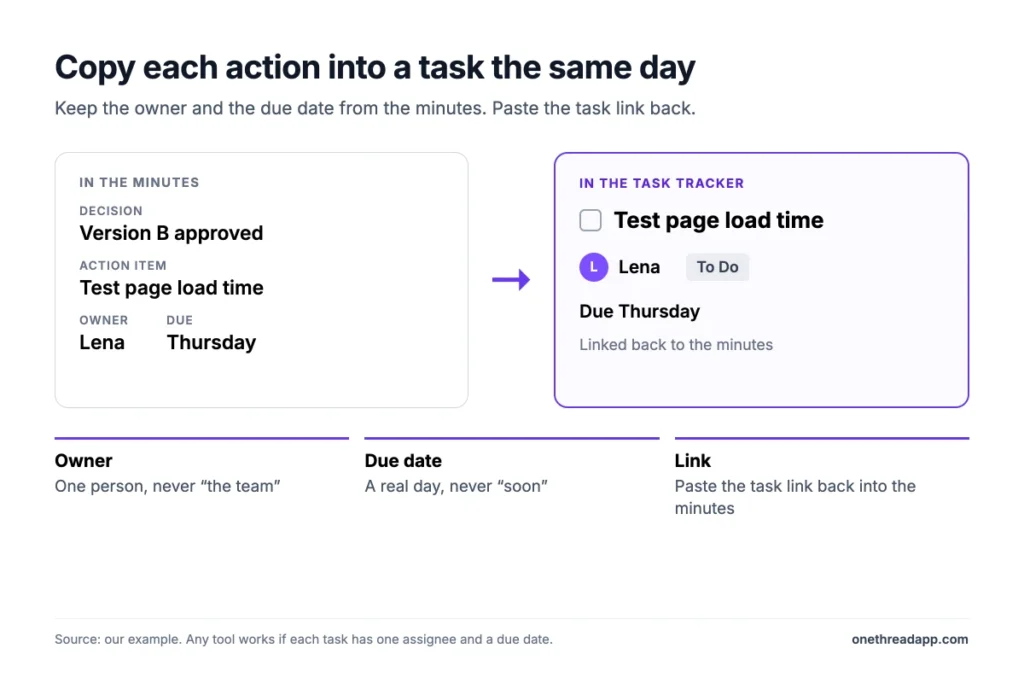
Any tool works if each task has one assignee and a due date. Read the open tasks first at your next meeting, so people see the minutes get used.
Better minutes are one piece of the bigger picture, which our guide to improving team productivity covers.
Sources: Atlassian, Zoom, WildApricot, Fellow.
More sources: Michigan State, Minnesota Council, retention, Minnesota Council, Form 990, Allwork.Space.
What Should You Do Next With Meeting Minutes?
Good minutes are short. Six fields, a few decisions, and an owner on every action keep a team moving. A formal board adds motions and votes on top, and nothing else. Short minutes also get read, which is half the battle.
This week, copy the template into the document your team already uses. Send the minutes the same day, and check that every action has a name and a date. Fix any gap right then, while everyone is still on the call. Then open your next meeting by reading the open actions aloud.
FAQs
What Are Meeting Minutes?
Meeting minutes are the written record of a meeting: who attended, what the group decided, and who must do what next. A meeting minutes template gives that record a fixed structure, so every meeting gets written up the same way and shared with the whole group.
What Is the Difference Between Meeting Minutes and Meeting Notes?
Minutes are formal and detailed. They follow a template, usually need approval, and go to the whole group, including people who missed the meeting. Notes are informal and brief. The person who takes them usually keeps them for personal reference.
Is There a Meeting Minutes Template in Word or Google Docs?
Yes. Microsoft offers free meeting minutes templates for Word. Any blank Word or Google Docs file also works if you paste in the six fields from this guide. Save each meeting as its own copy, so the approved version never gets overwritten.
How Soon Should You Send Meeting Minutes?
Send them as soon as the chair approves the draft. Zoom suggests within 24 hours, and WildApricot advises writing them while the meeting is still fresh. Formal groups also approve the minutes at their next meeting, so the sent copy is a draft until then.
Can You Record a Meeting Instead of Taking Minutes?
A recording helps you check details, but it doesn't replace minutes. Minutes capture decisions and actions, not every word. Tell attendees before you record and say why. Get their consent where your rules require it, and keep the written minutes as the official record.