Freshdesk’s $19 price tag is real. It just isn’t the whole bill.
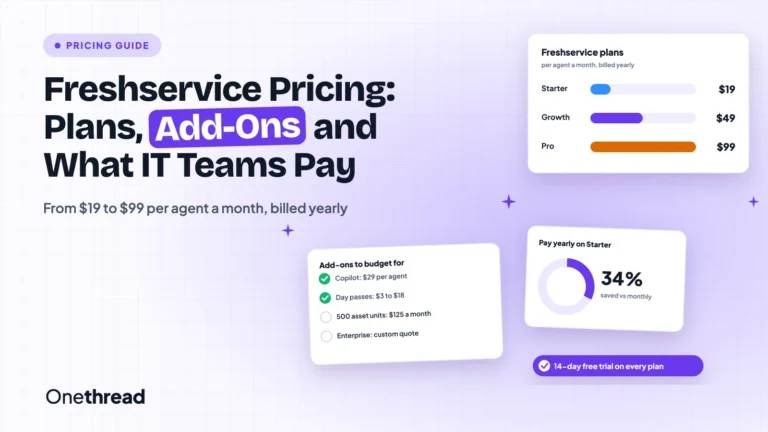
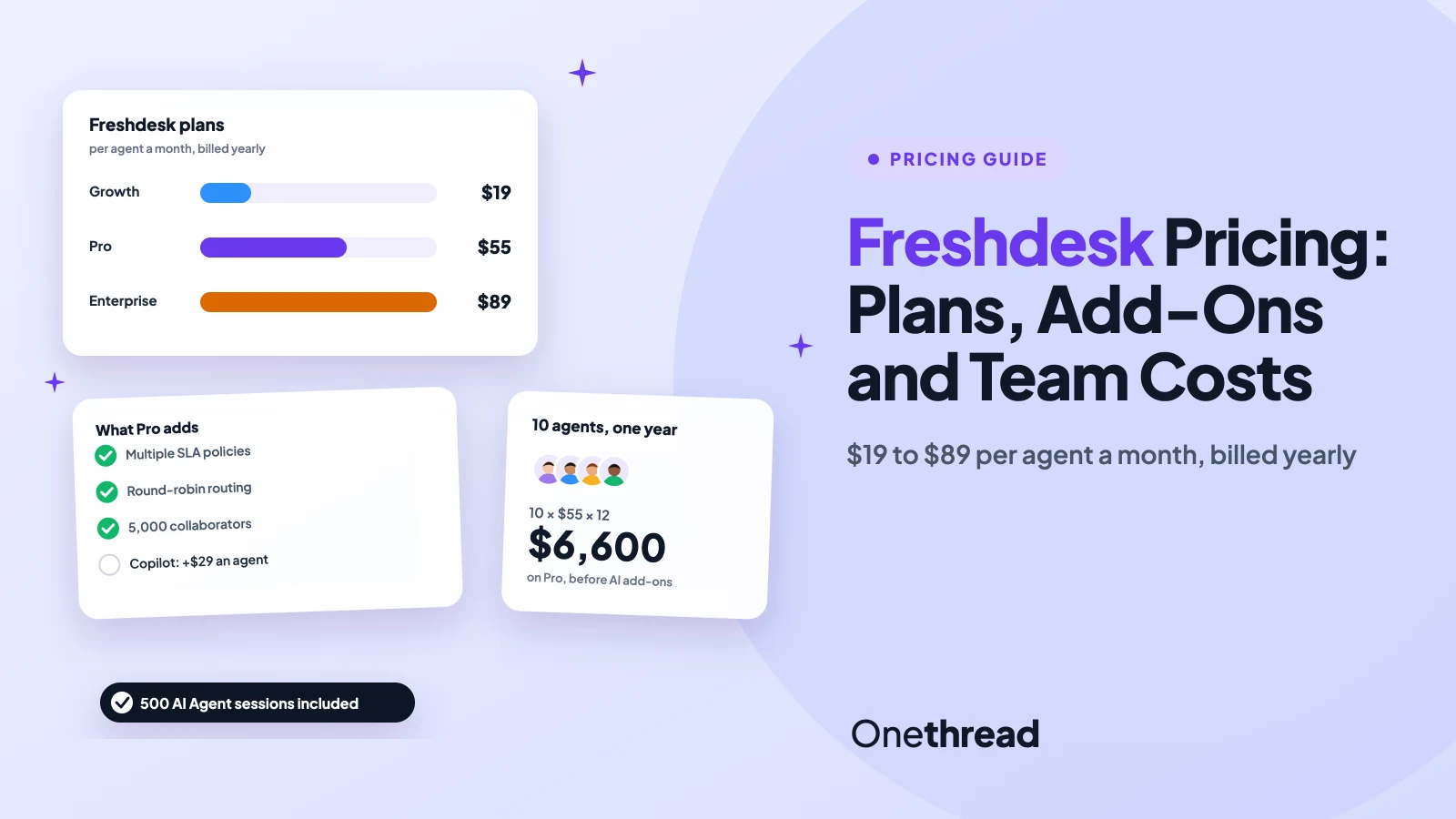
Freshdesk pricing runs $19, $55 or $89 per agent a month for Growth, Pro and Enterprise, billed yearly. Pay month to month and it’s $23, $66 or $107. Freshdesk Omni, the version with chat and phone, starts at $29.
Then come the extras: Freddy AI Copilot seats, AI Agent session packs and day passes for part-time help.
We checked Freshworks’ two pricing pages, its billing help articles and seven top-ranking pricing guides. Then we did the math for real team sizes.
Here’s what you get on each plan, what your team will pay, and which tier you should pick.
Key Points
- Freshdesk costs $19 (Growth), $55 (Pro) or $89 (Enterprise) per agent a month on annual billing, or $23, $66 and $107 on monthly billing. Freshdesk Omni costs $29, $79 or $119 per agent a month, billed yearly.
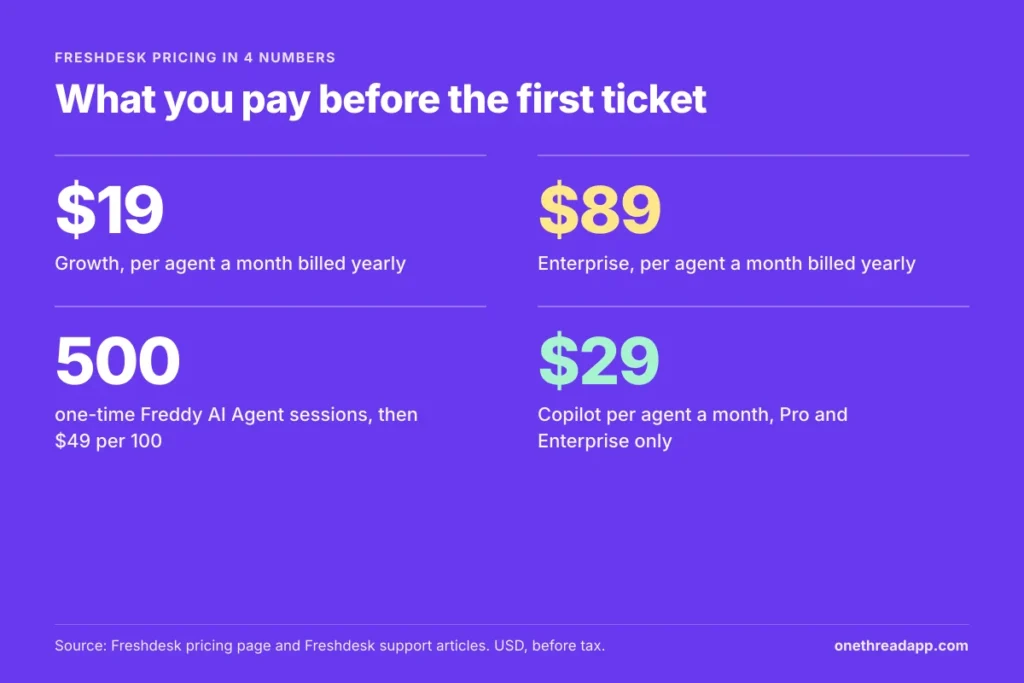
- Budget for AI on its own line. Each paid plan includes 500 one-time Freddy AI Agent sessions, then packs cost $49 per 100. Freddy AI Copilot costs $29 per agent a month and only runs on Pro and Enterprise.
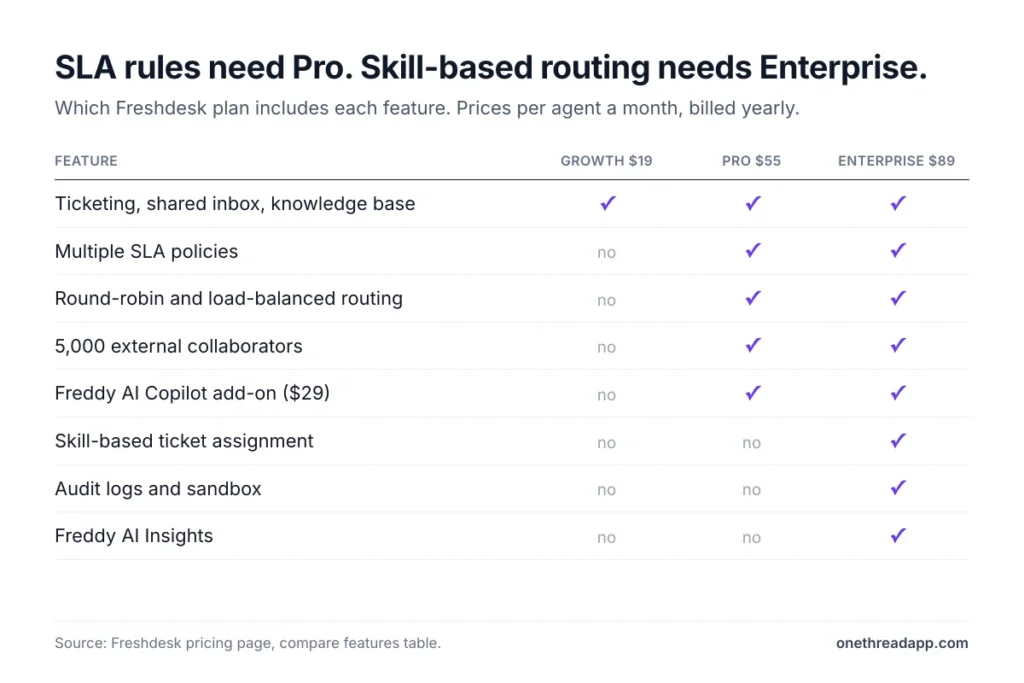
- Pick the tier by the one feature you can’t live without. Multiple SLA policies and round-robin routing need Pro, and skill-based routing or audit logs need Enterprise. Every agent then pays that tier’s price.
- Try before you pay: the Free Program covers 2 agents for 6 months, and the trial gives 14 days of Enterprise. After that, a 10-agent team pays $2,280 a year on Growth or $6,600 on Pro.
How Much Does Freshdesk Cost per Agent?
Freshdesk costs $19 to $89 per agent a month on annual billing, and $23 to $107 on monthly billing. Freshworks sells two help desks under the name: Freshdesk for email-first support, and Freshdesk Omni for email, chat and phone in one inbox.
| Freshdesk plan | Per agent a month, billed yearly | Per agent a month, billed monthly | Per agent a year, billed yearly |
|---|---|---|---|
| Growth | $19 | $23 | $228 |
| Pro | $55 | $66 | $660 |
| Enterprise | $89 | $107 | $1,068 |
Pricing works per agent. Every person who answers tickets needs a paid seat, and every seat pays the same tier price. Freshworks’ help center is blunt about it: you can’t put different agents on different plans.
The pricing page advertises “Save 20%” on annual billing. Our math says the saving is closer to 17% of the monthly rate. A Growth agent costs $276 a year month to month and $228 billed yearly, so you save $48 per agent.
Freshworks also bills quarterly or half-yearly, but it doesn’t publish those rates. Prices are in US dollars, and tax comes on top.
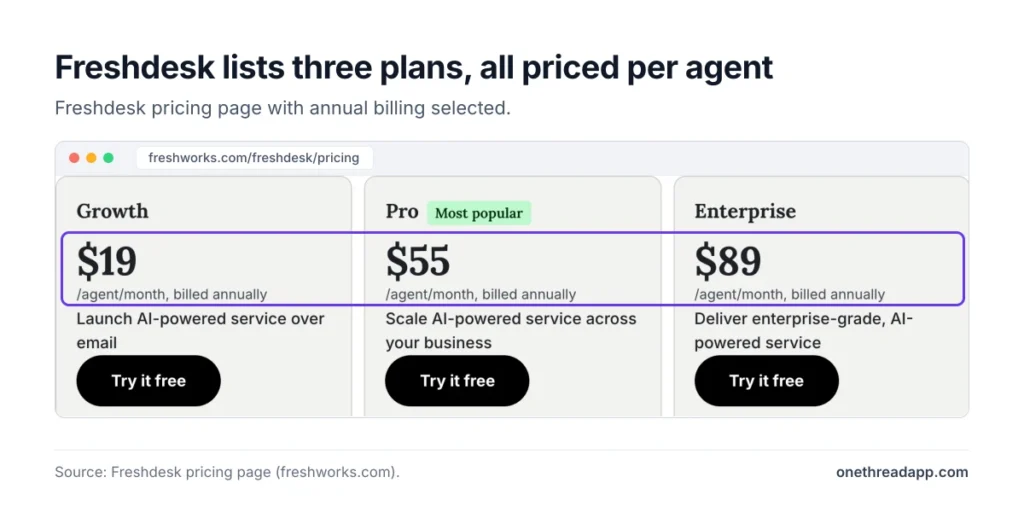
Sources: Freshdesk pricing, Freshdesk Omni pricing, Freshdesk pricing and billing help article.
What Does the Freshdesk Growth Plan Include?
Freshdesk Growth is the entry plan for a team that answers customers by email. It covers the core desk: ticketing, a shared inbox, a customer portal with a knowledge base, and ready-made reports. Internal IT teams use Freshservice instead, which our Freshservice pricing guide covers.
You also get threads and tasks, automations, roles and permissions, and single sign-on. Freddy AI Agent comes with the first 500 sessions included, so a bot can answer simple emails from day one.
Say you run support for an online store with four agents who answer in English. Growth covers that for $19 × 4 × 12 = $912 a year. And if your help center is empty, a free FAQ generator can draft the first articles.
The limits show up as you grow. Growth doesn’t include multiple business hours, extra SLA policies or round-robin routing. When a second team or a second language arrives, Growth stops fitting.
Pricing: $19 per agent a month billed yearly, or $23 billed monthly.
Best For
- Small email-first teams that work in one language and one SLA policy.
Pros
- Lowest seat price at $19 per agent a month, billed yearly.
- Ticketing, shared inbox, portal and knowledge base all included.
- Day passes for part-time helpers cost only $2 each.
Cons
- Freddy AI Copilot isn’t available, even as a paid add-on.
- No multiple SLA policies, round-robin routing or custom dashboards.
- No external collaborators, and only 1,200 MCP actions a year.
What Does the Freshdesk Pro Plan Include?
Freshdesk Pro is the plan Freshworks labels “Most popular.” It costs nearly three times Growth, and most of the jump buys routing and service rules.
Pro adds multiple SLA policies, round-robin and load-balanced assignment, and multiple business hours. It adds a multilingual help desk, custom dashboards and an agent availability dashboard. Your help center gets community forums, article versioning, ticket templates and articles in several languages.
Pro also includes 5,000 external collaborators. They can join a ticket without taking a paid seat, which matters when engineers or suppliers help solve cases.
Here’s the trap. Say you promise paying customers a faster reply than free users. That’s two SLA policies, and two SLA policies mean Pro for every agent.
Example: six agents on Pro cost $55 × 6 × 12 = $3,960 a year, against $1,368 on Growth. One rule adds $2,592.
Pricing: $55 per agent a month billed yearly, or $66 billed monthly.
Best For
- Teams with several SLA promises, several languages or outside collaborators.
Pros
- Multiple SLA policies and automatic round-robin routing.
- Custom dashboards and an agent availability view.
- 5,000 external collaborators included at no seat cost.
- Opens up the Freddy AI Copilot add-on.
Cons
- Nearly three times the Growth price per seat.
- Copilot still costs $29 per agent a month on top.
- No skill-based routing, sandbox or audit logs.
What Does the Freshdesk Enterprise Plan Include?
Freshdesk Enterprise adds control and analysis for larger or regulated teams.
It’s also the plan your 14-day trial runs on, which is worth remembering when you pick a tier.
The headline extra is Freddy AI Insights: proactive insights with root cause analysis and conversational insights. Freshworks notes a service limits policy applies to them.
Routing gets skill-based ticket assignment. Admins get a sandbox, audit logs, allowed domains and IP whitelisting, and JWT authentication. You can plan agent shifts and out-of-office time. The knowledge base adds an approval workflow and a flexible hierarchy.
The step from Pro costs $34 per agent a month, or $408 a year. For 15 agents, that’s $6,120 more a year. So ask which of these features your team will touch weekly before you sign.
Pricing: $89 per agent a month billed yearly, or $107 billed monthly.
Best For
- Large or regulated support teams that need audit trails and skill-based routing.
Pros
- Freddy AI Insights with root cause analysis included.
- Skill-based assignment and agent shift scheduling.
- Sandbox, audit logs and IP whitelisting for safe changes.
- 12,000 MCP actions a year, ten times Growth.
Cons
- Freddy AI Copilot still costs extra per agent.
- Day passes cost $12, the highest on Freshdesk.
- Insights usage falls under a service limits policy.
What Do the Freshdesk Free Program and Free Trial Include?
Freshdesk has no permanent free plan. Freshdesk’s Free Program covers 2 agents for 6 months, and it applies to Freshdesk only, not Omni. After that, you move to a paid plan.
The free trial works differently. It runs for 14 days on Enterprise features, and Freshworks says it needs no credit card. You can invite up to 2 team members while it runs.
Here’s the catch. The trial runs on Enterprise, so you test features Growth and Pro don’t include. Note which ones you actually used before you choose.
When the trial ends, you pick a plan and pay by card. If you don’t, Freshworks suspends the account rather than dropping you to a free tier. And if you switch from the trial to the Free Program, you can lose features and their settings.
Freshworks CEO Dennis Woodside pitches the platform on fast payback: “We deliver ROI today, not someday.” That’s a claim to test inside the trial, not to take on faith. Build one real workflow, then price it on the plan you’d actually buy.
Top Tip: Choose your billing currency before the trial ends. Freshworks only lets you change it during the trial; after you upgrade, you have to email its billing team.
How Does Freshdesk Omni Pricing Differ From Freshdesk?
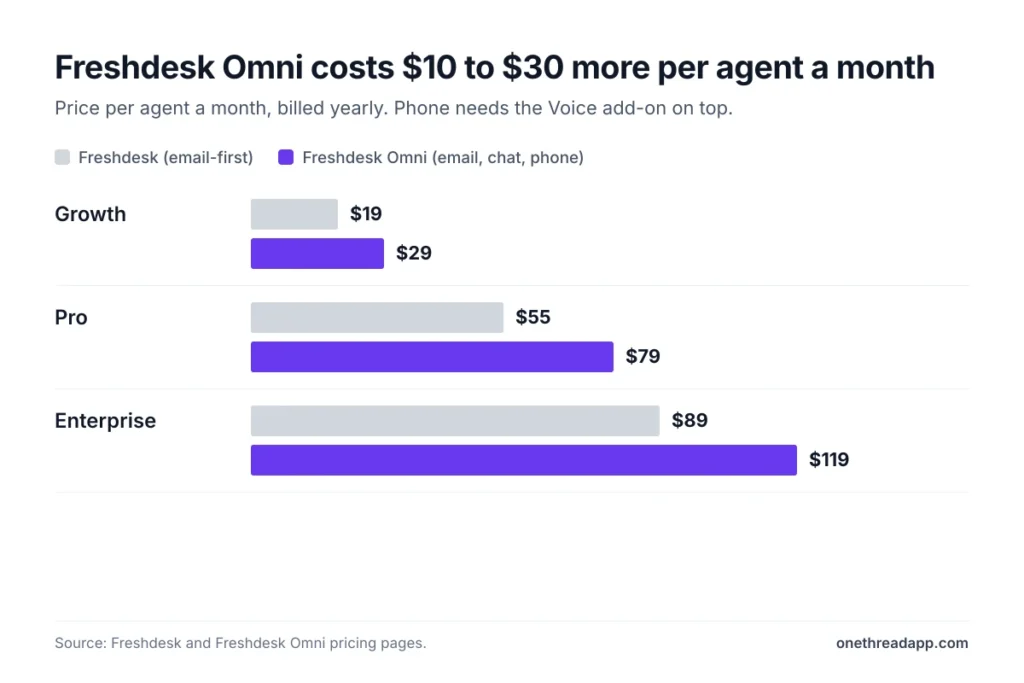
Freshdesk Omni costs $10 to $30 more per agent a month than Freshdesk, because it adds chat and other channels to the same desk. Omni plans run $29, $79 and $119 per agent a month on annual billing.
| Freshdesk Omni plan | Billed yearly | Billed monthly | Voice add-on, billed yearly | Day pass |
|---|---|---|---|---|
| Growth | $29 | $35 | $15 | $5 |
| Pro | $79 | $95 | $39 | $10 |
| Enterprise | $119 | $143 | $69 | $15 |
Omni Growth includes omnichannel support, a portal and knowledge base, and reporting and dashboards. The Pro tier adds advanced analytics, a team availability dashboard, and bring-your-own channel and telephony options. Enterprise then adds custom objects. The chat version of Freddy AI Agent only runs on Omni.
Phone support costs extra. The Voice add-on runs $15 to $69 per agent a month billed yearly, or $18 to $83 monthly. Call rates sit on a separate Freshcaller page. The Omni page doesn’t price WhatsApp or social channels one by one either, so ask what your channels cost before you sign.
Example: five agents on Omni Growth with Voice pay $29 + $15 = $44 per agent a month, and $44 × 5 × 12 = $2,640 a year. The same team on Freshdesk Growth, email only, pays $1,140.
How Much Do Freddy AI Add-Ons Cost on Freshdesk?
Freddy AI costs come in two parts on Freshdesk: AI Agent sessions billed by use, and Copilot seats billed per agent. Neither is part of the seat price beyond the first 500 sessions. Budget them as two separate lines.
Freddy AI Agent Sessions Run Out
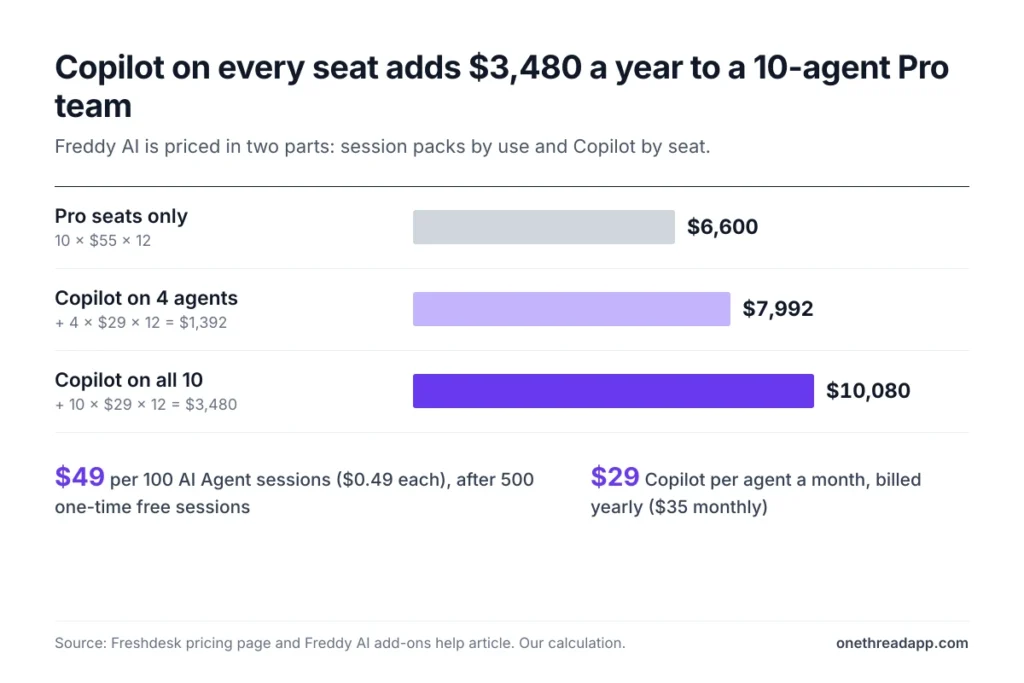
Every new Growth, Pro or Enterprise customer gets 500 one-time complimentary AI Agent sessions. After that, sessions come in packs of 100 for $49, which works out to $0.49 a session.
A session isn’t one reply. On email, it covers every AI reply within 72 hours of the customer’s first email. On Omni chat, it covers 24 hours from the start of the conversation.
Packs expire at the end of the billing cycle you buy them in, and unused sessions don’t carry over. Auto-recharge adds packs when your balance drops below 50 sessions by default.
Example: if the bot handles 600 email conversations a month, you need 6 packs. That’s $49 × 6 = $294 a month, or $3,528 a year.
Freddy AI Copilot Costs Extra per Seat
Freddy AI Copilot is the assistant inside each agent’s ticket view. It adds sentiment analysis, a response assistant, summaries and a resolution assistant. It costs $29 per agent a month billed yearly, or $35 billed monthly, and only Pro and Enterprise can buy it.
You don’t have to buy it for everyone. Admins assign Copilot licenses to specific agents through roles. Freshworks’ own customer story makes the case: Woolacombe Bay’s Keira Hayter says her team, with Freddy AI, has “gained so much confidence.”
Example: a 10-agent Pro team costs $6,600 a year. Copilot on 4 agents adds $29 × 4 × 12 = $1,392, for $7,992. Copilot for all 10 adds $3,480, for $10,080.
Which Other Freshdesk Add-Ons Raise the Bill?
Three usage add-ons sit on every Freshdesk plan: day passes, connector app tasks and MCP actions. Most small teams only meet the first one.
Day passes: an occasional agent can work a full day for $2 on Growth, $7 on Pro or $12 on Enterprise. Omni passes cost $5, $10 or $15.
Connector app tasks: integrations built with the connector app cost $80 per 5,000 tasks.
MCP actions: each plan includes a yearly allowance of 1,200 actions on Growth, 6,000 on Pro and 12,000 on Enterprise. Extra packs cost $15 per 1,000 actions.
Day passes beat a full seat only up to a point. We divided each seat price by its pass price to find the break-even.
| Freshdesk plan | Seat a month, billed yearly | Day pass | Passes before a seat is cheaper |
|---|---|---|---|
| Growth | $19 | $2 | 9.5 days |
| Pro | $55 | $7 | 7.9 days |
| Enterprise | $89 | $12 | 7.4 days |
So on Pro, a seasonal helper who works fewer than 8 days a month is cheaper on passes. Anyone working two days a week or more needs a seat.

What Does a Freshdesk Team Pay per Year?
A Freshdesk team pays the plan rate × agents × 12 on annual billing, before AI and passes. We ran that math for three team sizes.
| Team size | Growth a year | Pro a year | Enterprise a year |
|---|---|---|---|
| 5 agents | $1,140 | $3,300 | $5,340 |
| 10 agents | $2,280 | $6,600 | $10,680 |
| 20 agents | $4,560 | $13,200 | $21,360 |
Monthly billing raises each figure. Ten agents on monthly billing pay $2,760 on Growth, $7,920 on Pro and $12,840 on Enterprise. That’s $480 to $2,160 more a year for the freedom to leave.
Now add the extras to a realistic Pro setup. Here’s what that looks like for a 10-agent team.
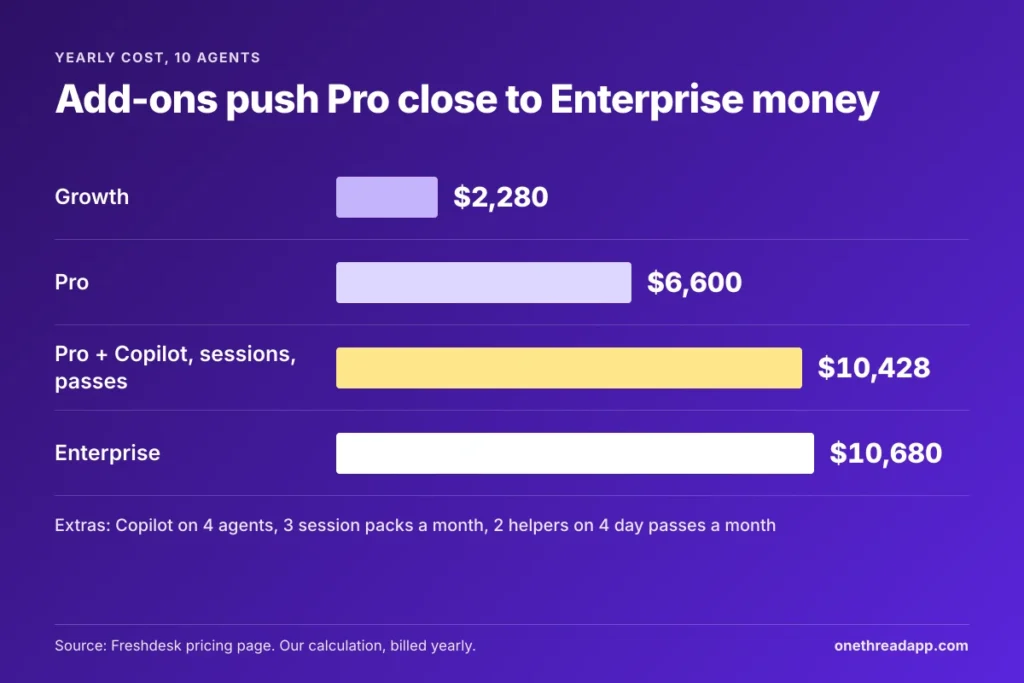
Example: start with 10 Pro seats at $6,600 and Copilot on 4 agents at $1,392. Add 3 session packs a month: $49 × 3 × 12 = $1,764. Then add 2 helpers on 4 day passes a month: $7 × 4 × 2 × 12 = $672. The total is $10,428 a year.
That’s 58% more than the seat price alone, and it’s what most guides mean by hidden costs. Run the same lines with your own numbers before you compare tools. Our guide to business management software shows where a help desk sits among the other tools a growing company pays for.
Top Tip: To cut seats, remove the extra agents from your account first. Freshworks only lowers the bill after the agents are gone, and new seats are charged pro rata the moment you add them.
How Does Freshdesk Pricing Compare With Zendesk?
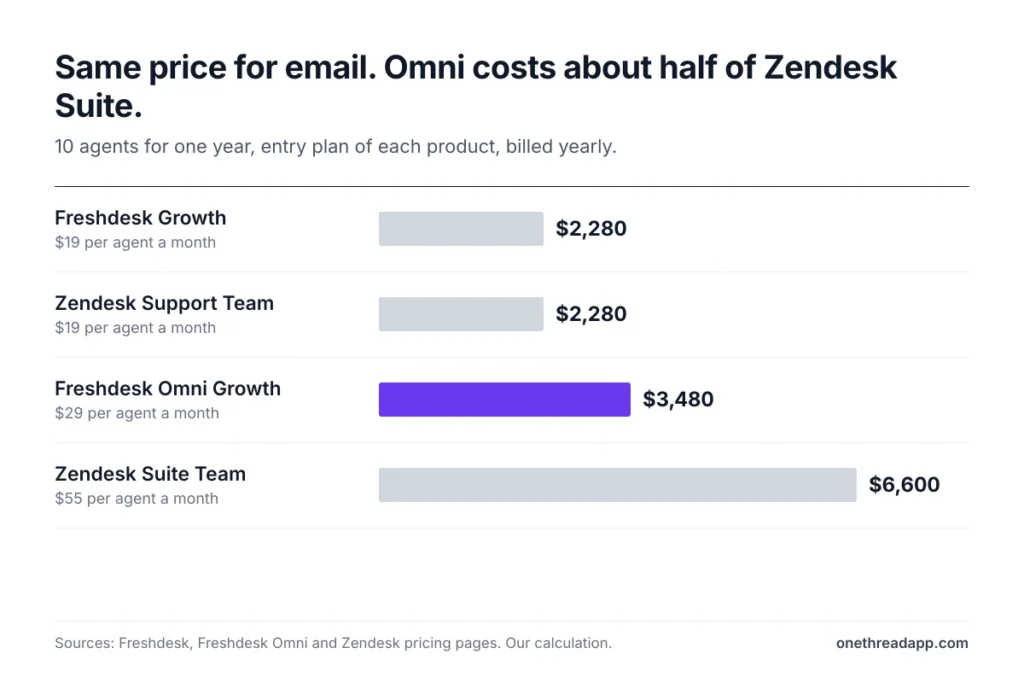
Freshdesk and Zendesk start at the same $19 per agent a month for email ticketing, billed yearly. The gap opens once you want chat, phone and AI in one plan.
| Help desk | Entry price per agent a month, billed yearly | 10 agents, one year | Best for |
|---|---|---|---|
| Freshdesk | $19 | $2,280 | Email-first teams on a budget |
| Freshdesk Omni | $29 | $3,480 | Email, chat and phone on a budget |
| Zendesk Support | $19 | $2,280 | Email ticketing teams already on Zendesk |
| Zendesk Suite | $55 | $6,600 | Messaging, voice and AI agents in one plan |
Zendesk’s Suite Team includes messaging, live chat and telephony for $55. Freshdesk Omni Growth costs $29, plus $15 for Voice, so $44 per agent a month. One tier up, Zendesk Suite Professional costs $115 against $79 for Omni Pro.
AI pricing works differently too. Zendesk bills its AI agents per automated resolution, and its Copilot add-on costs $50 per agent a month. Freshdesk sells sessions in $49 packs and Copilot at $29. Our Zendesk pricing breakdown walks through those resolution fees.
So for most small teams, Freshdesk is cheaper once you need more than email. The Best for labels are our own read. If neither tool fits, compare more options in our Zendesk alternatives roundup or our list of helpdesk software.
Sources: Freshdesk and Freshdesk Omni pricing pages, Zendesk pricing page, our calculation.
Which Freshdesk Pricing Plan Should Your Team Pick?
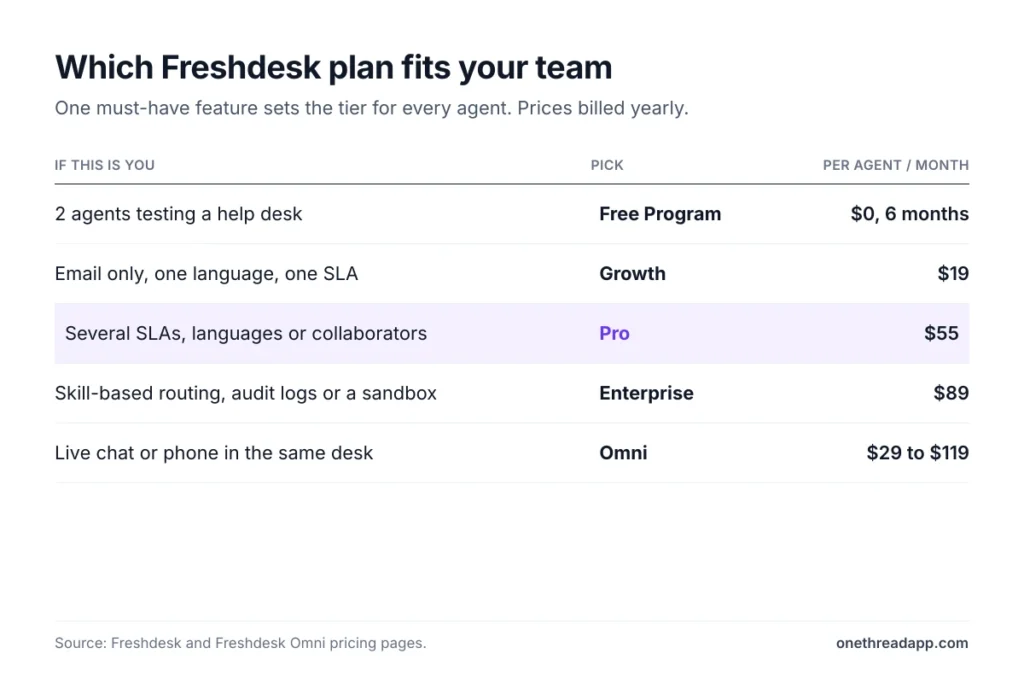
Pick the cheapest Freshdesk plan that covers your channels and your routing rules. Every agent pays that tier, so one must-have feature sets the whole bill.
| If this is you | Pick | Per agent a month, billed yearly |
|---|---|---|
| 2 agents testing a help desk | Free Program (6 months) | $0 |
| Email only, one language, one SLA | Growth | $19 |
| Several SLAs, languages or outside collaborators | Pro | $55 |
| Skill-based routing, audit logs or a sandbox | Enterprise | $89 |
| Live chat or phone in the same desk | Omni Growth or higher | $29 to $119 |
If two rows fit, start one tier lower. Upgrades apply at once with a pro-rata charge, while downgrades wait for the end of your billing cycle. Upgrading later is cheap. A downgrade only happens at renewal.
Support work also spills past the inbox: bug fixes, refunds and customer projects need owners and deadlines. Many teams run those in a separate project tool. Onethread, for example, keeps a free Basic plan with unlimited projects and tasks. Onethread’s paid plans start at $3 per user a month, billed yearly.
What Should You Do Next With Freshdesk Pricing?
Freshdesk’s bill comes down to three choices: how many agents need a seat, which single feature sets your tier, and how much AI you’ll buy. Get those right and the $19 headline turns into a number you can defend in a budget meeting. Miss one and the extras quietly add more than half again.
This week, list every agent who answers tickets and the one routing rule you can’t drop. Then start the 14-day trial and price your plan line by line with the team cost table. Small count, fewer surprises.
FAQs
What Is Freshdesk Used For?
Freshdesk is a help desk that turns customer emails into tickets your team can assign, track and answer from a shared inbox. It also runs a customer portal and knowledge base, and Freshdesk Omni adds chat and phone. Freshworks’ pricing page says more than 74,000 businesses trust it.
Does Freshdesk Charge Cancellation Fees?
No. Freshworks calls Freshdesk a pay-as-you-go service with no cancellation fees, but a cancellation only takes effect at the end of your term. So on annual billing you keep paying until the year ends. That makes the monthly Freshdesk pricing worth a look if you aren’t sure yet.
What Payment Methods Does Freshdesk Accept?
Freshdesk accepts credit cards, bank transfers and PayPal, and PayPal needs a business ID. Invoices arrive by email and also sit under Plans and Billing in the account. If you pay offline, you contact Freshworks to add agents or get invoices.
Can You Mix Freshdesk Plans Within One Team?
No. Freshdesk pricing is per agent on one plan per account, so every agent pays the same tier. The workaround for occasional helpers is a day pass, from $2 a day on Growth. External collaborators on Pro and Enterprise also join tickets without a paid seat.
Can You Pay for Freshdesk Quarterly?
Yes. Freshworks offers monthly, quarterly, half-yearly and annual billing cycles for Freshdesk. The pricing page only shows the monthly and annual rates, so ask for the quarterly quote before you commit. Your billing date follows the day you subscribed, and changing it means emailing the billing team.