Working alone doesn't mean working without a plan. You still juggle clients, deadlines, invoices and a to-do list that never ends.
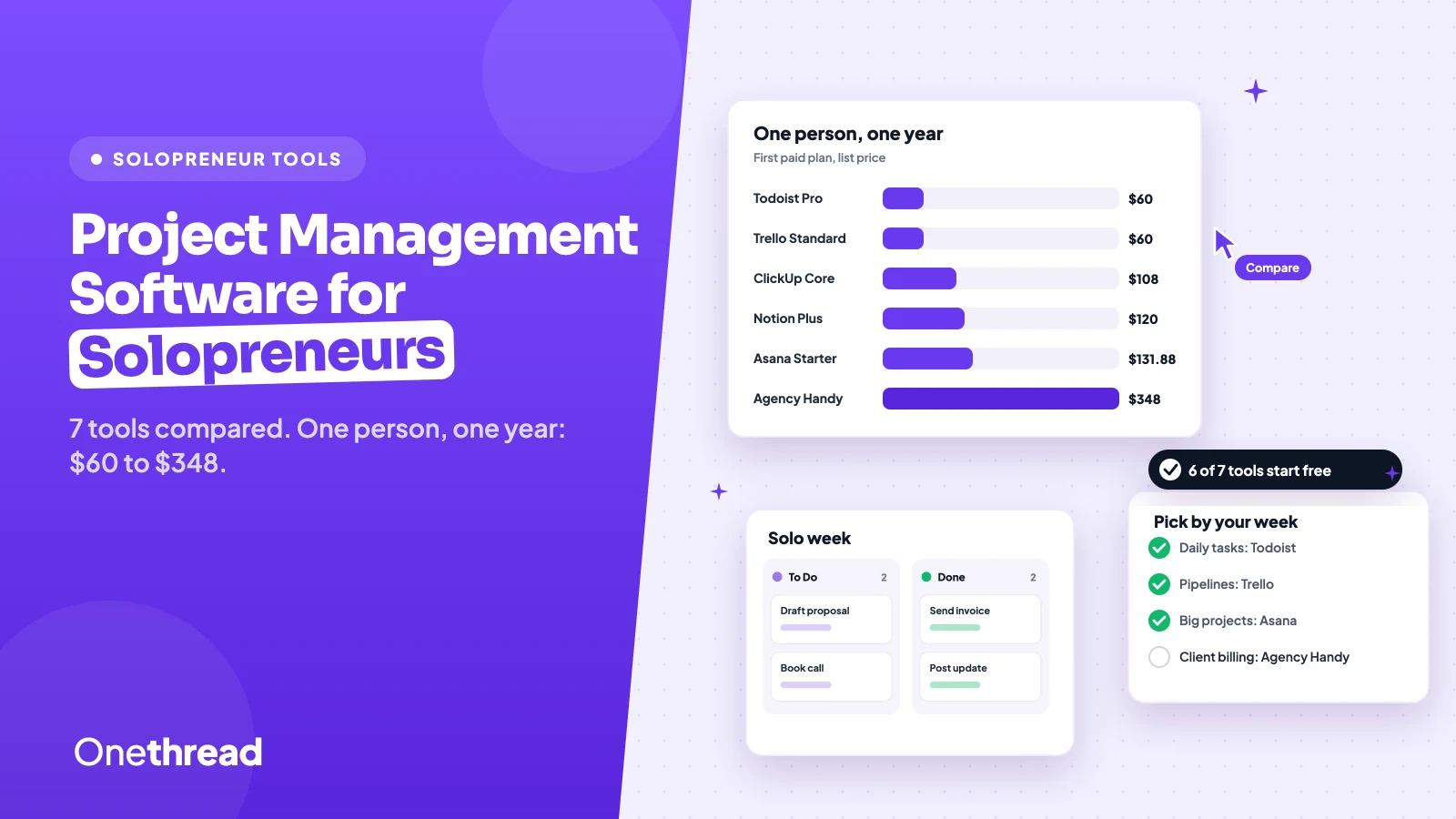
The best project management software for solopreneurs is Todoist or Trello for a cheap start. ClickUp or Asana suit complex projects, and Agency Handy suits client billing. Paid plans start at $5 a month, and every pick except Agency Handy has a free plan.
But the price tag is only half the choice. The other half is how much setup you'll put up with.
We compared the pricing pages and plan limits of 7 tools. Here's what each does well, where it falls short, and what a year costs you.
Key Points
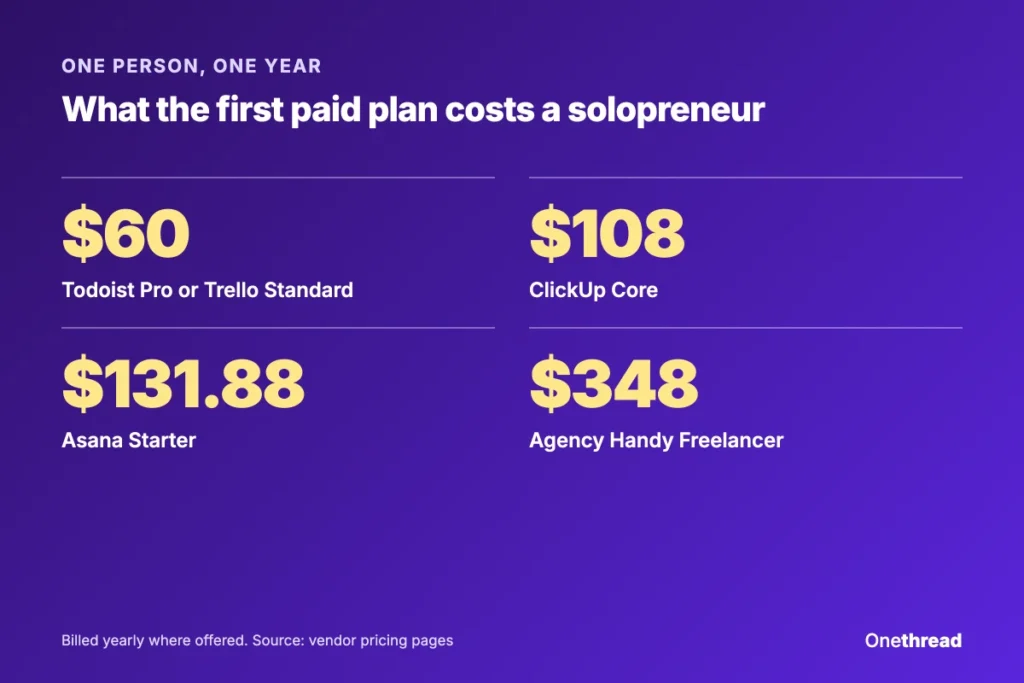
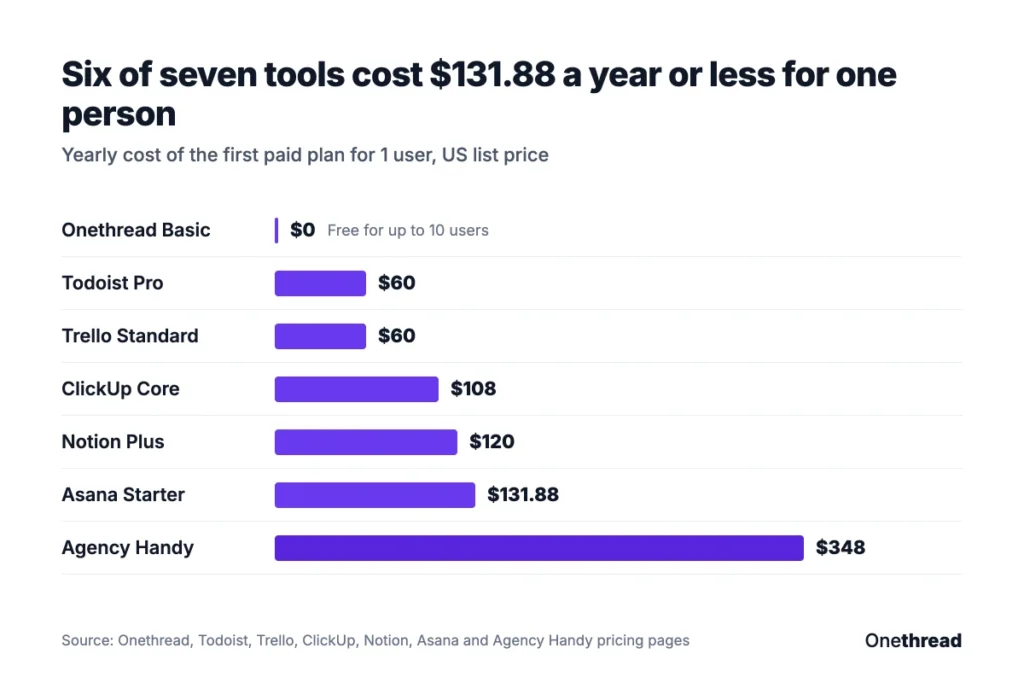
- Todoist Pro and Trello Standard cost $60 a year for one person, ClickUp Core costs $108, Asana Starter $131.88 and Agency Handy's Freelancer plan $348.
- Start free. Every pick except Agency Handy offers a free plan, so you can test your real workflow first.
- Pick a client tool such as Agency Handy only if you send proposals, invoices and files to clients every week.
- Choose by your biggest weekly pain (planning, client work or plain task lists), not by the longest feature list.
Which Project Management Software Is Best for Solopreneurs?
Each of the 7 tools below fits a different kind of solo business. The table shows the free plan, the first paid plan for one person and what that plan costs over a year.
| Tool | Free plan | First paid plan (1 user) | Yearly cost for 1 user | Best for |
|---|---|---|---|---|
| Agency Handy | No (7-day trial) | $29 a month | $348 | Solo service businesses that bill clients |
| ClickUp | Yes | $9 a month, billed yearly | $108 | All-in-one planning |
| Trello | Yes | $5 a month, billed yearly | $60 | Visual boards |
| Asana | Yes, for 1 to 2 people | $10.99 a month, billed yearly | $131.88 | Structured projects with timelines |
| Notion | Yes | $10 a month | $120 | Notes, docs and tasks in one place |
| Todoist | Yes | $5 a month, billed yearly | $60 | Daily task lists |
| Onethread | Yes, for up to 10 users | $3 a month | $0 on the free plan | Solo work that may grow into a team |
The "Best for" labels are our own judgment. Prices come from each vendor's pricing page and can change, so check the page before you buy.
Sources: ClickUp, Trello, Asana, Notion, Todoist, Agency Handy, Onethread and Plutio pricing pages.
How Did We Pick These Project Management Tools?
We picked these project management tools by reading each vendor's pricing page and plan limits. Then we compared them against the jobs a solo founder does every week. And we checked which tools the top-ranking guides on this topic review most often.
Four tests decided the list:
- Free plan: Can you run real work on it, or does it stop after a week?
- Solo price: What does one seat cost per year on the first paid plan?
- Setup time: Can you build your first project in an afternoon?
- Client work: Does it handle proposals, invoices or a client portal, or will you need extra apps?
Our full process sits in our review methodology. We don't take payment to rank any tool higher on this list. And we list each tool's weak spots next to its strengths.
One caveat worth being honest about: price was never the only test. A $5 tool you abandon in a month costs more than a $10 tool you use every day.
So read each review with your own week in mind. Count your clients, your active projects and the apps you already pay for. Then compare, and be honest about which features you'd skip anyway.
What Should a Solopreneur Look for in Project Management Software?
Project management software is an app that holds your tasks, deadlines, files and notes in one place. It shows you what's due and what's next. For a solopreneur, it replaces the sticky notes, the inbox flags and the spreadsheet you swore you'd update.
Team tools often assume a manager, a team and a weekly status meeting. You need less of that and more speed. If you expect to hire soon, our guide to the best project management for small teams covers tools built to grow.
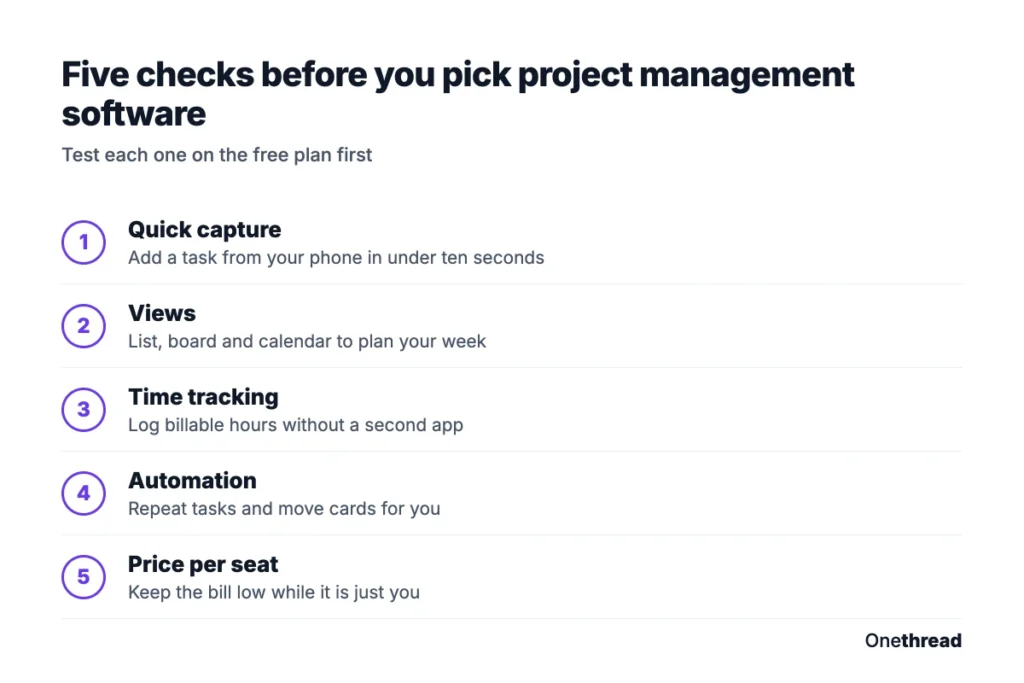
Five checks help you decide:
- Quick capture: Can you add a task from your phone in under ten seconds?
- Views: Does it offer a list, a board and a calendar, so you can plan your week?
- Time tracking: Can you log billable hours without a second app?
- Automation: Can it repeat tasks and move cards for you?
- Price per seat: Will the bill stay low while it's just you?
Not every solo business needs all five. A writer may only need quick capture and a calendar. A consultant who bills by the hour needs time tracking first.
Top Tip: Before you sign up, write down the three tasks you repeat every week. Then test those three tasks on the free plan. If the tool makes them slower, skip it.
Why Do Solo Service Businesses Pick Agency Handy?
Agency Handy is a client portal and agency management tool. It suits a solopreneur who sells services, such as a designer, developer or marketing consultant. Clients log in to one portal to place orders, share files, approve work and pay invoices.
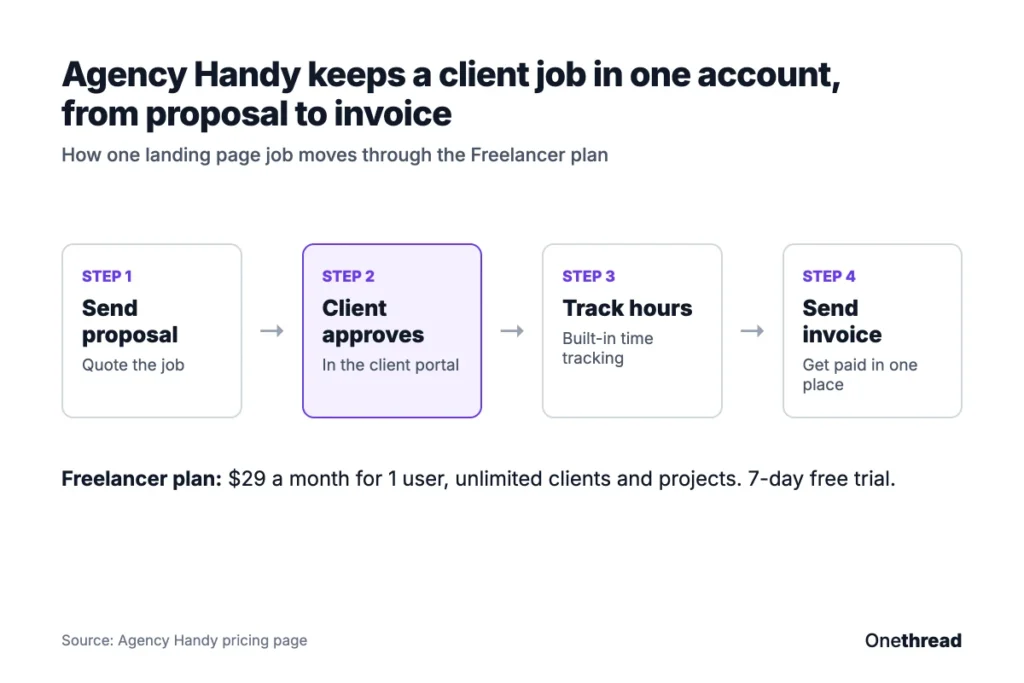
The Freelancer plan includes one user, unlimited clients and projects, a CRM, invoicing and subscriptions, custom forms, time tracking and file approval. It also includes a feature to send proposals, so you can quote a client and bill them from the same account.
Say a client asks for a new landing page. You send a proposal, they approve it in the portal, you track the hours, and the invoice goes out when the work is done. No second app needed.
Users like the simple client side and the task management board. On G2, reviewer Andrew J. calls it a client portal tool with a "user-friendly interface". On Product Hunt, Shamima Nasrin describes it as "a hassle-free tool". And on Trustpilot, Vikas Patil praises the invoicing and the Kanban-style task board.
Pricing: The Freelancer plan lists at $29 a month for 1 user. It showed as sold out when we checked, and Team Starter lists at $99 a month for 10 users. A 7-day free trial needs no credit card.
Best For
- Solo service businesses that send proposals and invoices every week.
Pros
- Proposals, invoices and payments live in one place.
- Clients get a branded portal for orders, files and approvals.
- Unlimited clients and projects on every plan.
Cons
- No free plan, only a 7-day trial.
- Built for client work, so it's more than a personal to-do list needs.
- Custom domain, API access and Slack integration require a higher plan.
What Makes ClickUp a Strong All-in-One Pick?
ClickUp puts tasks, docs, whiteboards, goals and time tracking into one workspace. It's the tool to pick when you want one app for everything and don't mind a learning curve.
The Free Forever plan offers unlimited members, Kanban boards, list, calendar and table views, Docs and one form. It caps storage at 60 MB and automation at 100 actions a month. Core lifts storage and adds unlimited Gantt charts, custom fields and goals.
Picture a course creator planning a launch. The lesson outlines live in Docs, the launch tasks sit on a board, and the Gantt chart shows the dates. That's one app instead of three.
The trade-off is setup time. Expect to spend an evening learning where things live before it feels quick.
If ClickUp feels like too much, our guide to a flexible ClickUp alternative covers lighter options.
Pricing: Free Forever costs $0. Core lists at $9 per user per month and Business at $17, both billed yearly.
Best For
- Solopreneurs who want docs, tasks and goals in one app.
Pros
- A generous free plan with unlimited members.
- Many views, including Kanban, calendar and Gantt.
- Docs and whiteboards are built in.
Cons
- The menus take time to learn.
- Free storage stops at 60 MB.
- Free automation stops at 100 actions a month.
Why Do Visual Thinkers Choose Trello?
Trello organizes work as cards on boards, and you drag each card from column to column as it moves. It's the fastest tool here to learn. Most people build their first board in minutes.
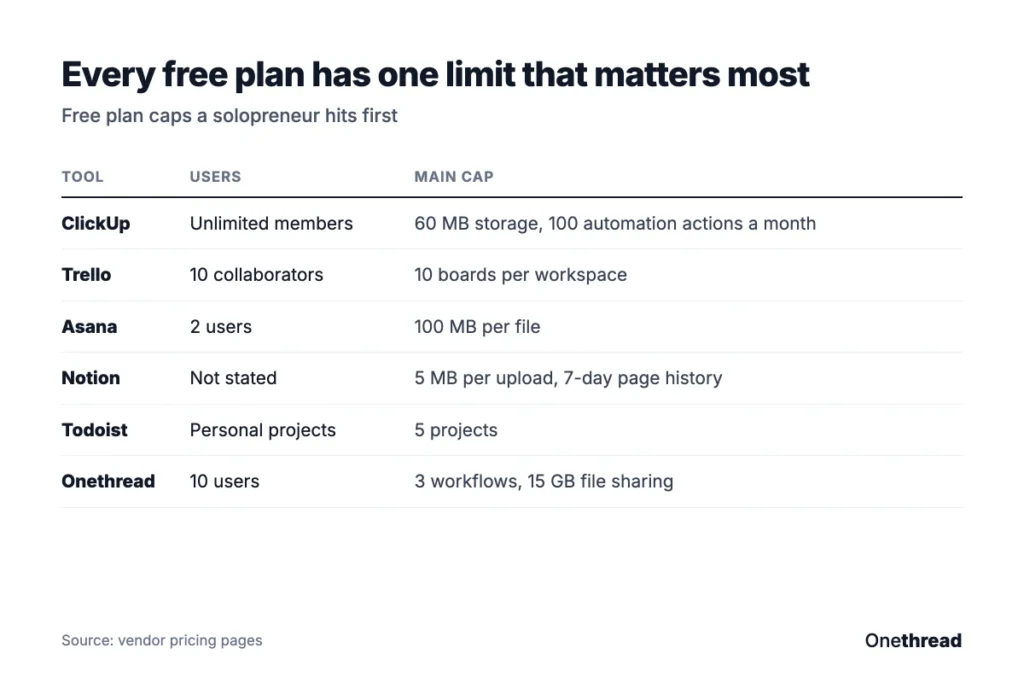
The free plan allows up to 10 collaborators and 10 boards per workspace, with unlimited cards. It includes an Inbox for quick capture from email or Slack, plus iOS and Android apps. Standard removes the board limit and adds custom fields.
Say you're a freelance writer. One board holds your pitches, drafts, edits and invoices sent. You see the whole pipeline at a glance, and nothing hides in a list.
The catch: Calendar, Timeline and Dashboard views sit on Premium. So the free and Standard plans are mostly boards. That's fine for a pipeline, and thin for a project with many dates.
Pricing: Free costs $0. Standard lists at $5 per user per month billed yearly, or $6 monthly. Premium lists at $10 billed yearly.
Best For
- Solopreneurs who think in pipelines and like to see work move.
Pros
- The easiest setup on this list.
- A useful free plan with unlimited cards.
- Fast task capture from email and Slack.
Cons
- Free plans stop at 10 boards per workspace.
- Calendar and Timeline views need Premium.
- Large projects get messy on boards alone.
How Does Asana Help Solopreneurs Plan Bigger Projects?
Asana helps you plan projects with clear steps, owners and dates. It suits a solopreneur who runs longer projects, such as a book, a product launch or a client build with many parts.
The free Personal plan is for one or two people. It includes unlimited tasks and projects, list, board and calendar views, and over 100 integrations. Starter adds a timeline (Gantt) view, reporting dashboards, forms and unlimited automations.
Say you're writing a book. Each chapter becomes a task with a due date, and the timeline shows if the launch date still holds.
Time tracking needs the Advanced plan. That's a real gap if you bill by the hour. If you're weighing Asana against a spreadsheet-style tool, our Asana vs Smartsheet comparison walks through the trade-offs.
Pricing: Personal costs $0. Starter lists at $10.99 per user per month billed yearly, or $13.49 monthly. Advanced lists at $24.99 billed yearly.
Best For
- Solopreneurs who run long projects with many steps and dates.
Pros
- Unlimited tasks and projects on the free plan.
- A clean timeline view on Starter.
- Unlimited automations on Starter and every plan above it.
Cons
- Time tracking needs the Advanced plan.
- Starter costs more than Trello or Todoist.
- Free files stop at 100 MB each.
What Does Notion Offer a One-Person Business?
Notion is a workspace for notes, docs, wikis and databases, and those databases can work as task boards. It's the pick for solopreneurs whose work starts as writing, such as content planning, client notes or course outlines.
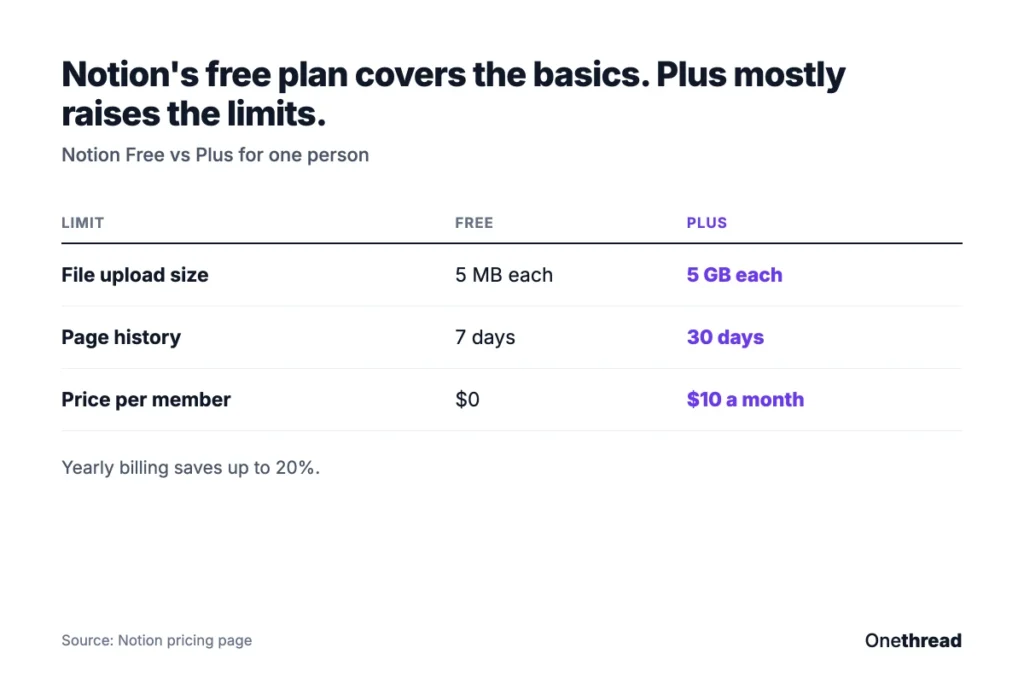
The free plan includes databases with subtasks and dependencies, basic forms, Notion Calendar and a trial of Notion AI. File uploads stop at 5 MB each, and page history covers 7 days. Plus raises uploads to 5 GB per file and history to 30 days.
You build the system yourself. That's the appeal and the problem. A good template saves hours, and a bad one becomes another thing to manage. Start with one simple task database and add to it slowly.
Still torn between the two most popular picks? Our Notion vs Asana breakdown compares them side by side.
Pricing: Free costs $0. Plus lists at $10 per member per month and Business at $20. Yearly billing saves up to 20%.
Best For
- Writers and creators who plan work inside documents.
Pros
- Notes, docs and tasks share one place.
- Free databases with subtasks and dependencies.
- A huge library of templates.
Cons
- You build every workflow yourself.
- Free uploads stop at 5 MB per file.
- AI is only a trial on the free plan.
Why Is Todoist Enough for Many Solopreneurs?
Todoist is a task list app, and for many solo businesses, that's all the project management they need. You type a task like "send invoice every Friday", and it sets the date and the repeat for you.
The free Beginner plan covers 5 personal projects, priority levels, sub-tasks, reminders, board layout and recurring dates. Pro raises the limit to 300 projects and adds calendar layout, task duration and full reporting history.
Say you're a virtual assistant with five clients. Each client gets a project, and the Today view shows every task due across all five.
Todoist won't run a client portal or a Gantt chart. But if your work is a long list of small tasks, it's the quickest tool here. For more apps built for one person, see our list of the best project management software for individuals.
Pricing: Beginner costs $0. Pro lists at $5 a month billed yearly, which is $60 a year, or $7 billed monthly.
Best For
- Solopreneurs who live by a daily task list.
Pros
- The fastest task capture on this list.
- Natural language dates and repeats.
- Pro costs only $60 a year.
Cons
- Free plans stop at 5 projects.
- No Gantt chart or client portal.
- Free reporting covers only one week.
How Does Onethread Fit Solo Work That May Grow?
Onethread is project management software with tasks, projects, discussion rooms and file sharing. We make it, so we list its limits too. It fits a solopreneur who expects to bring in a contractor or a first hire.
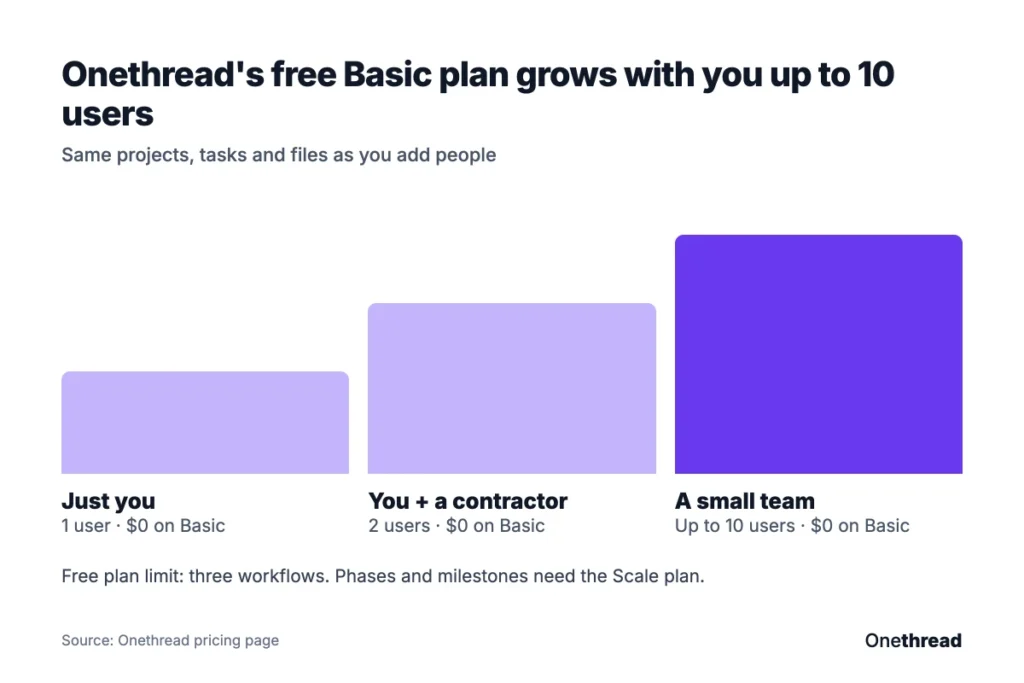
The Basic plan is free for the first 10 users. It includes unlimited organizations, projects, tasks and discussion rooms, plus 15 GB of file sharing. The free plan caps you at three workflows. Growth adds task and project export and standard reports.
So you can start alone and add a freelancer later without a new tool or a new bill. Say you hire a part-time editor: you invite them to the project, and the tasks and files are already there. Phases, milestones and advanced reports sit on the Scale plan.
Pricing: Basic costs $0 for up to 10 users. Paid plans list from $3 to $6 per user per month on the pricing page.
Best For
- Solopreneurs who plan to add contractors or a first hire.
Pros
- Free for up to 10 users.
- Unlimited projects and tasks on the free plan.
- 15 GB of file sharing included.
Cons
- The free plan allows only three workflows.
- No built-in invoicing or client portal.
- Phases and milestones need the Scale plan.
Which Other Project Management Tools Are Worth a Look?
Monday.com, Airtable, Basecamp, Teamwork.com and Plutio show up often in solo reviews. They didn't make our main list, because each one leans toward teams or a narrow job. But each fits a certain kind of work:
- Monday.com: A work management tool with colorful boards and dashboards, built mostly for teams.
- Airtable: A spreadsheet and database hybrid, good for content calendars, product inventories and lead lists you sort and filter often.
- Basecamp: A project tool that groups messages, to-dos and files for each project, handy when you share work with clients.
- Teamwork.com: A client work tool with time tracking and billing, built for agencies more than solo founders.
- Google Workspace: Google sells no separate project app, but Sheets, Calendar and Tasks can run simple solo projects.
- Plutio: An all-in-one freelance tool with proposals, invoices and a client portal. Core lists at $19 a month or $190 a year, with a 7-day trial.
Prefer software you host yourself? Our list of the best open source project management software covers free tools you can run on your own server. They cost nothing per seat, though you pay for hosting and handle the updates yourself.
None of these beats the main seven for a typical solo week. But if one matches your exact job, it's worth a free trial this month before you decide.
For a wider view, our roundup of project management software alternatives compares tools for small teams too.
How Do You Choose Project Management Software as a Solopreneur?
Start with the one job that eats most of your week, then pick the cheapest tool that does that job well. The decision table matches common solo needs to a pick from this list.
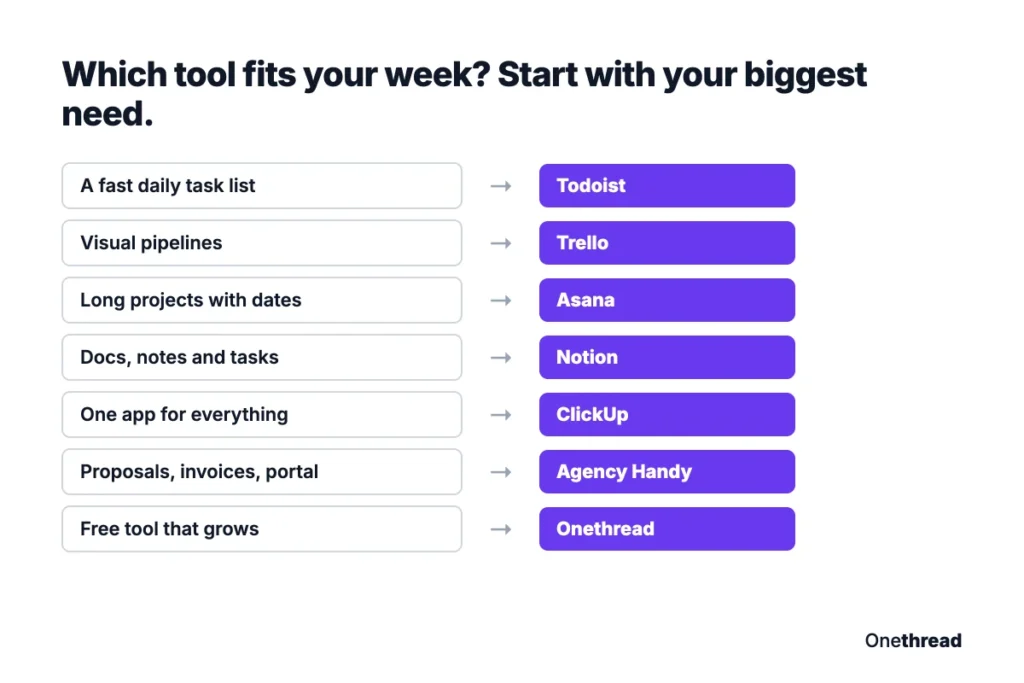
| If your biggest need is | Pick |
|---|---|
| A fast daily task list | Todoist |
| Visual pipelines for drafts or deals | Trello |
| Long projects with dates and steps | Asana |
| Docs, notes and tasks in one place | Notion |
| One app for everything | ClickUp |
| Proposals, invoices and a client portal | Agency Handy |
| A free tool that grows into a team | Onethread |
Example: Say you pay for Todoist Pro at $60 a year plus Plutio Core at $190 a year, a total of $250. Agency Handy's Freelancer plan costs $29 times 12 months, or $348 a year. So the all-in-one costs $98 more, and you'd pay that for one login and a client portal. Use your own numbers.
Is a paid plan worth it? Only when the free plan blocks a task you do every week. For Todoist, that's often the 5-project limit, and for Trello, the 10-board limit.
Top Tip: Pay yearly only after a full month on the monthly plan. Trello Standard costs $6 billed monthly and $5 billed yearly, so a month of testing costs you just $1 more.
What Should You Do Next With Project Management Software?
The right project management software for a solopreneur isn't the one with the most features. It's the one that fits your biggest weekly job at a price you won't notice. And six of these seven tools start free, so testing them costs you nothing but a quiet afternoon.
This week, list your three most repeated tasks and test them on the free plan of your top two picks. Keep the one you still open by Friday afternoon, and cancel the other before any trial quietly turns into a monthly bill.
FAQs
Do Solopreneurs Need Project Management Software?
Yes, once you handle more than a few clients or projects at once. Project management software for solopreneurs keeps deadlines, files and notes in one place, so nothing hides in your inbox. If your work fits on one short list, a free plan from Todoist or Trello covers it at no cost.
Is Asana Good for Solopreneurs?
Yes, if you run long projects with many steps and dates. The free Personal plan covers one or two people with unlimited tasks and projects. The main gap for solo consultants is time tracking, which only arrives on the Advanced plan at $24.99 per user per month billed yearly.
How Is Project Management Software Different From a To-Do List App?
A to-do list app tracks single tasks, while project management software groups tasks into projects with dates, files and views. Todoist sits in between. For a solo entrepreneur with several projects, the best project management software for solopreneurs adds boards, timelines or a portal.
Can You Use One Tool for Personal and Business Projects?
Yes. Todoist, Notion and Trello all let you keep separate projects or boards for personal and work tasks in one account. Keep them apart with a separate project or workspace, so a grocery list never lands next to a client deadline. Asana's free Personal plan also works for side projects.
What Is the Best Tool for Solo Freelancers and Consultants?
For solo freelancers and consultants who bill clients, Agency Handy or Plutio fit best, because both include proposals, invoices and a client portal. On a budget, the best project management software for solopreneurs is Todoist Pro or Trello Standard. Each costs $60 a year.