Meeting notes only help if you can act on them next week. Most notes bury the outcome under the conversation.
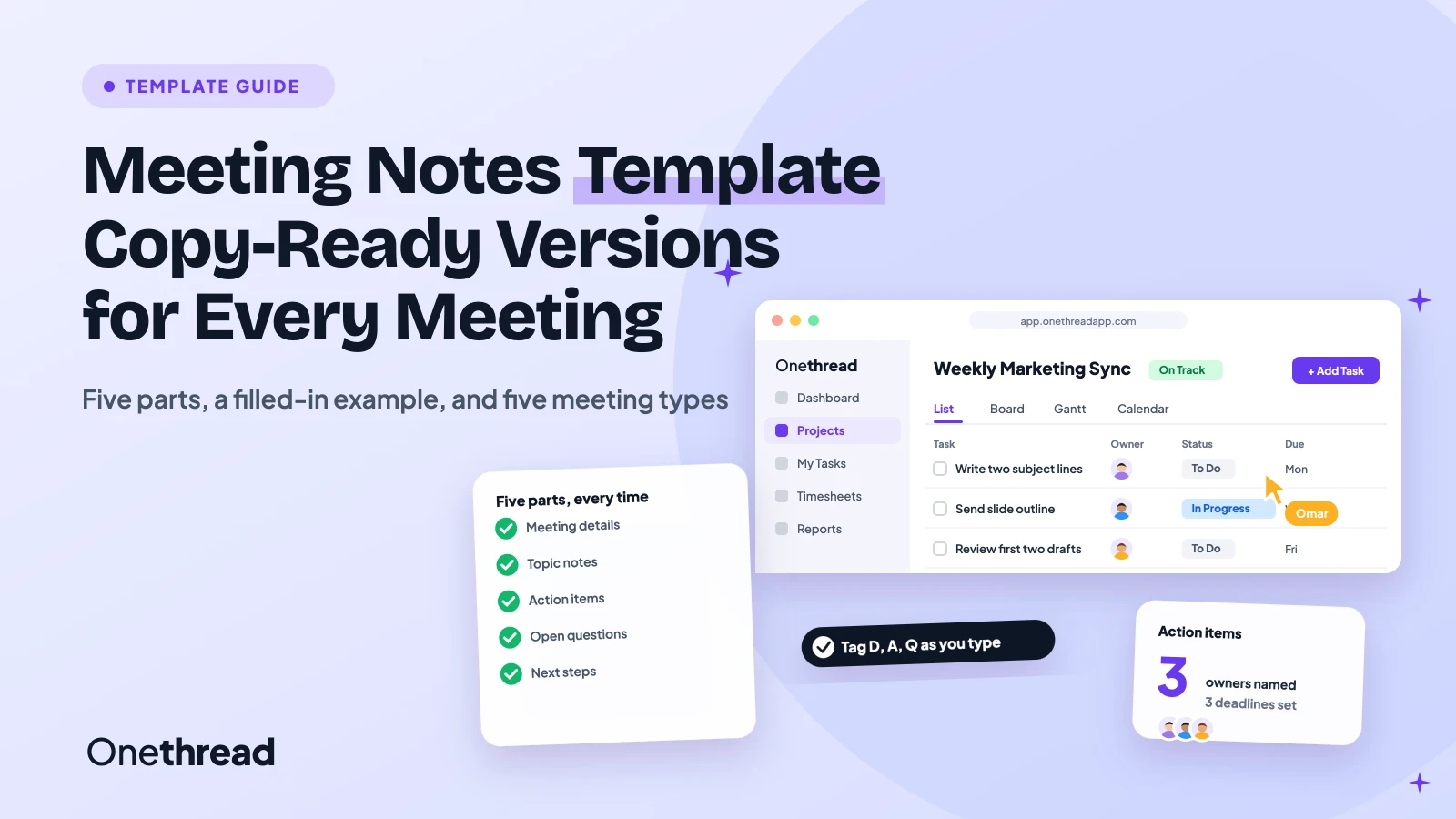
A meeting notes template needs five parts: meeting details, topic notes with decisions, action items, open questions, and next steps.
We reviewed 10 top-ranking guides and a thread of project managers to see what holds up in practice.
You get a copy-ready template, a filled-in example, five versions by meeting type, and a way to move every action into your task tracker.
Key Points
- A meeting notes template needs five parts: details, topic notes, action items, open questions, and next steps. Every action needs one owner and a due date.
- Start from one base template and add one or two fields per meeting type, such as a one-on-one or a client call.
- Tag lines as you type with D for decision, A for action, and Q for question. Clean up within the hour.
- Send the notes the same day, and copy every action into a task tracker with the same owner and due date.
What Should a Meeting Notes Template Include?
A meeting notes template rests on five parts. Fill them in the order the meeting runs, and anyone can scan old notes in seconds.
| Template Part | What to Write |
|---|---|
| Meeting Details | Title, date, time, attendees, and the note-taker |
| Topic Notes | One heading per agenda item, with two or three key points and the decision, if there was one |
| Action Items | The task, one named owner, and a due date |
| Open Questions | The question, plus who will find the answer |
| Next Steps | Anything held over, plus the next meeting date |
Copy the table into the document your team already uses. If you don't have an agenda yet, our free meeting agenda generator drafts one, and each of its agenda items becomes a topic heading.
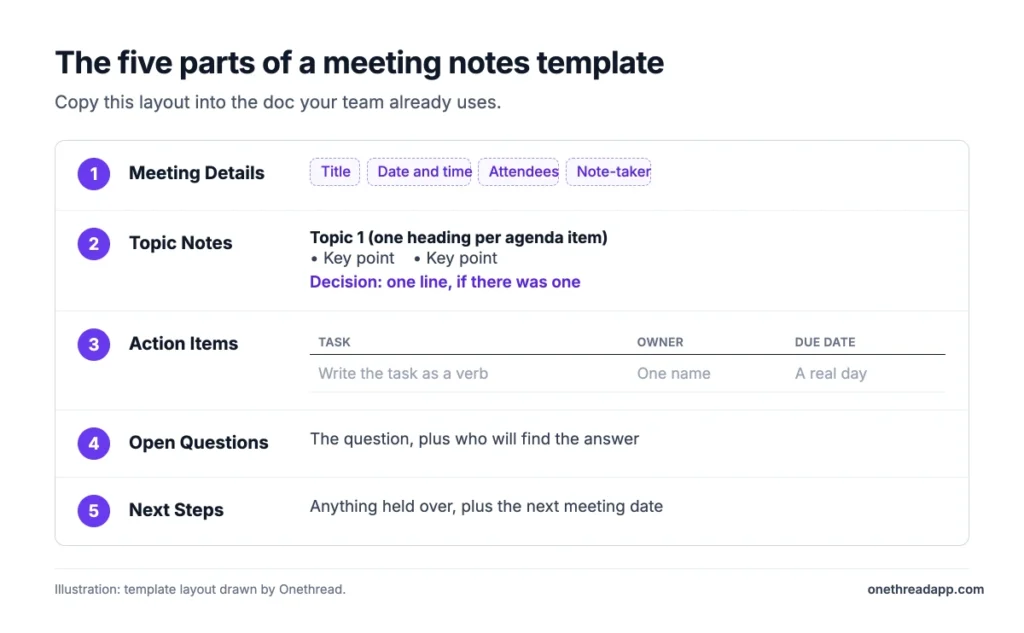
Just as important is what stays out. Skip word-for-word dialogue, tangents, and anything already written elsewhere. Link to that document instead, so the notes take two minutes to read.
What Does a Filled-In Meeting Notes Example Look Like?
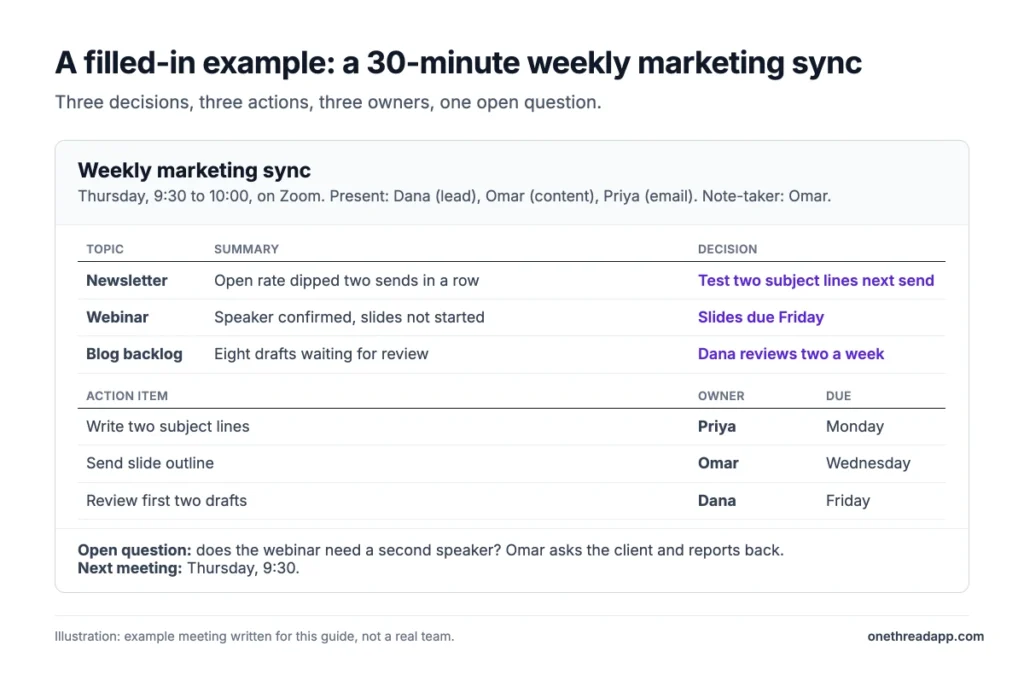
A good example is short enough to read in a minute. This one records a 30-minute weekly marketing sync.
Example: Weekly marketing sync, Thursday, 9:30 to 10:00, on Zoom. Present: Dana (lead), Omar (content), and Priya (email). Note-taker: Omar. Next meeting: Thursday, 9:30.
| Topic | Summary | Decision |
|---|---|---|
| Newsletter | Open rate dipped two sends in a row | Test two subject lines next send |
| Webinar | Speaker confirmed, slides not started | Slides due Friday |
| Blog backlog | Eight drafts waiting for review | Dana reviews two a week |
| Action Item | Owner | Due |
|---|---|---|
| Write two subject lines | Priya | Monday |
| Send slide outline | Omar | Wednesday |
| Review first two drafts | Dana | Friday |
Open question: does the webinar need a second speaker? Omar asks the client and reports back.
Three decisions, three actions, three owners, one open question. That's the page.
Which Meeting Notes Template Fits Each Meeting Type?
Start from the base template, then add one or two fields for the meeting type. Five types cover most calendars. They are one-on-ones, weekly team meetings, project status updates, client calls, and brainstorms. Each one changes what you write down first.
One-on-One Meeting Notes Template
A one-on-one needs room for the other person's agenda. Add three fields to the base: topics they raised, feedback in both directions, and goals or growth.
Let the team member add topics before the meeting. Then open by reading last time's action items, so nothing slips between sessions.
We'd keep these notes private to the two of you and share only the actions. Over a few months, they make the next review easy to write.
Close each session with one line on what each person will do before the next one.
Weekly Team Meeting Notes Template
A weekly meeting notes template adds two fields: updates and blockers. Record each update in one line, and move any long discussion to its own meeting.
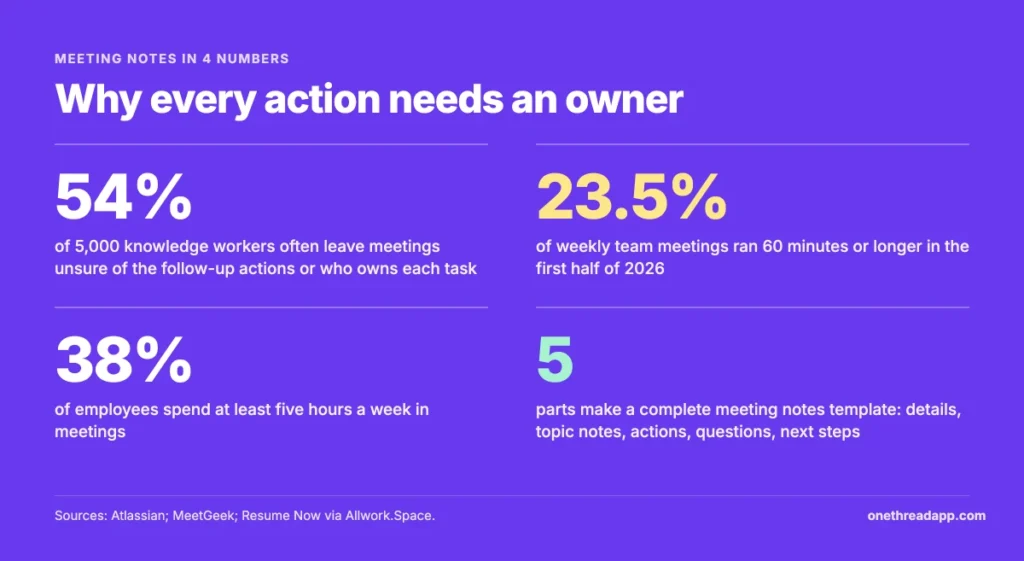
Give every agenda item a time limit. MeetGeek reports that 23.5% of weekly team meetings in the first half of 2026 ran 60 minutes or longer. A written limit beside each topic is the cheapest fix, and it keeps the team meeting notes short enough to finish on the call.
Park anything that needs a longer talk as a single line with a name beside it.
Project Status Meeting Notes Template
Write the overall status at the top: on track, at risk, or off track. Then add milestones, risks, and blockers, and end with the decisions the project still needs.
In a project management meeting notes template, a RAID log works well beside the notes. RAID stands for risks, actions, issues, and decisions. One r/projectmanagement thread suggests keeping the log separate from the notes, then copying only the changes in. Keep the status words the same every week, so readers can spot a change at a glance.
Client Meeting Notes Template
Record the client's requests in their own words. Then add the approvals they gave, any unanswered questions, and the agreed follow-ups.
Send a short follow-up email the same day with the decisions and actions. Clients catch misheard details fast, and a draft invites that correction. Keep your internal comments in a separate document. Then you can share the client notes exactly as they are.
Log anything you promised on the call, with a date, since clients remember promises and expect them kept.
Brainstorm Meeting Notes Template
Capture every idea before anyone judges one. Group the ideas into themes afterward, mark the ones the group picked, and write actions only for those.
Add a parking lot for ideas that don't fit now. It keeps the session moving, and nobody feels ignored. Time-box each phase: ideas first, then grouping, then picking. Skip a phase and the session drifts.
Photograph or paste any whiteboard into the notes before the room clears, because a board gets erased the moment the next team walks in.
Which Meeting Notes Format Should You Use?
Pick the layout by how the meeting runs. Outline suits fast discussions, action-first suits readers who skipped the meeting, and Cornell suits workshops.
| Format | Layout | Best For |
|---|---|---|
| Outline | Indented bullets under each agenda item, written as the talk moves | Fast discussions and personal notes |
| Action-First | Decisions and action items on top, discussion summary below | Stakeholders who missed the meeting |
| Cornell | Notes on the page, cues beside them, a short summary at the bottom | Training and workshops |
| Question and Answer | Each question asked, followed by its answer | Client discovery calls and interviews |
The Best For column is ours, based on the five formats MeetGeek compares.
The Cornell layout splits the page into notes, cues, and a summary of three to four sentences. You write the cues and the summary afterward, so it suits sessions you want to study more than weekly check-ins.
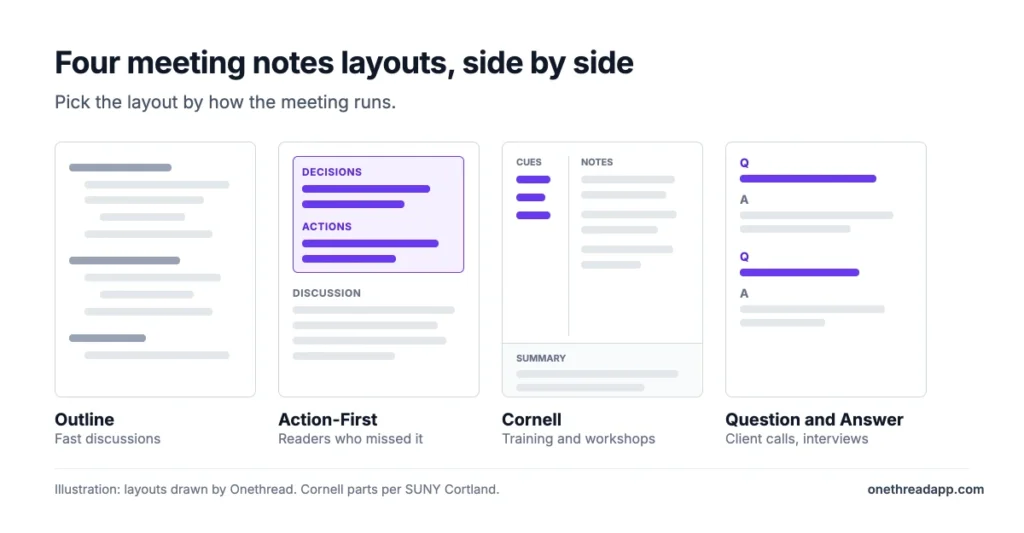
Top Tip: Use one format per recurring meeting. A fixed layout lets readers find the decisions without hunting for them.
How Do You Take Meeting Notes Without Falling Behind?
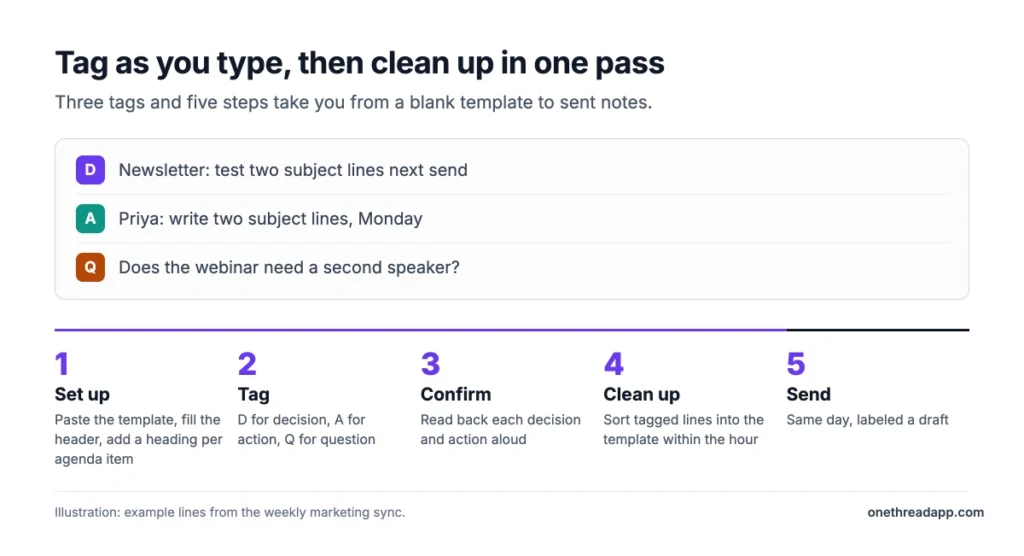
Taking meeting notes works in five steps: set up the header, tag as you type, confirm aloud, clean up, and send. The tags do most of the work.
- Set up before the call: Paste the template, fill in the header, and add one heading per agenda item. Nothing else needs typing live.
- Tag as you type: Start each line with D for a decision, A for an action, or Q for an open question. Project managers in one community thread use prefixes like these to keep up.
- Confirm aloud: Read back each decision and action before the topic changes. Atlassian found that 54% of 5,000 surveyed knowledge workers often leave meetings unsure of the follow-up actions or who owns each task.
- Clean up within the hour: Sort the tagged lines into the template and cut the tangents. Leave out anything that is not a key point.
- Send the same day: Label it a draft and invite corrections. Attendees often fix misheard names and dates.
If you also run the meeting, see our guide to running effective team meetings and these team meeting ideas.
Top Tip: Type the D, A, and Q tags first and the words second. A line that starts with a tag is easy to find later, even when the sentence is rough.
Where Should You Keep Meeting Notes and Their Action Items?
Keep the notes in the tool your team already opens every day, and make sure each action leaves the notes. Two built-in options save setup time, and a task tracker holds the actions. Pick one home for the notes, so nobody hunts through three folders.
How Do You Add Meeting Notes in Google Docs?
Type @ in a Google Doc, choose Meeting notes, and pick the Calendar event. The block pulls in the event's date, title, and attendees. It also adds sections for notes and action items, with a checklist for finished tasks.
A pop-up then asks whether to share the doc with attendees. If you own the meeting, choose Share & attach, and the notes then attach to the Calendar event too. The envelope icon beside the meeting title drafts an email in Gmail for you.
How Do You Use OneNote for Meeting Notes?
Go to the Home tab and select Meeting Details. Pick today's meeting from the list, or choose another day on the calendar. OneNote inserts the date, location, agenda, topic, and attendees as plain text on a new page.
Each meeting gets its own page, so a recurring one builds a clean trail. You can edit that text without changing the Outlook invite. It needs Outlook and OneNote on the same computer, and our roundup of note-taking apps lists other options.
How Do You Move Action Items Into a Task Tracker?
Notes still fail when actions stay inside them. Resume Now found that 38% of employees spend at least five hours a week in meetings. Nearly two-thirds say half or fewer of those meetings are productive.
Copy each action into a task tracker the same day. In a project tool such as Onethread, each action becomes a task with an assignee and a deadline. Our task project management guide covers the basics, and the Onethread features page lists what task management includes.
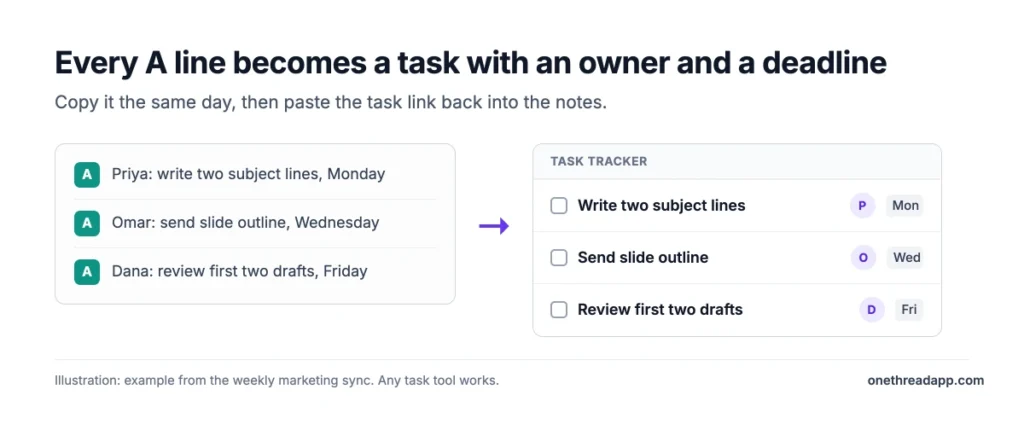
Paste the task link back into the notes. Then open your next meeting by reading the open actions aloud.
Sources: Atlassian, MeetGeek, Allwork.Space on the Resume Now report, Google Workspace blog, Microsoft Support, SUNY Cortland, r/projectmanagement thread.
What Should You Do Next With Your Meeting Notes?
Good meeting notes are short. Five parts, a few decisions, and one owner on every action keep a team moving. Better notes are one piece of the bigger picture, which our guide to improving team productivity covers.
Start with one meeting this week, then adjust. Before it begins, copy the template into your team's document and fill in the header and the agenda topics. Tag the decisions and actions as they happen. Then send the notes the same day, and check that every action has a name and a date.
FAQs
What Are Meeting Notes?
Meeting notes are a written record of what a meeting covered: the main topics, the decisions, and the actions that follow. They stay informal and work as a shared reference for the team. Most teams write them during the call and tidy them up within the hour afterward.
Who Should Take Meeting Notes?
Someone other than the person leading the meeting, so the leader can focus on the discussion. Many teams rotate the note-taker role each week, so no one person carries it. Rotation spreads the work, and a shared document lets attendees fix mistakes as they spot them.
Are Meeting Notes and Meeting Minutes the Same?
No. Meeting notes are an informal team record of key points, decisions, and actions. Meeting minutes are a formal record, and boards and committees may need them with motions and votes. Teams can use notes for routine meetings and keep minutes for formal ones.
Can AI Take Meeting Notes for You?
Yes, with limits. Tools such as Otter.ai, Fireflies, and Copilot record and transcribe meetings. Commenters in one community thread warn that transcripts struggle with accents and overlapping speech, so review every summary. Check your company policy, local consent rules, and any NDA before you record.
Can You Make a Meeting Notes Template in Word?
Yes. Paste the template table into a blank Word document, save it as a template file, and open a copy for each meeting. Keep one file per meeting type, so the one-on-one version never mixes with the client version, and revise it when needed.